 Best full-service eCommerce agency 2026


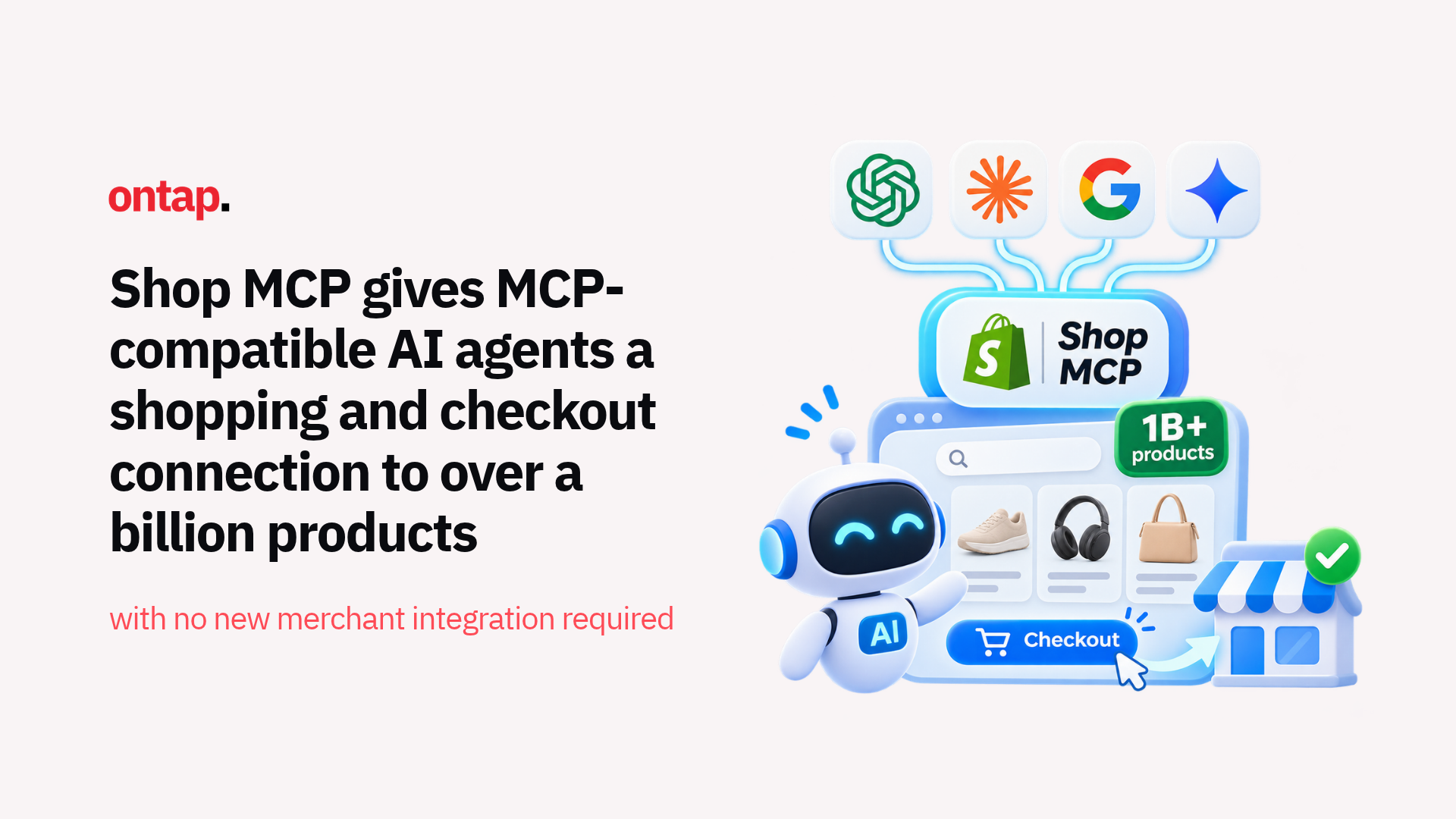
Shopify quietly shipped one of the most commercially significant platform changes of 2026 on 13 October. Shop MCP, a single Model Context Protocol connection at mcp.shop.com, gives MCP-compatible AI agents the ability to search Shopify Catalog, build carts, and complete purchases through Shop Pay checkout. Search works across over one billion products and does not require an API key.
For merchants, there is no separate Shop MCP integration to install. Products that meet Shopify Catalog requirements are automatically included by default, although this does not mean every product from every Shopify store is eligible.
This matters because it removes one of the biggest friction points in agent-mediated commerce: handing the shopper back to a website to pay.
What Shop MCP actually does
Shop MCP exposes 17 tools through a single MCP connection, covering the full shopping journey:
-
Search and product details:
search_catalog, lookup_catalogandget_productread from Shopify Catalog; -
Shopper sign-in: when a shopper signs into Shop, search tools can use their saved preferences;
-
Cart and checkout on Shopify stores: an agent can build a cart and create a checkout on the store that sells the product. With a signed-in shopper, checkout can use saved addresses and Shop Pay. The agent completes the purchase with complete_checkout after the shopper confirms the total and payment method;
-
Checkout on non-Shopify stores: when a store does not use Shopify checkout, Shop's spend request flow can let a signed-in shopper approve the merchant, purchase and payment card before the agent receives card details for that specific transaction;
-
Order tracking: signed-in shoppers can let agents find orders and tracking information.
The architecture is significant. Carts and checkout work without sign-in, removing a barrier to agent-initiated transactions. But signed-in shoppers get more of the Shop experience, including saved addresses, Shop Pay, and access to their orders.
The shopper confirmation step also remains important. Before complete_checkout places an order, the agent must show the merchant, items, quantities, current total, and available payment methods, then get the shopper's confirmation.
Why this is different from WebMCP
In late September, Shopify extended WebMCP tools to cover checkout, enabling AI browser agents to assist through the checkout process on Shopify stores. Shop MCP is architecturally different and complementary.
WebMCP works inside the shopper's browser session. The agent interacts with the same checkout state as the customer and hands control back when direct input is required, such as 3D Secure authentication or a blocking checkout extension.
Shop MCP works through a hosted MCP connection. An agent connects once and can search Shopify Catalog, build a cart and create checkout without navigating the storefront interface. For signed-in shoppers, it can also use saved Shop Pay details after the customer confirms the purchase.
This makes it more practical for agents that operate outside the browser, including conversational AI assistants, voice interfaces and embedded commerce experiences.
There are still cases where the shopper needs to return to the merchant's checkout. If the transaction requires buyer review or information that Shop MCP cannot collect, the agent receives a continue_url so the customer can finish the process on the merchant's site.
Together, WebMCP and Shop MCP give Shopify merchants two complementary pathways for agent-assisted commerce: browser-based interaction and direct catalogue, cart and checkout tools.
What this means for merchants
The most important thing merchants should understand is that eligible products can already participate without a new Shop MCP integration.
Products that meet Shopify Catalog requirements are automatically included by default. Merchants can also review and manage their agentic storefront settings in Shopify admin.
But "no new integration required" doesn't mean "no opportunity to act". Here's what merchants should be thinking about:
Product data quality influences agent visibility. When an AI agent searches Shopify Catalog, it relies on your product information to understand what matches the shopper's request. Shopify recommends keeping product data clear, accurate, and detailed, including titles, descriptions, images, product organisation, and variants.
Products with better information have a stronger chance of being matched to relevant searches, although the individual AI agent or platform still influences final ranking and recommendations.
If your catalogue has inconsistent naming, missing attributes or outdated descriptions, now is the time to clean it up. The catalogue you've been maintaining for human shoppers is increasingly the same product foundation AI agents use for discovery.
Compare-at prices are now machine-readable. As we covered last week, Shopify's Catalog API now returns eligible compare-at prices as list_price. This lets agents identify when a product is marked down and by how much.
The data is only returned when the merchant shares compare-at pricing through Catalog Mapping, the compare-at price is higher than the current price and the price can be shown in the buyer's region. Agents still decide whether and how to use that information.
The shopper confirmation step is built in. Shop MCP is designed so that complete_checkout should only run after the shopper has reviewed the merchant, products, quantities, total and payment method.
This addresses one of the practical concerns around agent-assisted purchasing: the customer still approves the transaction before the order is placed.
Non-Shopify stores aren't excluded. Shop's spend request flow creates a pathway for agents to complete purchases at stores that do not use Shopify checkout. The shopper approves the store, purchase, saved card, and spending limit in Shop before card details are issued for that specific transaction.
This does not make every external checkout automatically compatible. The agent still needs to operate the merchant's checkout successfully, and authentication, anti-bot controls or other checkout requirements can interrupt the flow.
The strategic picture
Shop MCP represents Shopify's answer to the agentic commerce platform question that's been building all year.
While Amazon has restricted some third-party AI shopping agents, Google is developing agentic purchasing through the open Universal Commerce Protocol, and Shopify is giving MCP-compatible agents a direct connection to product search, carts, checkout, and Shop identity.
The scale matters. More than one billion products are accessible through a single MCP connection, with no API key required for basic search.
For merchants, the practical implication is straightforward. The quality of your product data and the completeness of your catalogue are now competitive factors in a channel that barely existed six months ago.
Shopify makes eligible product information available, but inclusion does not guarantee that a product will appear in an AI response or rank in a particular position. Merchants who invest in catalogue quality now will be better positioned as AI-assisted shopping grows through peak season and beyond.
What to do this week
-
Review your product catalogue for completeness. Check descriptions, attributes, images, variants, and pricing. Every field that helps a human shopper understand the product also gives an AI agent more context.
-
Check your compare-at prices for accuracy. Stale or incorrect markdown data can give agents and shoppers the wrong impression of an offer. Review your Catalog Mapping settings as well so you know what pricing data is being shared.
-
Test Shop MCP yourself using Shopify's CLI:
npm install --global @shopify/shop@latest
shop search "[your product]"
The Shop CLI calls the same Shop MCP server and lets you see the store, price and availability information returned through search.
-
Understand the order flow. Orders successfully placed through Shop MCP appear in Shopify admin like other orders. Make sure fulfilment and customer service teams understand how agent-assisted orders fit into existing workflows.
-
Monitor agentic performance. Shopify's Agentic reporting includes sales, orders, online store sessions and conversion reporting for supported AI channels. Review those metrics as agent-assisted shopping grows.
Shop MCP is live now. Eligible products can already be available through Shopify Catalog without a new merchant-side integration, but that doesn't make catalogue quality automatic.
The merchants who prepare their product data, understand how their catalogue appears to agents, and test the new purchasing flow before peak season will be in a stronger position as this channel develops.
About On Tap
On Tap is a growth-focused eCommerce consultancy helping mid-market and enterprise merchants improve their digital commerce operations. From product data and catalogue strategy to storefront integrations, analytics and customer experience, we help businesses prepare for new ways customers discover and buy.
To review how your catalogue and storefront are prepared for agent-assisted commerce, get in touch.