 Best full-service eCommerce agency 2026


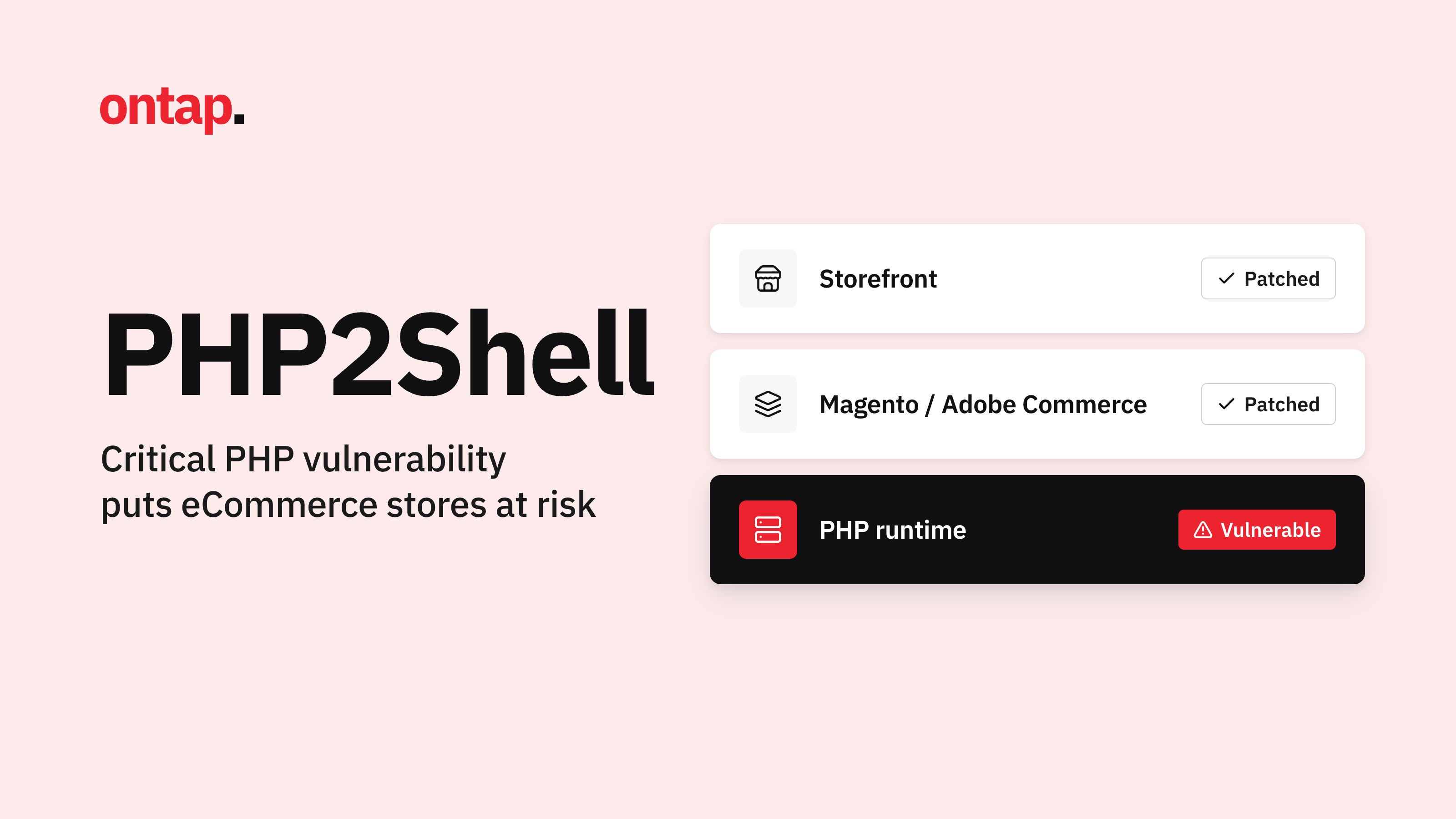
Two critical remote code execution (RCE) vulnerabilities, nicknamed "PHP2Shell", have been disclosed in PHP itself, the language behind Magento, Adobe Commerce, WooCommerce and a large share of the web. They can be exploited without logging in, and PHP released fixes on 21 October 2026, so updating PHP is the key step. Here is what happened, who is affected, and what to do now.
What is PHP2Shell?
PHP2Shell is the name given to two vulnerabilities in the PHP engine: CVE-2026-109618 and CVE-2026-109619. Both are rated 9.2 (Critical) on CVSS v4.0.
-
CVE-2026-109618: remote code execution via out-of-memory corruption. When a server runs out of memory mid-request, PHP can be left holding half-built internal data and then treat it as valid during cleanup.
-
CVE-2026-109619: remote code execution via stale global state. Internal data from one request can outlive its freed memory, and a later request on the same worker can use it.
Think of it as a worker at a busy warehouse who leaves a half-packed box on the bench. The next person picks it up assuming it is ready to ship. An attacker who can control what is in that box can make the server run their code.
Unlike our recent PolyShell alert, which was a flaw in Magento's own code, this one sits underneath your store. Your store code can be completely clean and you can still be exposed.
How PHP2Shell works
PHP2Shell is made up of two separate memory-safety bugs. Both are use-after-free issues, a class of bug where a program keeps using a piece of memory after it has been released, so a carefully crafted request can influence what the program does next. Sansec's technical advisory points to two code paths involved: PHP's session upload-progress handler, and the handling of fatal-error backtraces combined with OPcache type confusion.
The upload-progress code is part of PHP's session handling and tracks file uploads sent as multipart/form-data requests, the format browsers use for forms with attachments. That is why much of the early mitigation advice focuses on those requests.
The RCE and memory-disclosure paths also run inside PHP, before your store code and before application-level protections such as Sansec Shield get a say (Sansec). That is the technical reason an update to PHP is the real fix, while settings changes and firewall rules are stopgaps.
The flaws came to light through coordinated disclosure. According to the PHP Foundation, Calif reported a remote code execution path on 11 August and Wiz Research reported the vulnerabilities on 24 August. That gave the PHP team around ten weeks to prepare fixes. The good news is that the remedy is a routine PHP update, and every supported branch now has one.
Who is affected?
Sansec reports that the vulnerable code dates back to PHP 5.4, released in 2012, so every unpatched PHP version since then is affected. Both Apache mod_php and PHP-FPM are in scope. According to the same advisory, researchers at Calif demonstrated unauthenticated code execution against a range of PHP applications, including Magento 2.4.9, WordPress, Drupal, Joomla and Laravel.
An attack does need some knowledge of the target server and specific conditions to succeed, and how easily a server can be exploited depends on how PHP is run and configured there. That is not a reason to wait. Public exploit tooling has already leaked, and watchTowr has observed attacks in the wild.
How fast did this move?
-
20 October: the CVE IDs leak ahead of the planned release, and the PHP Foundation brings its pre-announcement and release forward. Researchers at watchTowr confirm remote code execution.
-
21 October, morning: Cloudflare reports attack traffic and deploys WAF rules.
-
21 October, 14:00 UTC: PHP releases fixed versions, and the researchers who found the flaws publish their findings.
The window between the leak and the patch was short, which is why acting quickly pays off.
Authorities have taken it seriously. The Dutch National Cyber Security Centre issued an alert before the release, noting that a public proof-of-concept was available and advising organisations to prepare for patching. The UK's NCSC urged organisations to take immediate action, including considering taking a system offline if it cannot be fixed or mitigated right away.
What is at stake for your store?
Remote code execution means an attacker could run commands on your server. For an eCommerce store, these are the areas worth protecting:
-
Customer and order data: keeping personal details and credentials private.
-
Checkout integrity: keeping payment pages free of injected code.
-
Availability and reputation: avoiding downtime and search engine or payment provider blocks.
-
Neighbouring sites: on shared hosting, one affected site can impact others.
Why this sits outside your normal Magento patching routine
Most Magento teams know the drill: Adobe publishes a security bulletin, the patch is applied, the store is protected. We saw it in September, when Adobe's emergency bulletin APSB26-146 (hotfix VULN-39341) fixed the actively exploited StyleSmuggler flaw in versions 2.4.4 to 2.4.9.
PHP2Shell does not follow that path. There is no Adobe bulletin and no Composer patch, because the flaw is in the PHP runtime beneath Magento. A fully patched store running an unpatched PHP is still exposed.
That also creates an ownership gap. Agencies usually manage Magento patches and extensions, while the hosting provider manages PHP. Each can assume the other has it covered, and PHP's own security advisories can fall between the two. Closing that gap this week is the most useful thing a merchant can do.
What you need to do
1. Update PHP on every server. This is the only complete fix: PHP's release announcements say there are no complete mitigations and updating is the only safe choice. The patched versions are:
-
PHP 8.5.12
-
PHP 8.4.27
-
PHP 8.3.36
-
PHP 8.2.35
If your hosting provider manages PHP for you, ask them to confirm in writing that the update is applied.
2. Check your PHP version is still supported. PHP 8.1 and older are no longer supported, and PHP 8.2 reaches end of life on 31 December 2026. If you are on an older version, prioritise an upgrade to a supported release.
3. If you cannot patch immediately, apply temporary mitigations. Setting session.upload_progress.enabled=0 and restarting PHP workers closes the session upload-progress path used in the demonstrated attacks. On PHP 8.5, also set fatal_error_backtraces=0 (see PHP's advisory). It does not close every path, so it buys time but is not a fix. We also recommend strict session mode and, where you can, blocking multipart requests at the web server. The details are in the next section.
4. Check for signs of compromise. Review web server logs for unusual multipart upload requests since 20 October, scan for unexpected files, and run a malware scan such as Sansec eComscan.
5. Ask your host the right question. Ask whether the 21 October PHP updates are running on your production servers right now, not whether an update is planned. Ask how quickly they apply critical PHP releases and whether they tell you when they do.
6. Don't forget staging and development. Older PHP versions often linger on these servers. They may also hold credentials or configuration that relate to production.
7. Test after updating. PHP updates can occasionally affect application behaviour. Once the update is applied, run a quick smoke test of checkout, payment processing and key integrations.
8. Monitor PHP releases separately. Add PHP's own security advisories to your monitoring alongside Adobe bulletins, because critical PHP releases do not follow Adobe's schedule.
Don't leave it until peak season
Black Friday is on 27 November, five weeks away. Patch now, while there is time to test properly and fix any compatibility issues, rather than during Cyber Week when a rushed change or a compromise costs far more. A controlled PHP update with testing carries much less risk than running an exposed runtime through your busiest trading period.
Why PHP-level flaws are different
Most eCommerce security advice focuses on your platform: patch Magento, update your extensions, lock down the admin. PHP2Shell is a reminder that the layers beneath your store matter just as much. A vulnerability in the language runtime happens before your application code and before many application-level protections get a say.
That is why server patching, a tested upgrade path, firewall rules and file monitoring all need to work together, and why waiting for a convenient maintenance window is rarely the right call for a critical, actively exploited flaw.
Not sure if your store is exposed?
Whether you run Magento, Adobe Commerce, Shopify, WooCommerce or a custom stack, our team can check your PHP version, patch status and signs of compromise, and put a proper plan in place. We treat your store like our own.
Also check out AuditIQ, our monitoring solution for eCommerce merchants. It alerts you within seconds of unauthorised changes to your site code and integrates directly with Sansec for enhanced security alerts.
Get in touch with the On Tap team to make sure your store is protected.