 Best full-service eCommerce agency 2026


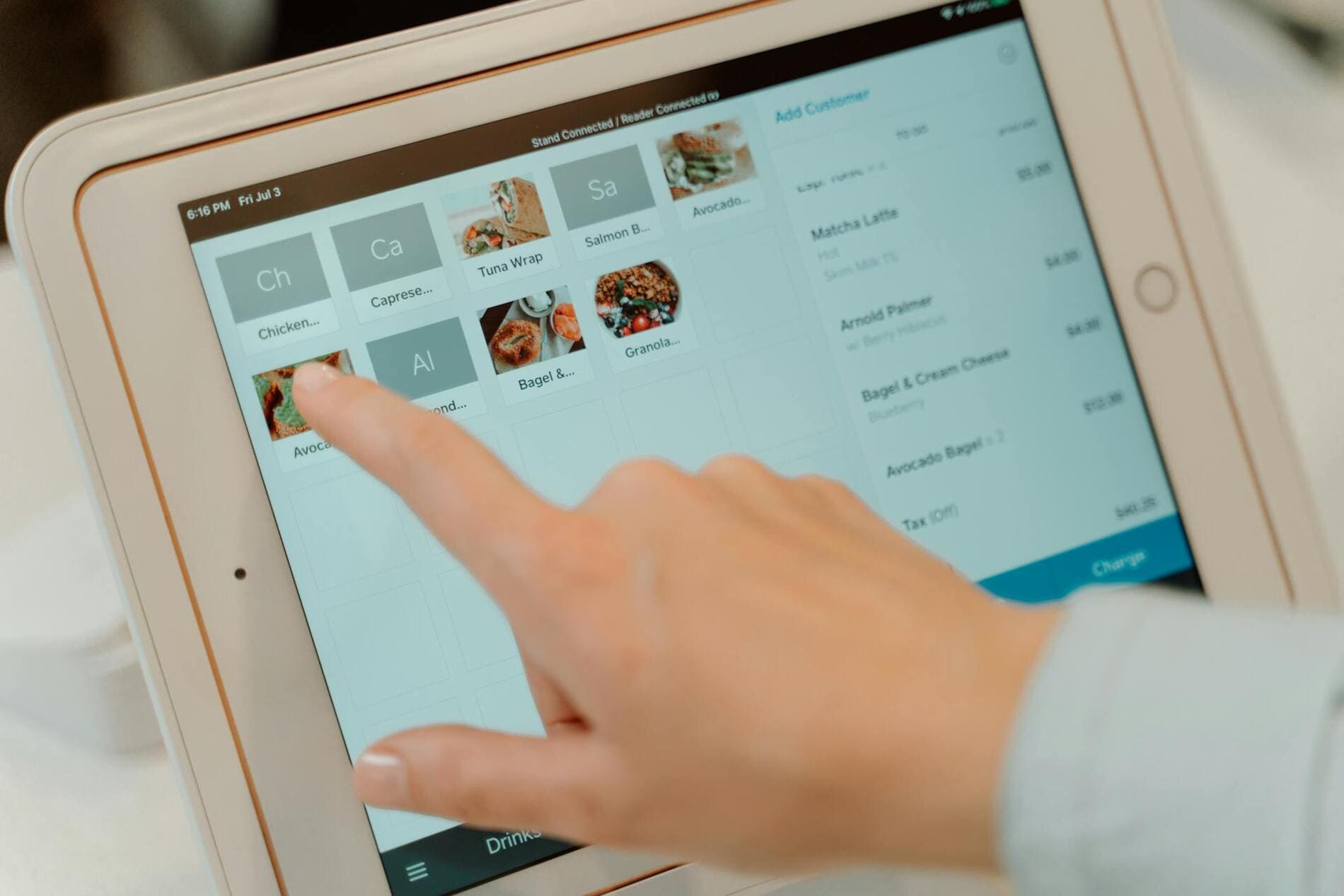
A Magento POS for iPad, point-of-sale software that runs on iPad devices, frees businesses from being confined to a clunky desktop POS system. This POS solution gives users more flexibility and mobility to process sales faster on the counter, at tables, or anywhere outside the stores. Besides, it also comes with many other features to help merchants track sales, manage inventory, and customers across online and offline channels, thus improving overall operational efficiency.
However, as business requirements vary by industry, scale, and model, there’s no one-size-fits-all solution for every merchant. Therefore, selecting a suitable Magento POS iPad for your business can be challenging. This guide aims to illustrate the key factors when choosing an iPad POS and presents the top options for your consideration.
What to consider when choosing an iPad POS for Magento
Merchants should consider several factors when opting for the best Magento iPad POS, particularly functionality, pricing, customer support, ease of use, and scalability.
Core functionality
Each iPad POS has its own feature set that might be suitable for different business scenarios. Therefore, you had better evaluate the core features of each solution to see if it fits your business needs. Typical desired features of an iPad POS for Magento include the following.
-
Magento compatibility: It’s a must that a POS for Magento integrates seamlessly with the eCommerce platform. This compatibility guarantees stable, frictionless data transfers between Magento stores and physical locations, thus minimising data errors or inaccuracies.
-
Payment processing: Check whether the POS Magento iPad supports a wide range of payment methods, including cash, credit cards, mobile payments, or contactless payments. Diversifying payment options ensures customers can choose how to pay, thus increasing total revenues and better satisfying customers.
-
Offline mode: Businesses might experience occasional connection loss while processing customers’ orders, especially at events or trade shows. To avoid business disruptions, a Magento POS for iPad must be able to work when the Internet is off and sync data when the connection is back.
-
Inventory management: Assess how a Magento 2 POS iPad can help manage inventory for multiple stores and locations. A strong POS solution allows you to track inventory levels in real time, update product information instantly, and create low-stock notifications for replenishment.
-
Customer management: A functional iPad POS enables you to store customer data, including purchase history and preferences, and support loyalty programs to encourage repeat business.
-
Hardware compatibility: You should also check if a POS iPad Magento can connect easily with popular hardware devices like card readers, receipt printers, and barcode scanners. The stable connection will reduce the risks of errors when handling orders at the brick-and-mortar stores.
-
Reporting and analytics: Consider the types of reports that an iPad POS provides and assess if they give you the insights you need to run your business successfully. These reports should also be accessible anywhere so that you can stay on top of your business even when you’re on the move.
Pricing
Do thorough research on the pricing structure of each Magento iPad POS solution. Most POS providers adopt one-time or subscription-based fees, so assess which pricing model most benefits your business. Besides, examine the incurring costs, hidden costs, transaction fees, or any other kinds of fees to select the most cost-effective solution in the long term.
Customer support
Troubles can occur at any time, during the initial setup or daily operations, causing downtime and disrupting your business flows. In these cases, a POS provider must demonstrate timely and effective support to resolve issues. Check how to contact customer service staff, how fast you can get technical support in emergencies, and how often the supplier updates their POS solutions.
Scalability
You also should take into account how scalable a POS iPad Magento is. Evaluate whether it can add more functionality and perform reliably when the volumes of orders, customers, and products grow. This will save merchants plenty of money, time, and effort if their business expands in the future.
Ease of use
Make sure your go-to iPad POS is user-friendly so that your staff can quickly get a good grasp of it. An easy-to-use POS not only shortens training time but also reduces the reliance on technical staff, thereby accelerating the checkout process, lowering the risk of errors, and improving staff productivity.
Top 4 Magento POS for iPad
This table summarises the 4 best Magento POS for iPads: Magestore POS, Ebizmarts POS, Magefan POS, and Webkul POS.
|
Magestore POS |
Ebizmarts POS |
Magefan POS |
Webkul POS |
|
|
Key features |
|
|
|
|
|
Hardware compatibility |
|
|
|
|
|
Pricing |
|
|
|
|
|
Customer support |
|
|
|
|
|
Customer reviews on Trustpilot/ Capterra/ POS provider’s website |
|
|
|
|
Magestore POS - Best for multi-channel retailers that want to start simple, low commitment, and scale later
Magestore offers a Magento-native POS for iPad, ensuring data consistency between Magento online stores and physical locations. The POS requires low commitment and allows merchants to start simply and easily on any device with a browser for quick checkout. Magestore POS for iPads is also highly scalable and customizable, enabling business owners to scale without limits later. Besides, Magestore POS for iPads also comes with a wide range of features to help merchants manage their multi-channel businesses effectively and deliver an omnichannel shopping experience to customers.
Compatibility
Magestore Magento 2 POS iPad can work on many iPad models with a web browser.
Key features
-
Fast and flexible payment processing: Process orders within seconds and accept varied payment methods, including cash, credit and debit cards, mobile payments, gift cards, store credits, and loyalty points.
-
Offline mode: Process transactions without an Internet connection and automatically sync data when the connection resumes.
-
Real-time data syncs: Sync customer, order, and product details across online and offline channels in real time.
-
Omnichannel order management: Support omnichannel order fulfilment, namely buy online pay at store, click and collect, and buy online ship to home. Allow full/ partial refunds, exchanges, and returns.
-
Omnichannel loyalty programs: Record customer profiles and purchase history to offer omnichannel loyalty programs like store credits, loyalty points, and gift cards.
-
Multi-store inventory management: Manage inventory for multiple online stores and physical locations, including real-time stock level tracking, inventory transfer, and stock movement.
-
Staff management: Assign permission for each staff role, monitor working hours, and performance.
-
Reporting and analytics: Generate reports on daily, weekly, and monthly sales, sales by product feature, sales by product customer, stock by source, stock value, etc.
-
Hardware compatibility: Work with common devices like card readers, receipt printers, and cash drawers.
-
Scalability: Highly scalable and customizable
-
3rd-party integration: Integrate with various services and platforms, including payments (PayPal, Square, Adyen), accounting (Sage, Xero), CRM (Salesforce, HubSpot), ERP (NetSuite, SAP), shipment (ShipStation, FedEx), and marketplaces (eBay, Amazon).
See more: Magestore POS features
Pricing
Magestore charges one-time pricing, which is determined by your business requirements, store numbers, and desired levels of support and services. There are 3 pricing plans as follows.
-
POS Lite: $69/ month with 7-day free trial
-
Installation fees for POS Lite: $50
-
POS Simple: One-time custom pricing with a 1-year warranty, a 90-day money-back guarantee, and free installation
-
POS Commerce: One-time custom pricing with a 1-year warranty, a 90-day money-back guarantee, and free installation
Ebizmarts POS - Best for businesses mainly using iPads in-store that need basic checkout functions
Being a native iOS app, Ebizmarts POS runs stably on iPads and Macs, enabling users to process transactions at the checkout or on the go. This Magento iPad POS allows users to search for orders across online and offline channels and handle refunds regardless of where the order was made. It also accepts many payment methods, supports inventory management, and integrates well with other systems.
Compatibility
Ebizmarts POS runs on iPad (iOS 15+) and Mac (macOS 12+ via Mac Catalyst).
Key features
-
Fast checkout: Allow quick product search, applying discounts or custom codes, and adding order notes; support many payment types, such as contactless payments.
-
Offline mode: Create orders offline and automatically sync data when the Internet is back.
-
Order management: Enable fast order creation; support real-time order editing; look up orders across channels (mobile, online, or in-store); process returns and refunds no matter where the purchase is made.
-
Inventory management: Sync stock update instantly between Magento and POS in real time; support configurable products and attributes
-
Hardware compatibility: Support Bluetooth peripherals, built-in camera, barcode scanning, barcode scanners, receipt printers, and cash drawers
-
3rd-party integration: Connect with payments (Stripe, Adyen, ZipPay), accounting (SageOne), loyalty (Loyalty Lion), and CRM (Pipedrive)
Pricing
There are 2 pricing plans for Ebizmarts POS: Enterprise and Enterprise,+ with no setup fees. You’ll need to contact Ebizmarts for a detailed quotation.
Magefan POS - Best for businesses that need simple & easy-to-use POS functions
Magefan POS is another clean and straightforward Magento POS compatible with iPads. With its intuitive interface, merchants can easily process orders and manage all business operations in one place. The POS syncs key business data (orders and products) between Magento and physical stores. Besides, it supports self-checkout, refunds, and multi-channel selling, together with other helpful functions.
Compatibility
Magefan POS runs on any iPad with a web browser.
Key features
-
Flexbible checkout: Accept different payment types, including cash, credit, debit cards, and Stripe payments; support self-checkout, customer checkouts, and guest checkouts; allow holding multiple carts and applying discounts for products
-
Real-time tracking: Sync inventory and orders between online and offline stores in real time
-
Order management: Monitor all online and offline sales in one place; allow creating refunds in POS
-
Inventory management: Supervise product numbers in multiple locations; automatically update product data across channels
-
Multi-channel selling: Allow creating multiple physical stores and assigning terminals and sales agents to each store.
-
Hardware compatibility: Work with cash drawers, receipt printers, barcode readers, and credit card readers
Pricing
Magefan POS costs depend on the Magento Edition.
-
Magento Open Source (CE): $599
-
Adobe Commerce using on-prem (EE): $1,198
-
Adobe Commerce on cloud (ECE): $1,498
Magefan also charges fees for its professional installation service.
-
Installation fees: $79
Webkul POS - Best for businesses that only need basic checkout functions at low prices
Webkul POS is a web-based Magento POS that works on iPads and other devices.
It supports many payment types and can process orders in offline mode. The POS also offers merchants powerful tools to create multiple physical locations and assign products and sales agents to each store. More noticeably, Webkul POS can integrate with many of Webkul’s addons to enhance its functionality.
Webkul also offers the Magento 2 POS App, a native app that runs on Android and iOS devices. To use this app, users must install Webkul’s web-based Point of Sale System for Magento 2.
Compatibility
Webkul POS runs on iPads with a minimum screen size of 7.5 inches and a 1280x800 pixel resolution.
Key features
-
Easy checkout: Accept card, credit, debit cards, and split payments; support holding carts; apply coupons and discounts
-
Offline mode: Sync orders processed offline to the online store
-
Real-time sync: Sync orders, inventory, and customers between physical and Magento online stores
-
Inventory management: Let users assign all products or selected product categories to each physical location; update inventory whenever an order is placed
-
Multi-channel selling: Allow users to create multiple physical stores, assign sources and sales agents to each store
-
Hardware compatibility: Works with many devices, such as cash drawers, printers, and barcode scanners
-
Integration: Work with different Webkul’s addons to expand features
Pricing
Webkul’s Magento 2 POS for iPads starts from $249. The exact fee depends on the Magento editions, support period, and other services like installation.
|
Web-based POS System for Magento 2 |
Magento 2 POS App |
|
|
POS |
|
|
|
Installation fees |
|
|
|
Support period |
|
|
|
Magento Edition |
|
|
Conclusions
Selecting the best Magento POS for iPad requires thorough consideration of key factors, including the functionality, pricing, customer support, scalability, and ease of use. You should assess these criteria carefully to choose a POS that fits both current and future needs and conditions of your business.
Magestore POS, Ebizmarts POS, Magefan POS, and Webkul POS are the top Magento-compatible solutions that can work on iPads. Each comes with a set of features that suit different business models and requirements, from small businesses to fast-growing retailers. Do some research or ask for experts’ advice to make a wise choice!