Magento powers many high-performing eCommerce stores and is trusted for its flexibility and scalability. As an open-source platform, it provides businesses with the freedom to adapt, extend, and integrate the system to fit their specific needs. This level of flexibility is a major advantage, but it also means that security depends on how well each part of the setup is maintained. A single weak point, such as an outdated module, a misconfigured server, or unsecured access, can create an entry point for attackers.
Once attackers gain access, they can inject malicious code, steal customer information, alter store settings, or gain broader control over the environment. The consequences are damaging, including downtime, search visibility issues and diminishing customer trust, all of which directly impact revenue.
This guide breaks down the essential best practices that matter most for keeping a Magento store secure, stable, and protected against real-world attacks.
1. Harden your server and hosting environment
Why it matters
Your Magento store is only as secure as the server and hosting environment it runs on. Even if Magento is fully patched, attackers can still compromise your operations by targeting weaknesses in the underlying infrastructure.
A server-level breach affects far more than the Magento store. Attackers gain access to your entire environment, including customer data, backups, integrations, and any other sites on the same server. They can disable services, corrupt systems, or take all operations offline, which is far more damaging than a store-level compromise.
Hardening the hosting environment closes these deep-level vulnerabilities and protects the full infrastructure your business depends on.
How to strengthen your hosting environment
Most server-level risks come from gaps in the hosting setup, such as outdated software or improperly protected files. Addressing these weaknesses is the foundation for a secure environment and leads directly to the measures below.
-
Choose a reliable, Magento-optimised hosting provider: Select a hosting provider optimised for Magento to ensure your store’s infrastructure is secure, protected against threats, and maintained according to best practices. When reviewing different options, consider factors such as:
-
Whether they offer automated backups to quickly restore your store if needed.
-
If they provide SSL certificates to encrypt customer data.
-
How frequently they patch and update server software.
A provider that meets all of these criteria will give your store a strong security foundation. On Tap Cloud is one such option. It delivers a secure, fully managed Magento-optimised environment with daily malware scans, file-integrity monitoring, firewalls and continuous oversight. In addition, automatic scaling protects your site during traffic peaks without downtime, and 24/7 expert support ensures your operations and customer data remain safe at all times.
-
Prevent sensitive files from being exposed:
-
Restrict file and access permissions: Ensure that critical store files and backups are only accessible to trusted personnel. This prevents unauthorised changes and keeps sensitive data safe.
-
Disable unnecessary services and close unused ports: Keep only essential features and tools active on your hosting. Unused services increase the risk of attack, so removing or restricting them strengthens your store’s security.
-
Prevent unauthorised access to the server and database:
-
Control server and database access: Limit who can access your server and database to authorised administrators only. This reduces the risk of a stolen login leading to full store compromise.
-
Use a Web Application Firewall (WAF): A WAF filters and blocks malicious traffic, such as hacking attempts or automated bots, before it ever reaches your Magento store. Cloudflare WAF is a widely used option that runs on Cloudflare’s global network and sits in front of your site to inspect requests in real time. It uses continuously updated managed rulesets, intelligent bot mitigation, advanced rate limiting and global threat intelligence to block known attack patterns and reduce exposure to common web application vulnerabilities. This provides comprehensive, always-on protection with minimal effort, helping you strengthen your hosting environment against real-world threats.
-
Keep server software up to date: Make sure your hosting provider regularly updates all server software. This keeps your store running smoothly and protects it from known security vulnerabilities without you needing to manage technical details yourself.
2. Keep Magento updated and patched regularly
Why it matters
Magento is an open-source platform, which means its codebase and security patches are publicly accessible, allowing the community to quickly identify and fix vulnerabilities. However, once a patch is released, the details of the security issue also become transparent. Attackers can quickly analyse the disclosed weakness, scan for stores that haven’t applied the update, and target them directly. Any delay in patching leaves your site exposed to threats that attackers already understand and are actively looking to exploit.
A clear example is the SessionReaper vulnerability (CVE-2025-54236), a critical Remote Code Execution (RCE) flaw in Adobe Commerce and Magento Open Source. It allowed attackers to run malicious code without authentication, effectively taking full control of a store. Although Adobe released the patch on September 9, 2025, many merchants delayed applying it. Within weeks, attackers began scanning for unpatched sites, and by October, roughly 31% of Magento stores had already been targeted. This incident shows how quickly public vulnerabilities are weaponised when updates are postponed.
How to keep your Magento store upgraded
-
Subscribe to Magento security alerts: Follow Adobe’s official release notes and security bulletins on the Experience League website to be notified of new patches immediately.
-
Apply the latest security patches immediately: When Adobe releases a new security patch or hotfix, apply it as soon as possible to protect your store from known vulnerabilities. Delaying updates creates a window where attackers can exploit weaknesses that are already publicly documented.
-
Stay close to supported Magento versions: Although Adobe occasionally releases isolated security fixes for certain older versions, most end-of-life Magento releases no longer receive full security updates. This means they gradually fall behind on critical protections and become increasingly vulnerable to known exploits. If you are running an outdated version, plan your upgrade roadmap to stay as close as possible to supported versions and minimise long-term security risk. For guidance on when and how to upgrade, see our detailed Magento upgrade guide.
-
Update third-party modules and custom code for compatibility: Security patches can change core behaviours in Magento, meaning every customisation must be updated to stay compatible. After applying a new patch or hotfix, review your installed modules and custom code to ensure they have corresponding updates. Outdated modules may break functionality or prevent the security fix from working correctly.
Note: Whether you are applying a new Magento version, a security patch, or an isolated security fix, always test the update in a staging environment first. This not only ensures the update works correctly with your theme, extensions, and custom code, avoids production downtime but also allows you to verify performance and validate critical flows before going live.
It's important to acknowledge that Magento’s frequent release cycle means merchants must continually allocate developer time for reviewing, testing and safely applying patches, even for small updates. As these updates accumulate throughout the year, they create a recurring maintenance workload that directly increases your operational costs.
Evergreen, a free lifetime upgrade solution from On Tap, removes that burden entirely by applying every official security patch and core Magento update proactively at no additional cost. This keeps your store secure, stable, and fully up to date, without recurring upgrade expenses.
3. Ensure PCI DSS compliance and secure every payment touchpoint
Why it matters
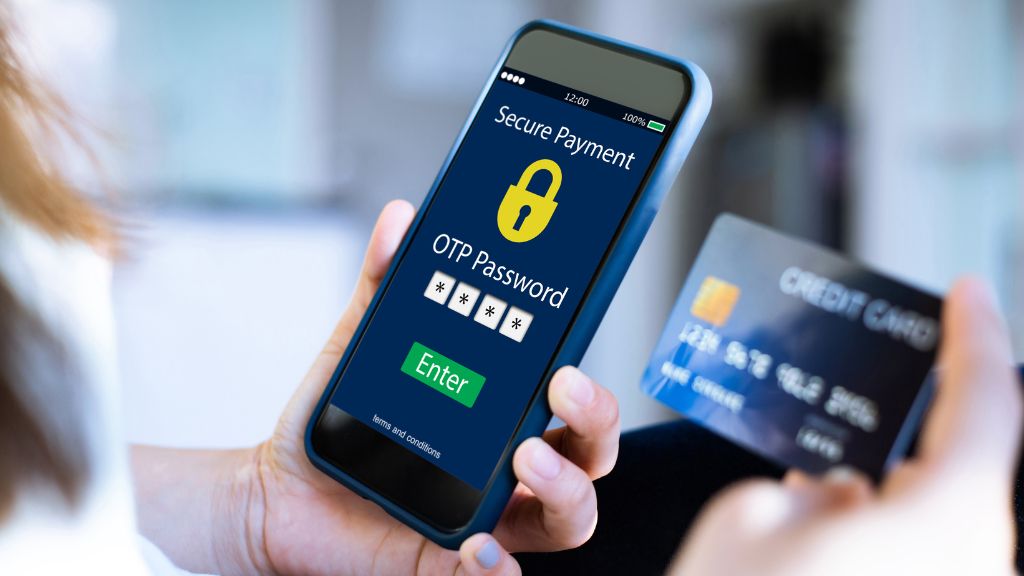
PCI DSS defines the baseline standards for handling cardholder data safely. Any store that processes card payments must meet these requirements to avoid fines, frozen payouts or the loss of payment processing privileges. PCI compliance is therefore essential, but it only covers part of your overall security posture.
Modern payment attacks often focus on areas that PCI does not cover. Threats such as Magecart target the browser environment, injecting malicious scripts into checkout pages and capturing card details before they reach the payment gateway. These are client-side attacks that fall outside PCI’s scope, which is why fully compliant stores have still been compromised. A major skimming incident in late 2024 showed how a single injected script on the checkout page resulted in stolen payment data, forced downtime and serious damage to customer trust.
To truly safeguard your payment flow, you need to go beyond PCI requirements and protect card data across every customer interaction. This ensures genuine end-to-end security and helps preserve customer trust and revenue at the most sensitive stage of the buying journey.
How to strengthen your payment security:
-
Select PCI-certified payment gateways: Use PCI-certified payment gateways to reduce your PCI scope and ensure sensitive card data never touches your Magento server. Trusted providers like PayPal, Stripe, Braintree, or Adyen handle the compliance burden for you and offer key security capabilities such as:
-
Strong transaction encryption (like SSL): End-to-end encryption to protect data in transit.
-
Advanced fraud protection: Tools such as risk scoring, velocity checks, or machine-learning-based fraud detection.
-
Token-based saved payments: Secure tokenisation that allows repeat purchases without handling or storing sensitive customer information like actual card data on your Magento server.
-
High reliability & incident response: Proven uptime, clear incident-handling procedures, and responsive support when security issues arise.
-
Protect payment data across all customer interactions: To maintain customer trust and prevent payment data breaches, merchants should secure every touchpoint where customers interact with payment-related information, from browsing products to completing checkout.
-
Shopping cart & checkout pages:
-
Encrypt payment data: Use secure gateway SDKs (Software Development Kit), and enforce encryption to protect payment and personal information.
-
Limit and validate all scripts on checkout: Third-party scripts are a common source of Magecart-style skimming attacks. Only allow essential scripts and use Content Security Policy (CSP) to block unauthorised injections.
-
Disable inline card fields unless provided securely by the gateway: Avoid capturing card details directly in Magento templates. Use gateway-provided iFrames or hosted fields that isolate sensitive inputs from your server.
-
Order review & confirmation pages: Prevent tampering with payment details via Cross-Site Request Forgery (CSRF) protection and strict session controls.
4. Secure all third-party modules and custom code
Why it matters
Magento’s flexibility is one of its greatest strengths, allowing merchants to extend functionality through a wide range of third-party modules and custom code. Most Magento stores rely on multiple modules from different vendors, each developed with varying levels of coding quality, maintenance commitment and security practices. This diversity is precisely what introduces security risk: the more code sources your store depends on, the more potential entry points attackers can target.
When one of these components is outdated, poorly maintained or built without strict security validation, it creates a vulnerability that attackers can use to gain unauthorised access. They do not need full system permissions at the outset; a single insecure module can provide the initial foothold needed to escalate control and modify site behaviour.
From our experience auditing and recovering compromised Magento stores, one of the most common issues we encounter involves an outdated checkout or payment module that fails to properly validate user input. Attackers exploit this weakness to inject a Magecart-style skimming script through the module’s code path. The script then operates silently in the browser, capturing card details during checkout without triggering backend alerts. This type of attack has resulted in stolen customer data, emergency shutdowns and long-term reputational damage for affected merchants.
How to secure third-party modules and custom code
A robust security approach should focus on controlling code quality, verifying trust, and maintaining an ongoing update lifecycle. The goal is to treat every piece of external or custom code as part of your security supply chain, something that requires continuous governance rather than one-time installation.
Follow this structured workflow to minimise risks:
-
Vet and verify before installation: Install only modules from reputable vendors listed on the official Magento Marketplace or recognised solution partners with proven coding practices, transparent changelogs, reliable support history, and active update cycles. Prioritise modules with strong adoption, recent updates, and positive reviews.
-
Enforce secure development standards for custom code: Ensure your developers follow Magento’s official coding standards and Adobe Commerce’s security best practices, including validating user input, enforcing strict access controls, and avoiding unsafe operations such as direct database queries.
-
Maintain a continuous review and audit cycle: Audit all installed modules at least twice a year. Identify outdated, unmaintained, redundant, or unused modules. Remove modules that have not received updates in the past 12–18 months.
-
Keep all modules and dependencies updated: Monitor vendor releases and review release notes for security patches. Test updates in a staging environment before deploying to production.
-
Use version control and peer-reviewed code changes: Require all code modifications to pass through Git-based version control with peer review. This ensures accountability, prevents insecure edits from slipping in, and allows quick rollback when needed.
5. Implement multi-layered security to protect access and credentials

Why it matters
Not all Magento breaches rely on sophisticated vulnerabilities. Alongside high-complexity attack vectors such as remote code execution, server misconfiguration, or vulnerable modules, attackers often prefer a much easier path - the admin login.
Weak access practices make this entry point far more vulnerable than technical exploits, and many breaches succeed simply because merchants reuse passwords, rely on weak credentials, or leave 2FA disabled.
Attackers also prioritise the admin panel because it is a high-value target that provides privileged control over your store’s configuration, content, and checkout logic. Once they gain access, they can make unauthorised system-level changes without triggering immediate alerts, putting your store and customers at significant risk.
Here are common methods:
-
Brute-force attacks - systematically trying many password combinations until one works.
-
Credential stuffing - using stolen usernames and passwords from other services to access your admin account.
-
Social engineering - tricking employees into revealing login information or clicking on malicious links.
-
Session hijacking - stealing admin session cookies through injected scripts or compromised devices.
A well-documented 2021 breach of a Magento store began with a brute-force attack on the admin account. After gaining access, the attacker used the admin panel to upload a hidden backdoor and then deployed two credit-card skimmers through it. The skimmers silently captured payment data during checkout, and the backdoor allowed repeated reinfection even after visible malware was removed. These incidents forced stores offline for cleanup, causing revenue loss and reputational damage that could have been prevented with basic access controls.
How to secure access and credentials
Protecting access and credentials requires a multi-layered approach. This includes strengthening authentication, carefully controlling access to sensitive information, maintaining ongoing governance over accounts, and fostering a security-aware culture within your team. Together, these measures create multiple barriers that make it much harder for attackers to gain unauthorised access and significantly reduce the risk of a breach.
-
Strengthen authentication:
-
Enable two-factor authentication (2FA): Turn on Magento’s built-in 2FA for all admin accounts, requiring a second verification step through an authentication app (e.g., Google Authenticator) whenever someone logs in. This adds an extra layer of protection even if a password is stolen.
-
Add CAPTCHA protection: Enable Magento’s built-in reCAPTCHA on admin login, password reset, and other sensitive forms. This adds an extra barrier against automated attacks, making it much harder for bots to guess passwords or abuse login forms.
-
Enforce strong, unique passwords: Require all users to set long, complex passwords that are not reused across other services.
-
Restrict and control access:
-
Protect and customise your admin URL: Change the default /admin path to a unique URL. Combine this with IP whitelisting to limit access only from authorised networks or VPNs.
-
Apply the principle of least privilege (PoLP): Assign each user only the permissions necessary to perform their specific role, and restrict access to sensitive areas such as payment settings, user management, and configuration. This ensures that even if an account is compromised, the attacker’s access is limited and critical store functions remain protected.
-
Use individual accounts for every team member: Avoid shared logins by giving each team member an individual account with unique credentials, ensuring actions are traceable and unusual behaviour can be detected more easily.
-
Regularly review and revoke unused accounts: Audit user accounts quarterly and immediately deactivate access for former employees, agencies, or contractors who no longer need it.
-
Build a security-aware culture:
-
Provide ongoing security awareness training: Educate staff on phishing, impersonation attempts and unusual login prompts so they can recognise and avoid common attack tactics.
-
Establish simple verification and approval steps: Require staff to confirm unexpected requests for credentials, access changes, or module installations through official channels. This reinforces security awareness and helps prevent social engineering attacks.
6. Proactively monitor, scan, and back up your store
Why it matters
Many Magento breaches remain undetected for long periods because attackers deliberately hide their activity. They often make subtle changes such as inserting malicious scripts, adding hidden admin accounts, or quietly extracting customer data in the background. When these actions go unnoticed, a store may continue leaking credit card information, redirecting users to harmful sites, or even be flagged as infected by search engines. This is why regular monitoring and scanning are essential. They help you catch early warning signs of compromise before they escalate into broader issues.
Backups complete this protection layer. Ransomware, data corruption or destructive attacks can still occur, and without recent, clean backups stored securely off-server, restoring your store becomes slow, expensive or in some cases impossible.
How to maintain ongoing store security
As your store grows and more modules, third-party scripts, and integrations are added, the number of potential entry points increases. A long-term strategy should include automated monitoring, periodic security reviews, and a documented backup policy that ensures you can restore your store quickly in any emergency.
-
Monitor critical areas: Keep an eye on the most common targets that attackers manipulate, including:
-
Code and file integrity: Track changes to core files, templates, and JavaScript assets. Unexpected edits are often the earliest sign of malware injection or unauthorised access.
-
Admin activity: Watch for repeated failed logins, unusual login times, or new admin accounts being created without approval. These behaviours often signal credential theft or privilege escalation attempts.
-
SEO and visible site content: Scan for unauthorised redirects, hidden spam pages, injected links, or unexpected metadata changes, which can harm rankings and indicate a deeper compromise.
-
Establish a consistent monitoring cadence: Regular checks help you detect issues before they escalate.
-
Run daily or weekly scans for malware, suspicious files, and vulnerabilities.
-
Review admin logs and access patterns frequently.
-
Conduct monthly or quarterly security reviews to catch configuration issues and outdated components.
-
Create a simple monitoring schedule so tasks are predictable and not forgotten as the store grows.
-
Use specialised monitoring tools: Employ tools that consolidate alerts and logs from multiple sources, automating monitoring to quickly identify unusual activity and provide early warnings for potential issues.
-
Sansec: A leading security platform for Magento that specialises in detecting web skimmers, supply-chain attacks and client-side injection. Sansec continuously monitors your store for malicious scripts, compromised third-party code and other indicators of Magecart-style threats, providing rapid alerts when suspicious activity is detected.
-
AuditIQ is an intelligent 24/7 monitoring system that continuously checks the security, performance and configuration health of your Magento or Adobe Commerce store. It alerts you the moment something unusual occurs, allowing you to act before it affects customers or revenue. AuditIQ focuses on critical areas of store health:
-
File integrity monitoring: Continuously tracks all core files, themes, third-party modules and custom code for unexpected edits, additions or deletions. Any deviation is flagged immediately so you can identify tampering, injected code or other unsafe modifications before they cause broader damage.
-
Log aggregation and analysis: Aggregates server logs, admin-action logs and application-level events into a unified dashboard. This visibility makes it easier to detect unusual behaviour, trace the source of issues and investigate anomalies without navigating multiple logging sources.
-
Security and vulnerability scanning: Scans for malware, suspicious JavaScript, configuration weaknesses and other security risks commonly exploited in Magento environments. These automated checks help prevent skimming attacks, malicious injections and misconfigurations that could expose sensitive data.
-
Performance, UX and SEO checks: Runs scheduled audits on Core Web Vitals, broken pages, metadata gaps and other factors that influence user experience, search visibility and conversion. These checks provide early warnings so your storefront remains fast, stable and fully optimised.
-
Strengthen backup and recovery readiness: Prepare for the worst so downtime never becomes catastrophic.
-
Automate backups: Schedule automatic backups for both your website files and database, storing them securely off-server to protect against ransomware, data corruption, or accidental loss.
-
Test your backups regularly: Periodically verify that your backups can be restored correctly, ensuring you can quickly recover your store if an incident occurs.
-
Create a simple recovery plan: Despite best efforts, breaches can still happen. Prepare a simple incident response plan:
-
Know how to lock down the site (maintenance mode, force password resets).
-
Define who to contact (hosting provider, Magento security support).
-
Document steps to restore from backup and verify the site is clean.
Conclusion
Securing a Magento store is never about one single action; it’s about building a long-term, proactive defence. From staying patched, hardening your server, and controlling access, to monitoring your environment and educating your team, each layer in this guide works together to reduce risks, prevent breaches, and keep your business operating safely and efficiently.
If you want these best practices handled by specialists, On Tap provides end-to-end Magento/Adobe Commerce support and maintenance service, ensuring your store is continuously protected and monitored by experts. In addition, our Evergreen solution gives you free lifetime Magento upgrades, eliminating the ongoing cost and stress of applying patches. Every official release is implemented proactively for you, keeping your store secure, stable, and future-proof at all times.
To strengthen your security posture even further, AuditIQ delivers 24/7 visibility across code, configuration and server activity, instantly detecting file changes, malware or suspicious behaviour before they turn into revenue-loss events.
By combining strong security practices with the right long-term partners, your Magento store can stay fast, safe, compliant, and ready to grow with confidence. If you want help assessing your current setup or securing your store end-to-end, contact us. We are here to support you.