Magento receives both praise and criticism, which can be confusing for new evaluators. In forums and social channels, you will find sharply conflicting views; yet, the platform continues to power nearly 120,000 active stores in 2025, and remains a proven choice for businesses that need robust architecture.
This review offers a clear, experience-led evaluation of Magento from both perspectives. For merchants, we assess whether the platform can support commercial goals, operational complexity, and long-term growth. For developers, we examine what it takes to learn, build, and maintain Magento stores effectively.
Our goal is straightforward: to help you evaluate Magento based on evidence rather than reputation. You will understand where it excels, where it falls short, and under what conditions Magento is the right or wrong choice.
Magento review at a glance
Overview of Magento
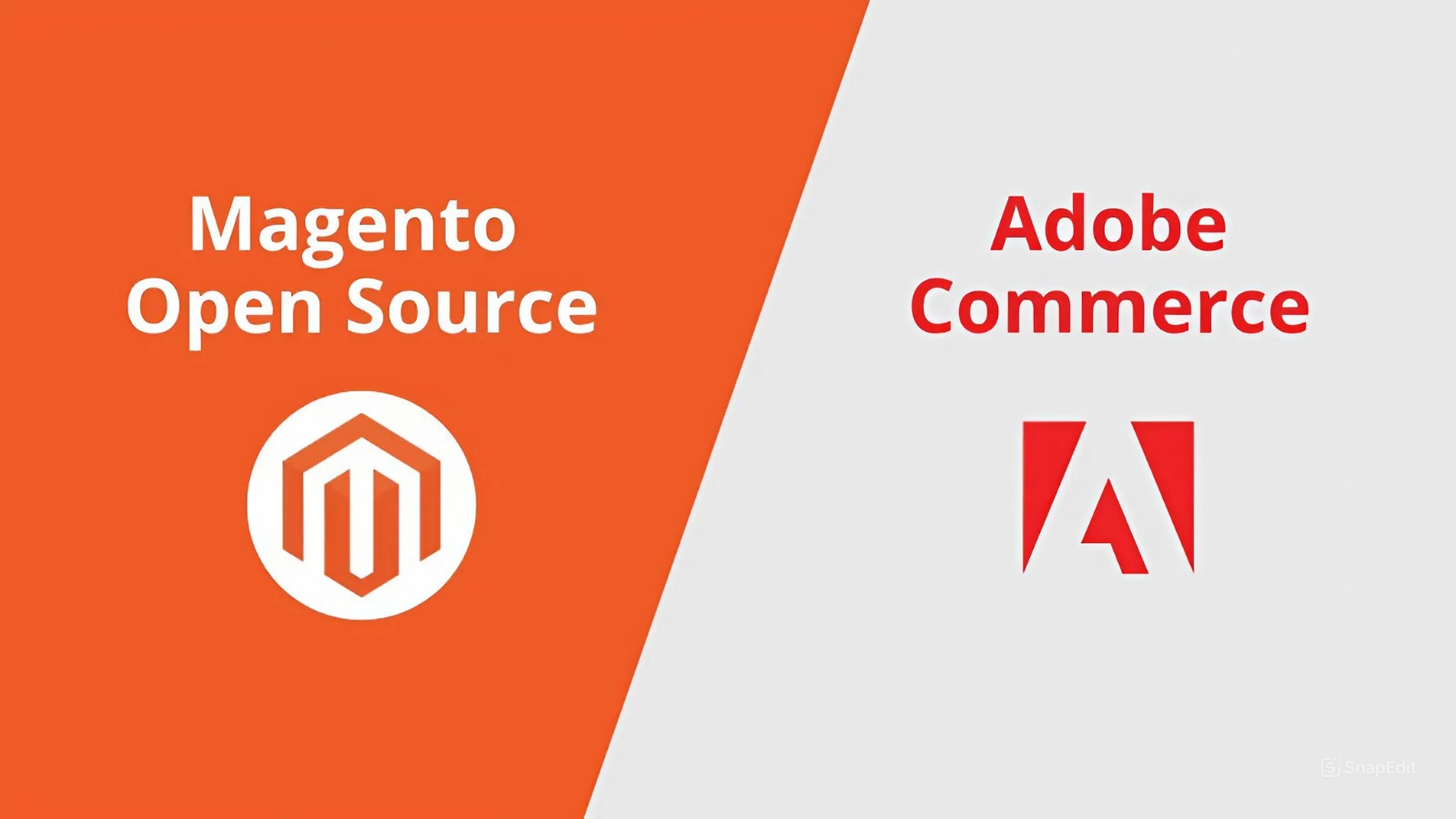
Magento is a modular and highly flexible eCommerce platform. It is available in two main editions: Magento Open Source (the free and self-hosted version) and Adobe Commerce (the licensed enterprise edition offered in both on-premises and cloud-hosted deployments). Both editions share the same core architecture and ecosystem, but Adobe Commerce provides additional enterprise capabilities, including the B2B suite, advanced merchandising, and Adobe’s support services.
This review focuses on Magento Open Source and highlights Adobe Commerce only where the differences materially influence suitability or long-term decision-making.
Pros and cons of Magento as an eCommerce platform for merchants
Pros
-
Supports almost any functionality needs, even complex ones: Magento can accommodate particular operational requirements, covering everything from complex catalogues and multi-store structures to regional rules and bespoke workflows. This level of flexibility is possible because its modular architecture and fully accessible codebase let businesses adapt the platform to their exact needs.
-
Ability to handle high performance and scalable growth: Magento provides the technical foundations for strong performance and long-term scalability. Its multi-store capability, along with support for both vertical and horizontal scaling, enables the platform to handle larger catalogues, rising traffic, and expand market requirements over time.
-
Long-term viability: Magento benefits from predictable multi-year security support from Adobe and ongoing contributions from its open-source community. Its long track record in the market, having evolved through major shifts in commerce technology for more than 15 years, demonstrates the platform’s ability to stay current and resilient.
Cons
-
Steep learning curve for new users: Magento’s admin offers extensive control, but its depth can feel complex for non-technical teams. Understanding configuration layers, catalogue structures, and operational workflows often requires training and familiarity, which can slow early adoption during initial onboarding.
-
High dependence on implementation quality: Many of the complaints about Magento’s slow performance or high long-term costs come from weak implementation quality and poor technical governance, not from limitations of the platform itself. Magento is highly flexible, but this also means outcomes depend greatly on the standards applied during development. Choices such as coding practices, third-party module selection and configuration all affect how the store performs. When these areas are not managed properly, the store can become slow or unstable, especially as catalogue size and traffic increase.
-
Ongoing maintenance and upgrades require continuous planning: Adobe releases regular security patches and scheduled version updates, which create recurring operational work for Magento stores. Every update requires testing, quality assurance, and coordination across custom code and third-party modules. Without structured governance, these routine maintenance cycles can become time-consuming and increase long-term operating costs.
-
Longer time-to-market: Magento’s extensive configuration options and customisation flexibility mean projects typically require more development, integration and QA effort before launch, resulting in slower deployment timelines compared with simpler platforms.
Pros and cons of Magento as an eCommerce platform for developers
Pros
-
Sustainable development model with strong upgrade safety: Magento’s structured codebase, clear separation of concerns, and predictable release cycle give developers a stable foundation. Its testing tools and extension patterns make updates safer and reduce the need for core overrides.
-
Enables deep customisation to meet specific requirements: Magento’s open, modular architecture and extensibility allow developers to adapt catalogue, pricing, checkout and back-office workflows to precise requirements, increasing the successful delivery rate for complex projects.
-
Rich ecosystem and shared knowledge: Official Adobe training and certifications, and an active global community (Stack Exchange, Experience League, community engineering and events) provide extensive guidance and examples that help developers understand Magento’s structure, resolve issues and adopt best practices more quickly.
Cons
-
Steep learning curve for new developers: Magento’s layered framework, configuration patterns, and dependency-driven design take time to understand. New developers often need a longer onboarding period before reaching full productivity.
-
Long development cycles: Magento’s structured build process and dependency-heavy environment increase the time required for testing and deployment. Iterations are slower and demand more powerful hardware, making Magento less suitable for rapid prototyping or short project timelines.
The following sections provide a detailed evaluation of Magento from both the merchant and developer viewpoints. Businesses with in-house development teams will benefit from reviewing both, as each perspective highlights different considerations to decide whether Magento is the right fit for your business.
Detailed Magento reviews for merchants
1. Total cost of ownership (TCO)
Total cost of ownership reflects all one-time and recurring expenses required to operate an eCommerce store. When evaluating Magento, it is important to understand that although Magento Open Source has no licence fee, this does not make the platform low-cost overall. Like any eCommerce platform, Magento includes standard operational expenses. Its open-source nature and high level of flexibility introduce additional cost considerations that affect both initial investment and ongoing spend.
To give a clearer picture, Magento TCO can be viewed through two lenses:
1 - Cost components are similar across most platforms
-
Licence fee: Most eCommerce platforms require either a licence fee or a monthly subscription. While Magento Open Source is free to use, Adobe Commerce requires an annual licence that scales with GMV. This is comparable to other eCommerce platforms, though the pricing structure differs.
-
Payment processing fees: Payment gateways charge transaction fees regardless of the platform. Magento does not introduce additional processing costs beyond what the provider charges.
-
Third-party modules: The need for extensions depends on each business’s requirements rather than the platform’s requirements. Magento modules are typically sold as one-time purchases, while some platforms rely more on subscription-based apps. Ultimately, the cost is determined by the vendor and the functionality required.
-
UX/UI design and optimisation: Design work varies based on brand, layout complexity and required components. This depends on brand requirements and the desired front-end experience rather than Magento’s architecture.
-
Migration (if applicable): The data migration effort depends primarily on the quality, structure and consistency of the source data. This cost applies to any eCommerce replatforming project, not specifically to Magento.
2 - Costs where Magento differs due to its open-source model and deep customisability
-
Hosting: Magento requires merchants to manage their own hosting unless they use Adobe Commerce on Cloud. Hosting cost varies based on catalogue size, traffic and performance requirements. This differs from SaaS platforms, which bundle hosting, and from other open-source platforms, where hosting flexibility and cost structure can be similar. The key distinction is that Magento’s performance expectations and architectural depth often require more robust infrastructure than lighter-weight systems.
-
Development and customisation: Magento’s open, extensible architecture allows developers to customise business logic, workflows and storefront behaviour at a deeper level than many SaaS and other open-source platforms. This flexibility can increase development effort, especially for complex requirements. The final cost depends on feature complexity and the capability of the implementation partner.
-
Integrations: Magento is designed to integrate directly with ERPs, PIMs, WMSs and other enterprise systems through extensive APIs and modular integration patterns. This provides greater flexibility but can require more custom work than platforms that prioritise pre-built connectors or limit integration options. For businesses with sophisticated system landscapes, Magento tends to demand a higher integration budget but also delivers more control.
-
Ongoing upgrades and maintenance: Magento requires periodic upgrades to stay secure and fully supported. The level of effort varies based on version gaps, customisation depth and code quality. This differs from SaaS platforms, where upgrades are automatic, and from lighter open-source systems, where the underlying architecture is simpler and the scope of upgrades is smaller. In practice, Magento’s architecture depth and deep extensibility mean each update must account for custom code, third-party modules and historical implementation decisions. When technical governance has not been consistent, the effort required for an upgrade increases, which is why Magento is frequently blamed for higher long-term maintenance cost. For a clearer understanding of what drives upgrade costs, read our detailed guide: Magento upgrade: Key points to stay up-to-date with minimum cost.
In summary, while Magento shares many cost components with other platforms, its total cost of ownership is ultimately shaped by the areas that are specific to its open-source and highly customisable architecture. Development, customisation, integrations, hosting and ongoing upgrades are the cost drivers that create the greatest variability, and these components are heavily influenced by implementation quality and long-term technical governance.
This reinforces the importance of partnering with a deeply experienced Magento team. On Tap has been working with Magento for nearly 20 years, and as the UK’s first Magento Solution Partner and an early contributor to Magento 1 and Magento 2, we possess deep platform insights and technical expertise that few teams can match. This enables us to deliver high-quality builds that avoid technical debt and keep future upgrades predictable.
From years of supporting merchants, we also recognise that ongoing upgrades and maintenance often become one of the biggest sources of cost and operational friction. That is why we created Evergreen, which eliminates the burden and cost of Magento upgrades once and for all. Through Evergreen, we offer free lifetime minor and security upgrades after the first project. This keeps your site secure and up to date with minimal effort from your team and far lower lifetime maintenance costs.
2. Time to market
Time to market measures how quickly you can launch or update your store, and it is critical because faster deployment leads to earlier revenue and greater business agility.
Below are the key phases that shape Magento’s time to market, along with the factors that influence how long each phase takes:
-
Setup and configuration: The time required to prepare a Magento environment and configure essential settings. Because Magento offers extensive options out of the box, this stage can take longer than simpler platforms, affecting how quickly teams can begin development.
-
Custom development and integration: The effort involved in implementing the chosen theme, adding required functionality, and connecting Magento to systems like ERP, CRM, or PIM. Magento’s flexibility allows for deep customisation, but this also means timelines depend heavily on the complexity of the features and integrations needed.
-
Data migration (if applicable): The time it takes to migrate product, customer, and order data from your existing platform to Magento. This depends on the quality, structure and consistency of the source data. Well-organised data can be mapped and imported efficiently, while fragmented or inconsistent data will extend the timeline.
-
Testing and approvals: The time needed for QA, compatibility checks, and stakeholder review. Magento’s modularity and reliance on multiple modules mean thorough testing is essential to ensure stability before launch, which increases the duration of this phase.
Overall, Magento projects often require more time to deliver than other simpler platforms because of their extensive configuration and flexibility. It is worth noting that the time to market depends heavily on the level of customisation a business requires and the expertise of the implementation partner. An experienced Magento team can navigate this complexity effectively and deliver projects with far greater predictability.
3. Built-in capabilities and growth flexibility
This section measures Magento’s capability across three areas: its native features, its level of customisation, and the strength of its ecosystem. These factors matter because together they determine how much functionality the platform can support immediately and how effectively it can grow and adapt as business needs evolve.
Native features
|
Area |
Feature Highlights |
Business Value |
|
Merchandising & product management |
Configurable, bundled, and virtual products; upsells, cross-sells, related products; layered navigation and attributes. |
Helps improve discovery, engagement, and conversion through flexible promotions and on-page content control. |
|
Inventory, orders & fulfilment |
Multi-source inventory, tax and shipping setup, order tracking, and automated customer notifications. |
Keeps operations organised from stock management to fulfilment, improving efficiency and customer experience. |
|
Multistore management |
Operate multiple storefronts from a single backend, each with its own catalogue, currency, and settings. |
Supports multi-brand or multi-region strategies within one platform, reducing management overhead. |
|
Internationalisation & localisation |
Manage multiple currencies, languages, and tax rules for different markets. |
Enables expansion into global markets with localised shopping experiences. |
|
Marketing & conversion |
Promotions and coupon rules, SEO controls, CMS/Page Builder-style content tools (block & widget system), streamlined checkout with PayPal/Braintree. |
Helps attract, convert, and retain customers with flexible promotions and a streamlined checkout. |
|
Team operation |
Role-based admin permissions, shared dashboards, and configurable workflows. |
Supports collaboration and better governance across teams. |
Note: Adobe Commerce extends these foundations with native B2B tools (company accounts, quotes, shared catalogues), AI-powered product recommendations, and advanced segmentation for enterprise needs.
Customisability
Magento provides a higher degree of customisation than most eCommerce platforms with its modular architecture and full code accessibility. Businesses can tailor any aspect of the catalogue, checkout flow or backend processes. This makes it possible to achieve functionality that aligns precisely with operational requirements, including highly complex or specialised use cases.
Ecosystem readiness
Magento’s ecosystem provides businesses with the flexibility and support they need to grow confidently.
-
Built-in payment and shipping options: Magento includes native support for widely used payment gateways and shipping carriers, such as PayPal, Authorize.Net, UPS, FedEx, and DHL.
-
Large marketplace of third-party modules: Thousands of modules are available on the Adobe Commerce Marketplace, including integrations for CRM, ERP, PIM, WMS, tax, search, personalisation, and marketing platforms.
-
APIs enabling connection with external systems and channels: Magento’s REST and GraphQL APIs allow connections with any external system, including marketplaces (Amazon, eBay), POS providers, and custom business applications.
Note: Adobe Commerce includes additional integration capabilities compared to Magento Open Source, such as Adobe-maintained connectors, the Adobe Commerce Integration Framework, and cloud-based tools for managing APIs, webhooks, and data flows. These services help standardise connections with enterprise systems and provide more structured support for synchronising product, customer, inventory, and order data across applications.
Below is a summary of the main pros and cons of Magento’s built-in capabilities and growth flexibility:
|
Pros |
Cons |
|
|
4. Performance and scalability
This section looks at Magento’s ability to deliver speed and reliability under real traffic and to scale as demand increases. These factors are critical because performance affects conversion and customer satisfaction, while scalability affects how long the platform can support growth without major rebuilds.
Performance
-
Built-in caching and indexing: Magento utilises full-page caching and an indexing system to expedite the delivery of category and product pages, thereby reducing database load and enhancing response times.
-
Optimised for global delivery: Magento supports CDNs and Varnish caching, which help deliver assets and cached pages from servers geographically closer to shoppers, improving load times for international customers.
Scalability
-
Three-tier architecture: The application, caching, and database layers can each be scaled or optimised independently. This structure distributes traffic efficiently and enables Magento to support larger catalogues, higher traffic volumes, and heavier concurrent usage without slowing down.
-
Flexible scaling support: Magento’s architecture is designed to work with modern hosting environments that support both vertical scaling (upgrading server resources) and horizontal scaling (distributing load across multiple servers). This compatibility allows the platform to handle higher traffic volumes as the business grows or during seasonal peaks.
Note: For merchants using Adobe Commerce on Cloud, Adobe provides and manages hosting infrastructure, scaling tools, and performance monitoring. This reduces the operational responsibility on the merchant but still requires high-quality development and configuration to achieve optimal results.
|
Pros |
Cons |
|
• Offers a strong performance foundation for large-scale stores. • Provides full flexibility to tune and optimise performance. |
• Requires more technical resources to achieve and maintain high performance. • Performance outcomes depend heavily on implementation quality. |
5. Ease of use, management and maintenance
This section looks at how easy Magento is to use, manage, and maintain. These factors shape both short-term operational efficiency and long-term sustainability as the business grows.
Ease of use
-
Learning curve: Magento’s admin panel is powerful but complex. New users often need time to understand its structure, hierarchy (websites, stores, store views), and configuration options.
-
Day-to-day operation: Magento’s admin centralises catalogue, order, content, and promotion management within a single interface. Its modern UI and visual content tools, such as Page Builder, make it easier for teams to update pages, launch campaigns and keep the storefront consistent, without requiring code.
Ease of management
-
Management scope: Magento merchants or their partners are responsible for hosting, server configuration, performance tuning, security hardening, backups, and compliance obligations such as PCI.
-
Day-to-day management: Ongoing operational tasks include monitoring uptime and performance, ensuring key processes (order handling, scheduled jobs, and integrations) run correctly, and managing caches, updates, and backups. This means businesses must allocate resources for routine operational oversight to ensure the store continues running smoothly each day.
-
How management complexity scales with growth: As catalogue size, traffic, regions, or system integrations increase, management becomes more involved. Larger implementations often require deeper performance tuning, staging environments for safe deployments, and dedicated DevOps or managed hosting support to ensure the store remains reliable at scale.
Ease of maintenance
Magento’s maintenance cycle covers:
-
Upgrades: Regular Adobe releases introduce new features, performance fixes, and security patches. Upgrades and patching typically require developer participation, especially for stores with heavy customisations.
-
Ongoing upkeep: Continuous monitoring of site health, database optimisation, cache management, and review of installed modules is essential to sustain speed and reliability between upgrade cycles.
Note: In Adobe Commerce (Cloud edition), Adobe manages the hosting environment as well as infrastructure-level updates and patch deployment. Merchants are still responsible for maintaining custom features, modules, and quality assurance.
|
Pros |
Cons |
|
• Provides strong operational control, allowing merchants to choose hosting and adapt the stack as they grow. • Predictable release cycle and clear documentation make ongoing maintenance more manageable. |
• Steep onboarding for non-technical teams. • Requires ongoing time and effort for maintenance, increasing long-term ownership cost. • Requires strong technical governance and an expert implementation partner to ensure stable operations. |
6. Long-term viability & support
This section assesses how reliably Magento can remain supported, secure, and strategically viable over multiple years. Long-term stability reduces migration risk and helps protect the return on your investment in the platform.
Overview
Magento has been a core player in open-source eCommerce for more than 15 years. Under Adobe’s stewardship, it remains one of the most established and widely adopted commerce platforms.
Adobe continues to maintain Adobe Commerce, releasing security patches and supporting each version for multiple years.
Regarding Magento Open Source, there are rising concerns within the community that Adobe may be shifting focus away from Magento Open Source innovation. In practice, Adobe continues to provide multi-year security support, patch releases, and version compatibility updates for Magento Open Source. For example, Magento Open Source 2.4.8 is supported through at least April 2028, indicating sustained commitment.
At the same time, the open-source community, including the Mage-OS initiative, continues to improve Magento Open Source so it stays reliable, up to date and suitable for modern eCommerce needs. This community-driven momentum ensures that Magento Open Source remains usable and technically relevant even when Adobe focuses more heavily on enterprise features for Adobe Commerce.
Alongside Adobe and the community, Magento benefits from a large global ecosystem of agencies, hosting providers, and developers who deliver implementation, optimisation, and long-term technical support.
|
Pros |
Cons |
|
• Long-term continuity supported by Adobe and a strong open-source ecosystem. • Proven durability across 15+ years of market and technology shifts. |
• Long-term stability depends heavily on partner quality, as support standards vary across the ecosystem. |
7. Compliance, trust & data protection
This section assesses Magento’s built-in ability to protect customer data and support legal, regulatory, and payment-security requirements. These factors matter because they reduce the risk of data breaches, service disruption, financial penalties, and reputational damage.
Overview
Magento provides a solid security framework, including:
-
Provides encrypted storage for sensitive data, keeping key customer information unreadable if accessed.
-
Supports HTTPS across storefront and admin, securing data sent between your site and customers.
-
Includes two-factor authentication for admin users, adding an extra step to prevent unauthorised backend access.
-
Delivers built-in protection against common web vulnerabilities, helping block frequent attack methods used against websites.
Adobe releases frequent security updates to address vulnerabilities in the platform’s core. Installing these patches quickly is essential to staying protected.
Note: In Adobe Commerce, especially the Cloud edition, many security and compliance tasks, such as infrastructure protection, patch deployment, and monitoring, are handled by Adobe as part of the managed hosting environment. This reduces the merchant’s operational burden while maintaining the same core security model.
|
Pros |
Cons |
|
• Provides a strong security baseline aligned with major compliance standards. • Offers clear visibility into vulnerabilities and required actions through regular disclosures and patches. |
• Security effectiveness relies on disciplined management, as the platform provides a robust security framework but does not control hosting, integrations or module quality. |
Magento for merchants: Who it is suited for
Magento is best suited to merchants who meet all of the following conditions:
-
Mid-market and enterprise businesses with the resources to invest in in-house teams or experienced agency partners who can manage upgrades, hosting, and continuous optimisation.
-
Merchants with unique operational requirements, such as complex product catalogues, multi-brand or multi-store operations, regional pricing and tax structures, or hybrid B2B/B2C sales models that require tailored workflows.
-
Businesses prioritising long-term flexibility and scalability, for example, those planning to develop differentiated shopping experiences that evolve with market and customer expectations. Magento’s extensibility allows the platform to adapt as the business scales.
If your team is small, has limited technical resources or is looking for a platform that is fast to launch and requires minimal ongoing management, you may find Magento demanding. In these situations, it is usually more practical to consider platforms that offer built-in hosting, simpler configuration and lower day-to-day operational overhead.
A faster, simpler and more cost-effective way to build on Magento
For merchants considering Magento but concerned about delivery risk, time to market, complexity and long-term cost, Carbon is a more practical and sustainable path forward. It retains the strengths that make Magento attractive, such as deep customisation and the ability to scale with larger catalogues and operational workflows, while removing the risks, delays and technical overhead that often challenge traditional Magento projects. As a result, merchants achieve tailored functionality, stable performance and long-term scalability with a faster launch, lower TCO and a platform that is easier to use and maintain.
-
Faster to launch thanks to pre-built functionality: Carbon accelerates delivery by providing a large set of best-practice, pre-built features that typically require custom development in a standard Magento build. These include conversion-focused UI components, advanced search powered by ElasticSuite, improved checkout, SEO enhancements and a wide suite of customer experience features. Backed by nearly 20 years of Magento expertise, these features are already integrated, tested and performance-optimised. This allows merchants to go live in weeks rather than months and start with a storefront that is conversion-ready from day one.
-
Still as flexible as Magento because customisation remains fully supported: Because Carbon is built on Magento, all of Magento’s customisation flexibility is retained. We can still extend, integrate and tailor the store to precise requirements.
-
More scalable through its performance-optimised storefront and hosting: Carbon delivers stable performance at scale because its Hyvä-based front-end loads significantly faster and uses fewer system resources compared to Magento's traditional frontend frameworks like Luma. Besides, Carbon is powered by On Tap Cloud, which provides an optimised hosting environment that automatically supports higher traffic and larger catalogues without performance degradation.
-
Lower in long-term cost because upgrades are free: One of Magento’s biggest long-term cost drivers is upgrades. Carbon eliminates this burden by including free minor and security upgrades for the lifetime of the store, after the first upgrade. This means no recurring upgrade projects, no unexpected maintenance spikes and no accumulating technical debt. Merchants benefit from a Magento store that remains secure, compliant and continuously up to date without additional budget planning.
-
Easier for teams to use and operate:
-
Ease of use: Carbon comes pre-integrated with Hyvä CMS, giving merchants a modern and intuitive content management experience that is far easier to learn than Magento’s native page and content tools. Hyvä CMS replaces Magento’s more complex admin workflows with a cleaner, visual interface, allowing non-technical teams to update pages, content and product information without navigating multiple admin screens or relying on developers.
-
Ease of management and maintenance: Because Carbon is fully managed by On Tap, merchants do not need in-house technical teams to configure, host or maintain the platform. On Tap handles infrastructure, updates, monitoring and compatibility, which allows internal teams to focus on sales, merchandising and customer experience instead of managing technical complexity.
Detailed Magento reviews for developers
1. Customisability and extensibility
This section assesses how easily developers can adapt, extend, or integrate Magento to support complex business logic and system requirements, which directly affects how efficiently they can deliver custom features and connect Magento to wider technical ecosystems.
Customisability
Developers can:
-
Modify or override any part of the codebase to adjust frontend or backend behaviour.
-
Build standalone modules that introduce or replace functionality while keeping the core untouched.
-
Use Dependency Injection (DI), plugins, and service contracts to extend or intercept core behaviour without creating upgrade conflicts.
Extensibility
Magento supports a robust integration layer through:
-
REST and GraphQL APIs that expose nearly all Magento entities, including products, categories, customers, orders, invoices, shipments, and configurations.
-
Message queues for asynchronous data transfer between Magento and external applications, used for managing large data volumes and background processes.
-
Event-driven architecture that dispatches system events when key actions occur, such as order placement or customer registration. Developers can attach observers within custom modules to handle these events and trigger API calls or other automated workflows.
-
Modular integration design that enables each external connection, such as ERP, CRM, or payment gateway integrations, to be implemented as an independent module, maintaining clear separation between integration layers.
|
Pros |
Cons |
|
• Offers full flexibility for implementing tailored features, increasing the success rate of complex projects. • Module-based structure keeps functionality separated, allowing multiple developers to work in parallel with fewer conflicts. |
• High flexibility can lead to conflicting or inconsistent customisations without strict standards. |
2. Learning curve and ease of development
This section evaluates how quickly developers can understand Magento’s architecture and become productive. It directly affects onboarding speed, delivery predictability, and how efficiently teams can build new features.
Magento’s technical complexity shapes the learning curve
-
Understanding Magento’s modular architecture: In Magento, a single feature is often implemented across multiple modules rather than contained in one place. For example, the checkout flow draws logic from modules such as checkout, quote, sales, customer, payment and UI. These modules are interdependent because they call each other’s classes, observe shared events, apply plugins and rely on XML configuration to shape behaviour. As a result, changing logic in one module can influence how another module functions, so developers need a solid understanding of module relationships and execution flow before modifying functionality to avoid unexpected side effects.
-
Mastering Magento’s data layer: Magento uses a mix of standard tables and an Entity Attribute Value (EAV) model for products, customers and attributes. In EAV, data is stored across multiple related tables rather than in a single row, which requires developers to work through resource models, repositories and collections to query or update values. This structure means that even simple operations can involve several joined tables and multiple layers of abstraction. For example, loading a configurable product requires traversing the product entity, associated child products, attribute values and stock data. Understanding how these pieces connect is essential for writing efficient queries and avoiding performance issues caused by bypassing Magento’s data access patterns.
Onboarding and training materials that shorten the learning curve
-
Magento DevDocs: Adobe’s official documentation portal that explains architecture, dependency management, APIs, and theme development. It’s updated with each release and provides accurate guidance for adapting to framework changes.
-
Official training and certification: Adobe offers structured learning paths for backend, frontend, and solution specialists. These programs build foundational skills and validate developer expertise through recognised certifications.
-
Community collaboration and knowledge exchange: Magento has one of the largest open-source developer communities in eCommerce, supported by contributors, agencies and freelancers across the world. Developers share solutions and collaborate through channels such as Magento Stack Exchange, Experience League forums and the Community Engineering Slack. The open-source project also receives ongoing community fixes and enhancements, which are regularly incorporated into the codebase.
-
Learning and mentorship opportunities: The ecosystem hosts a wide range of learning spaces, including Meet Magento events, Adobe Summit sessions, regional user groups and community-led workshops. Many agencies and independent developers publish technical articles, walkthroughs, GitHub repositories and webinars that help others understand best practices and learn more quickly.
Development tools and workflows that facilitate the ease of development
-
Magento relies on Composer for dependency management, a CLI for setup and deployment tasks, and multiple caching/indexing layers that affect local and staging environments.
-
Magento supports modern workflows, including Git-based development, containerised environments (Docker, DDEV), and CI/CD pipelines.
|
Pros |
Cons |
|
• Strong tooling and a large ecosystem help developers onboard more quickly. • Clear pathways for skill development with Adobe’s training programs and recognised certifications. • Once mastered, Magento supports professional-grade workflows and predictable delivery. • Established modules and workflows can be reused across projects, improving efficiency and reducing development effort. |
• Mid to steep learning curve for new developers due to Magento’s technical complexity. • Structured workflows slow iteration compared to lightweight frameworks. • Community resources vary in accuracy, requiring careful validation. |
It is worth noting that developers working with Hyvä benefit from a much simpler architecture. Hyvä replaces Magento’s legacy layout and UI component system with a lightweight, modern framework that reduces boilerplate, shortens QA cycles and makes frontend development far easier to reason about.
Carbon builds on this advantage by providing a Hyvä-based foundation that already includes a broad set of production-ready components and best-practice patterns. Because many frequently used elements are already implemented and tested, developers spend less time creating baseline functionality and can focus on business logic instead. This reduces onboarding time, lowers the volume of code teams need to maintain, and makes feature delivery more predictable compared with a traditional Magento frontend build.
3. Maintainability
This section measures how easily developers can introduce changes, manage upgrades, and ensure consistent performance. This is important as a maintainable Magento implementation reduces technical debt and lowers upgrade complexity, therefore increasing efficiency and profitability.
Overview
-
Code organisation and standards: As outlined earlier, Magento enforces a clear separation between presentation, business logic and data layers. Features are implemented as independent modules, which helps isolate changes. Magento’s core uses consistent engineering practices such as dependency injection, service contracts and established design patterns. These conventions provide a stable foundation for predictably extending functionality.
-
Adobe release cycle: Adobe maintains a predictable release schedule, including quarterly security patches and periodic feature updates. This creates a steady maintenance rhythm that development teams must plan around. Because most Magento stores rely on custom modules or integrations, each release requires compatibility checks and testing to ensure that updates do not conflict with existing code.
-
Built-in testing tools for regression prevention: Magento provides automated testing frameworks such as PHPUnit for unit tests and the Magento Functional Testing Framework (MFTF) for end-to-end coverage. These tools allow teams to validate functionality before deploying changes and help maintain stability as the codebase grows.
Pros
-
Structured architecture supports long-term scalability: Although Magento’s architecture requires an initial understanding of how modules and data layers interact, the structure becomes a strength once applied correctly. Its defined module boundaries and conventions help developers make changes in the right places, limit side effects and keep upgrades and performance stable as the codebase grows.
-
Predictable upgrade path when custom code follows conventions: Because Adobe’s versioning and release cycle are documented, custom code that adheres to Magento’s patterns typically moves through upgrades with fewer conflicts. This makes upgrade planning and execution more efficient for development teams.
Cons
-
Complexity requires disciplined development: Magento’s layered framework demands strict adherence to coding conventions and dependency rules. Developers who deviate from these standards often face upgrade issues or tangled code dependencies that increase future maintenance time.
|
Pros |
Cons |
|
• Structured architecture helps developers make isolated changes, reducing side effects and supporting long-term stability. • Following Magento’s conventions gives teams a more predictable upgrade path with fewer conflicts. |
• Magento’s layered framework requires strict adherence to coding conventions and dependency rules. Deviations can lead to upgrade issues and tangled dependencies that increase maintenance time. |
Magento for Developers: Who it is suited for
Best suited for
-
Developers with strong backend fundamentals: Those comfortable with object-oriented PHP, modular architectures and service-driven design patterns will find Magento’s structure aligned with their existing skills.
-
Developers who work with disciplined development workflows: Developers already using practices such as Git-based collaboration, CI/CD pipelines, automated testing and code reviews will adapt well to Magento’s structured development processes.
-
Developers seeking enterprise-scale engineering experience: Magento suits developers who want to work on complex catalogues, multi-store setups, API-driven integrations and systems where scalability, reliability and architectural rigour matter.
Magento is less suited to developers without prior backend experience or to those who are not familiar with standard engineering workflows. The platform’s complexity requires strong technical fundamentals to learn and work with effectively.
Conclusion
Deciding whether Magento is the right platform for your business is not straightforward. As this review has shown, Magento delivers exceptional flexibility, deep customisation and enterprise-level capability, but those strengths come with trade-offs in cost, technical governance and required expertise. Understanding these pros and cons in context is essential for determining whether Magento aligns with your operational needs, team capabilities and long-term growth plans.
This is where On Tap adds value. As one of the longest-standing Magento specialists in the UK, our dedicated eCommerce consulting practice helps merchants interpret these trade-offs accurately and decide whether Magento is the right strategic choice.
If you need clarity on whether Magento is the right platform for your business or want expert guidance on adopting it with lower risk, contact us, and we will help you plan the right next steps.