Images are one of the biggest contributors to page weight, now making up over half of a webpage’s total size, according to the 2024 Web Almanac by HTTP Archive. For Shopify stores featuring high-resolution product photos, banners, and graphics, this can significantly slow down loading times, negatively impacting both user experience and search rankings. That’s where Shopify image optimizer come in.
These solutions help compress image files without noticeable quality loss, enhance image-related SEO (like alt text and file names), and ensure your site loads faster across all devices. A faster store not only reduces bounce rates and improves Core Web Vitals—a set of Google performance metrics that measure how fast, stable, and responsive a page feels to users—but also directly boosts your conversion rate.
In this article, we’ll explore the top 10+ Shopify image optimizers across various categories, including online tools, services, and third-party apps. You’ll also learn what to look for when choosing the right image optimizer to match your store’s needs—whether you're aiming for speed, SEO, automation, or all of the above.
Understand Shopify image optimizers and their different types
A Shopify image optimizer is a tool, app, or service designed to reduce the file size of your store’s images without compromising visible quality, thereby improving site speed, SEO and user experience (especially on mobile).
Key features typically include reducing file sizes, optimizing image dimensions, renaming image files, and adding descriptive alt text. Many apps also support lossy and lossless compression modes, allowing you to balance image quality with performance needs.
- Lossy compression: Reduces file size by permanently removing some image data. Offers higher compression rates but may slightly reduce visual quality.
- Lossless compression: Shrinks file size without losing any image data. Keeps original quality intact but results in smaller size reductions.
Broadly, Shopify image optimizers fall into three categories:
Integrated Shopify image optimizer apps
These are apps installed directly from the Shopify App Store. Once added, they run within your store’s admin environment, automatically detecting and optimizing image files without requiring manual effort. No technical expertise is needed.
Core capabilities:
- Automatic optimization: Optimize existing and future images without manual work.
- Custom compression modes: Choose your preferred compression type—lossy, lossless, or balanced—based on your desired quality vs. file size tradeoff.
- SEO enhancements: Automatically updates image file names and alt text for better search engine indexing.
- Image resizing (optional): Some apps support resizing product images alongside compression, usually configurable by plan tier.
- Backup & restore: Restore original images at any time if compression affects quality.
- Bulk image processing: Process thousands of images at once, allowing large-scale optimization without manual work.
- Schedule tasks: Some apps let you set optimization to run daily/weekly.
Limitation:
- Basic SEO automation: Alt text and filenames often use generic templates.
- Limited control: Uses Shopify’s built-in CDN with no global delivery or caching options. which can slow load times and hurt SEO in international markets.
- Theme compatibility risks: Optimized images may not display correctly on all themes.
- Usage caps & upsells: Free tiers have limits; advanced features cost more.
Online image optimizer tools
Online image optimizer tools are web-based tools that let you upload images from your devices, optimize them externally, and then download the optimized versions. You then manually upload these images to your Shopify store.
Core capabilities:
-
Manual control: Customize settings per image, including compression level, output format, and optional resizing by width and height in pixels.
- Before/after comparison: Preview image quality and size changes.
- Quality slider: Adjust how aggressively images are compressed.
-
Supports multiple formats: PNG, JPEG, WebP, SVG, HEIC, and more.
- Bulk uploads: Some allow multiple files in one session (limits vary).
-
No account required: Most tools offer instant access without a login.
-
Free or freemium models: Most are free with limited restrictions; paid tiers unlock more advanced features.
Limitations:
- No SEO features: Alt text and filenames must be handled separately in Shopify.
-
No Shopify integration: You need to manually re-upload optimized images.
-
No automation: You must repeat the process for each batch.
Cloudflare image optimization tools
Cloudflare offers two distinct solutions for image optimization: Cloudflare Images and Cloudflare Polish. Both are designed to improve performance, reduce file sizes, and deliver modern formats like WebP—but they work in different ways and serve different needs.
-
Cloudflare Images is a full-featured image storage, processing, and delivery platform. It manages the entire pipeline—upload, resize, compress, convert formats, and deliver images via Cloudflare’s global CDN. It’s ideal for headless setups or developers building custom storefronts.
-
Cloudflare Polish is a no-code optimization feature built into Cloudflare’s CDN. It automatically compresses and converts images (to WebP/AVIF) for assets hosted on your own domain and served through Cloudflare. It does not apply to third-party CDNs like Shopify’s. Polish requires a Pro plan or higher and has no configuration overhead.
Detailed features, benefits, and limitations of each solution will be explored later in the article.
What are the best Shopify image optimizer apps?
| Features | SEO Image Optimizer Wizard | Crush.pics | TinyIMG | LoyaltyHarbour | Avada SEO |
| Rating | 4.8★ (650+ reviews) |
4.9★ (480+ reviews) |
5.0★ (1,600+ reviews) | 4.8★ (280+ reviews) |
4.9★ (3,800+ reviews) |
| Free plan | 100% free | ✔ (25 MB one-time) | ✔ (50 images/mo) | ✔ (50 images) | ✔ (100 images) |
| Paid plans (from) | N/A (fully free app) | $4.99/mo (500 MB) – $19.99/mo | $14/mo (Beg.) – $23/mo (Adv.); $96/yr (10k images) | $9.99/mo (1k) – $39.99/mo (5k) | $34.95/mo (Pro) – $99/mo (Ent.) |
| Lossy/lossless modes | ✖ (does not allow users to choose between lossy or lossless) | ✔ Both | ✔ Both | ✔ Both | ✔ Both (Lossless is only available on premium plans) |
| Bulk image compression | ✔ | ✔ | ✔ | ✔ | ✔ |
| Auto-optimize new images | ✔ | ✔ (auto for new) | ✔ (daily scan) | ✔ (periodic scan) | ✔ (continuous) |
| Alt text optimization | ✔ | ✔ | ✔ (with templates) | ✔ | ✔ (bulk templates) |
| Filename optimization | ✖ | ✔ | ✔ (with templates) | ✔ | ✔ (bulk templates) |
| Format conversion | ✔ | ✖ (relies on CDN) | ✖ (relies on CDN) | ✔ (PNG→JPEG) | ✔ (PNG→JPG, WebP) |
| Backup & Restore Originals | ✔ (restore original) | ✔ (30-day backup) | ✔ (30-day backup) | ✔ (30-day backup) | ✔ (download originals) |
SEO Image Optimizer Wizard - Free
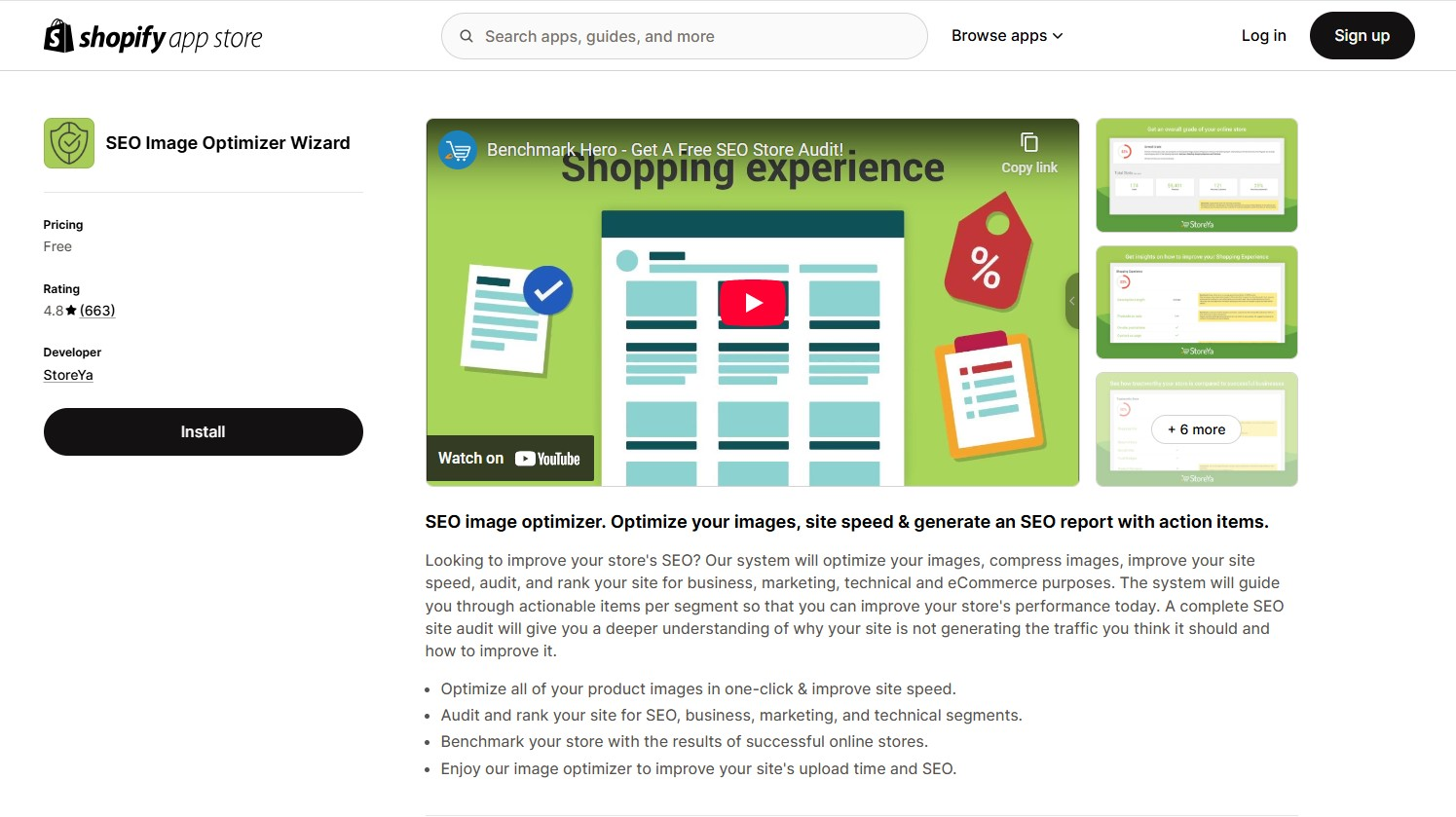
Rating: 4.8 (658)
Key features:
-
One-click image optimization: Compress and optimize all product images at once to improve loading speed and overall site performance, using default settings with no manual control over lossy or lossless mode.
-
Automated alt text generation: Automatically generates SEO-friendly alt text for images to improve image indexing and search visibility.
-
Comprehensive SEO audit: Provides a detailed analysis of your store’s SEO health, business metrics, marketing potential, and technical setup.
-
Benchmarking tools: Compare your store's performance against top-performing Shopify stores to identify strengths and areas for improvement.
Pricing: The app is completely free to install and use, offering all features without any hidden costs.
Pros:
-
Enhances website load times without compromising image quality.
-
The Bulk optimization feature saves significant time for merchants.
-
Provides detailed SEO and performance reports typically found in paid apps.
-
Designed for ease of use, making it accessible even for those without technical expertise.
Cons:
-
Lacks advanced image features like image format conversion (e.g., WebP), lazy-loading, or image CDN integration.
-
No backup and restore functionality for original images.
-
Limited multilingual alt-text or custom SEO rule capabilities.
Best for:
SEO Image Optimizer Wizard is best for small to mid-sized Shopify stores that need:
-
Simple, automated image optimization (bulk compression, scheduled tasks, alt text).
-
A budget-friendly solution with essential features
-
Quick setup without advanced SEO tools or backups.
Crush: Speed & image optimizer - $0 – $19.99/month
Install: https://apps.shopify.com/crush-pics
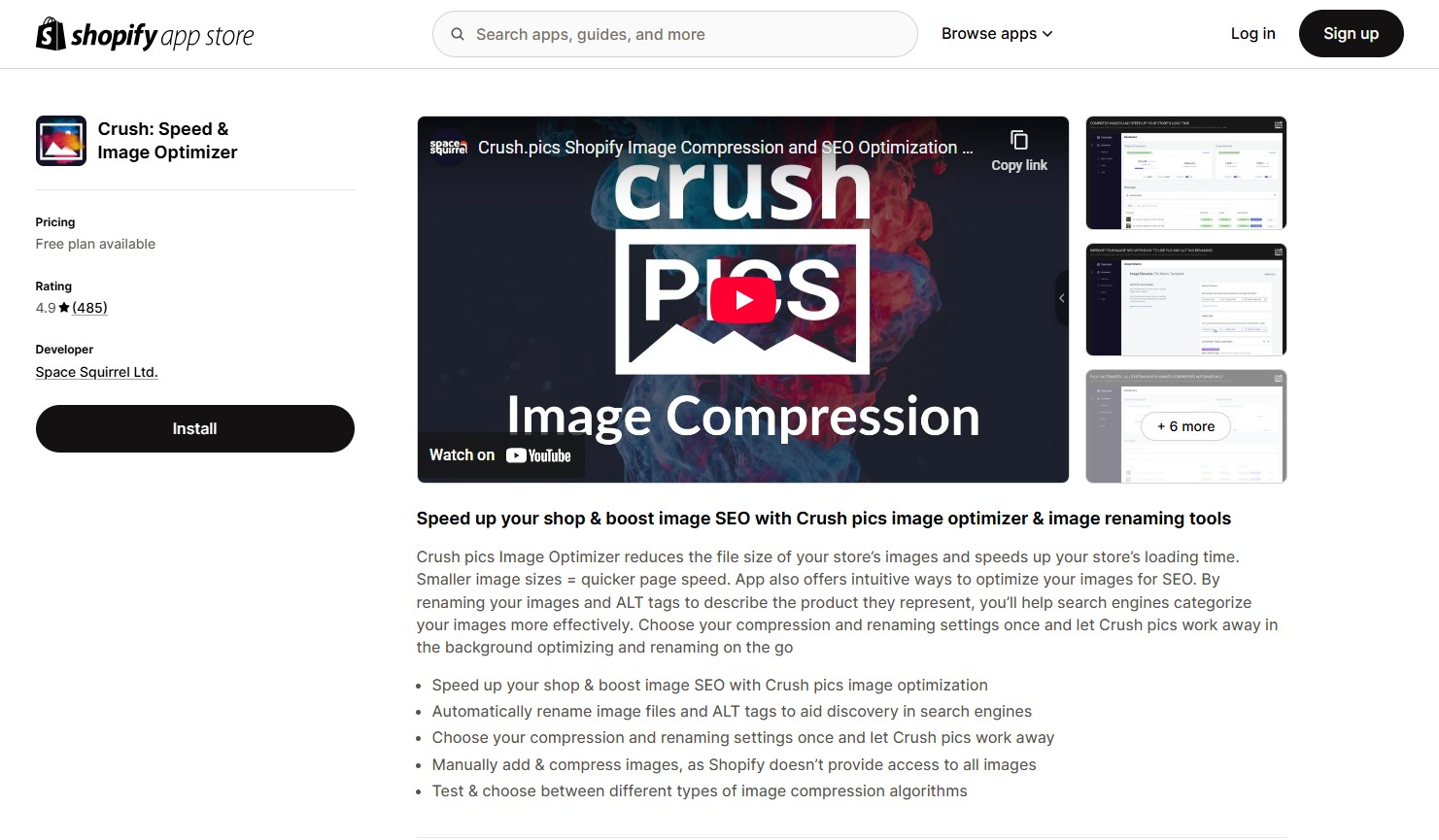
Rating: 4.9 (482)
Key features:
-
Automatic & manual compression: Automatically compresses product, collection, blog featured, and asset images. Manual upload is available for images not automatically accessible.
-
Compression modes: Offers adjustable compression levels, including lossy and lossless modes, to suit different quality and size requirements.
-
SEO optimization: Includes tools to automatically rename image files and ALT tags using customizable templates, aiding in search engine visibility.
-
Backup & restore: Stores original images for 30 days, allowing easy restoration if needed.
-
Before/after preview: Provides a visual slider to compare original and compressed images, ensuring quality meets expectations.
Pricing:
-
Free plan: Yes, available – but limited to 25 MB of images (one-time), which is enough to test the app or optimize a handful of images.
-
Paid plans:
-
Micro: $4.99/month for 500 MB of images per month.
-
Pro: $9.99/month for 2 GB per month.
-
Advanced: $19.99/month for 5 GB per month.
-
Higher tiers available: 15 GB, 50 GB, and 100 GB plans are also offered and can be upgraded anytime via the app dashboard.
Pros:
-
Set-it-and-forget-it functionality simplifies image optimization.
-
Optimizes various image types, including theme assets and blog images.
-
Enhances search engine visibility through file and ALT tag renaming.
-
Intuitive interface with visual previews aids in quality assurance.
Cons:
-
The free tier offers minimal capacity and lacks automation.
-
Larger stores may incur higher costs due to the quota-based pricing.
-
Does not generate WebP versions; relies on Shopify's native support for serving WebP formats.
Best for:
-
Merchants who want a dedicated image optimizer rather than a full SEO suite.
-
Stores with large or growing image libraries need reliable, automated compression.
-
Users who value control (compression level, SEO renaming templates) and peace of mind (30-day image backup).
-
Shopify merchants who prefer a pay-as-you-grow pricing model based on usage.
Tiny SEO speed image optimizer - From $0 - $23/month
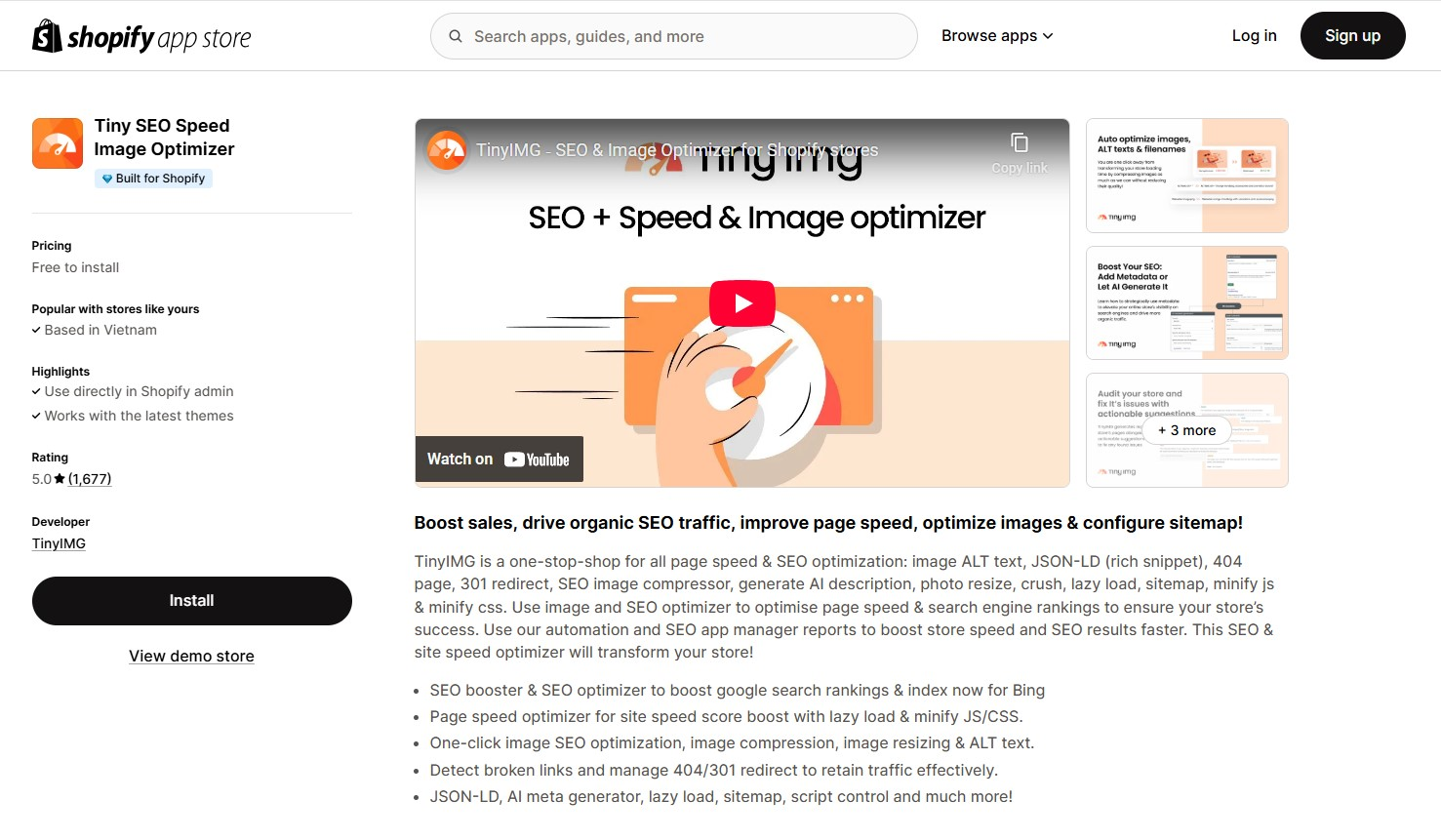
Rating: 5.0 (1,676)
Key features:
-
Image optimization: Automatically compresses and resizes images to reduce load times without compromising quality.
- Compression modes: Offers lossy and lossless compression with adjustable settings, letting you balance image quality and file size based on your store’s needs.
-
Alt text and filename automation: Generates SEO-friendly alt texts and filenames based on customizable templates.
-
Lazy loading and preloading: Implements lazy loading for offscreen images and preloads critical assets to improve page speed.
-
Backup and restore: Maintains a 30-day backup of original images, allowing easy restoration if needed.
-
Structured data integration: Adds JSON-LD structured data to your store, aiding in rich search results.
-
AI-powered metadata generation: Utilizes AI to create meta titles and descriptions, enhancing search engine visibility.
-
SEO audits: Conducts comprehensive audits to identify and suggest fixes for SEO issues like missing tags or broken links.
Pricing:
TinyIMG offers flexible pricing plans to accommodate different store sizes and needs:
-
Free plan: Includes 50 image optimizations per month. Additional optimizations cost $0.03 per image.
-
Beginner plan: $14/month for 1,500 image optimizations monthly. $0.02 for each extra image.
-
Advanced plan: $23/month for 5,000 image optimizations monthly. $0.01 for each extra image.
-
Yearly plan: $96/year for 10,000 image optimizations annually, plus advanced SEO features.
All plans come with a 30-day image backup.
Pros:
-
Combines image compression with advanced SEO tools, reducing the need for multiple apps.
-
Designed for ease of use, making it accessible even for those without technical expertise.
-
Offers a free tier and scalable plans to suit various business sizes.
-
Responsive 24/7 support and user-friendly dashboard.
Cons:
-
The extensive feature set might be overwhelming for those seeking a simple image optimizer.
-
Stores with large inventories may find the image optimization limits restrictive.
-
No native WebP conversion
Best for:
-
Shopify merchants who want both image optimization and broader SEO tools.
-
Shop owners focused on improving their store’s visibility in search engines.
-
Small to mid-sized Shopify stores looking for flexible and affordable pricing options.
-
Merchants who prefer automation and ease of use in their apps.
LoyaltyHarbour image optimizer - From $0 - $39.99/month
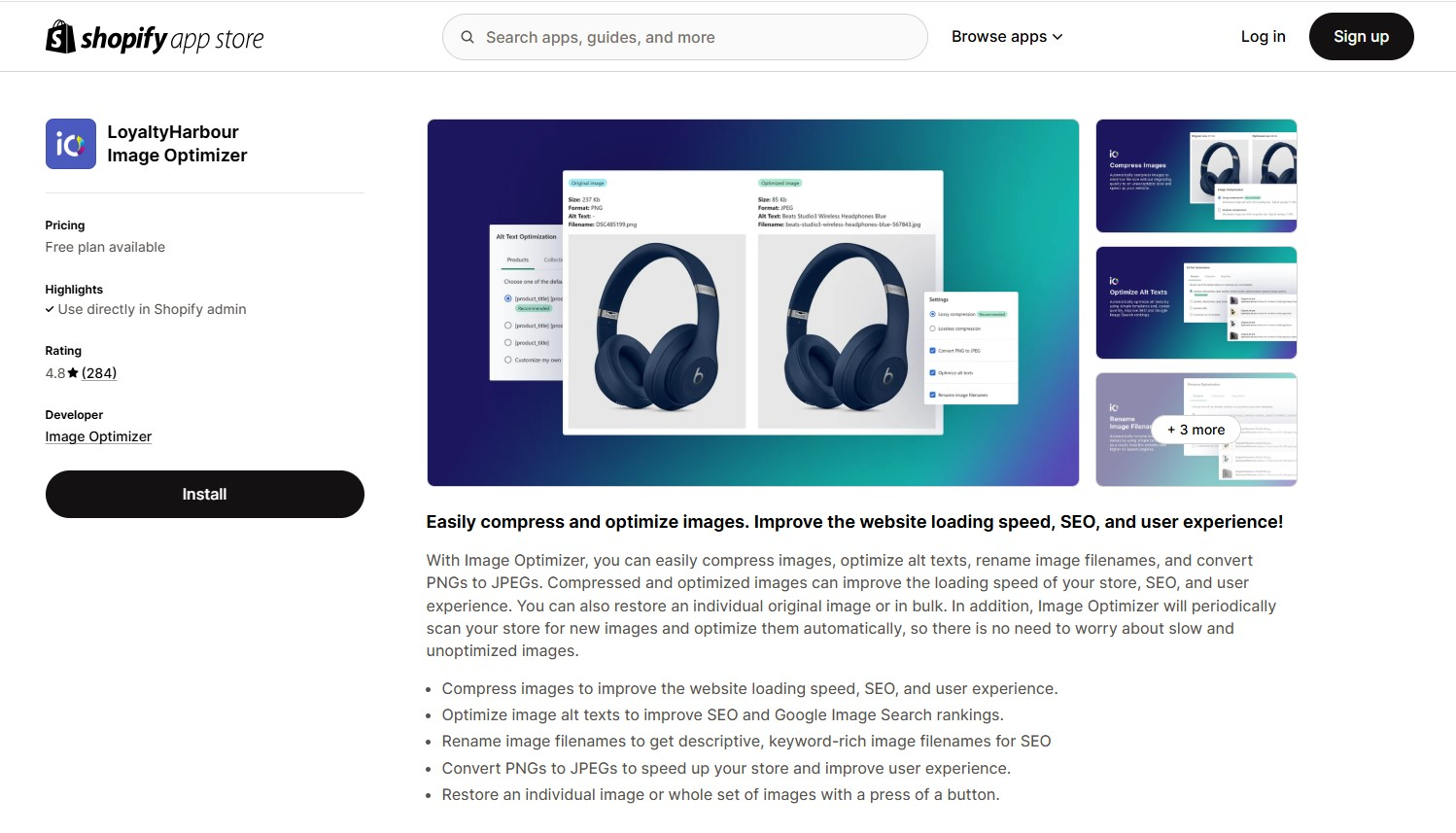
Rating: 4.8 (284)
Key features:
-
Bulk & automatic compression: Compress all existing images in bulk and automatically optimize new images as they're added to your store.
- Compression modes: Supports both lossy and lossless compression. You can manually select your preferred mode to balance image quality with loading speed, giving you full control over how your store’s images are optimized.
-
Alt text optimization: Automatically generate and update alt texts for images using customizable templates, aiding in SEO efforts.
-
Filename optimization: Rename image files in bulk to be more SEO-friendly, incorporating relevant keywords.
-
Format conversion: Convert PNG images to JPEG format when appropriate, reducing file sizes and improving load times.
-
Backup & restore: Maintain a 30-day backup of original images, allowing you to restore them individually or in bulk if needed.
Pricing plans:
-
Free plan: Optimize up to 50 images one-time.
-
Beginner plan: $9.99/month for up to 1,000 images per month.
-
Standard plan: $19.99/month for up to 2,500 images per month.
-
Plus plan: $39.99/month for up to 5,000 images per month.
All plans include auto/manual compression, alt text and filename optimization, PNG to JPEG conversion, and 30-day backups.
Pros:
-
Designed for ease of use, making it accessible even for those without technical expertise.
-
Concentrates on image optimization without unnecessary additional features, ensuring efficiency.
-
Provides reliable image compression with minimal quality loss and enhances SEO through alt text and filename optimization.
-
Known for excellent customer service, with quick and helpful responses to user inquiries.
Cons:
-
Does not offer broader SEO or site speed features beyond image optimization, such as code minification or lazy loading.
-
Plans have image optimization limits; exceeding these may require plan upgrades or additional arrangements.
-
While functional, some users have noted that the interface could benefit from a more modern design.
Best for:
-
Shopify merchants who want a simple, no-fuss solution for image compression
-
Store owners focused on improving site speed through optimized images
-
Budget-conscious merchants looking for cost-effective optimization
-
Merchants who need basic image SEO tools
-
Shopify users who value reliability and strong customer support
Avada SEO Image Optimizer - From $0 - $99/month
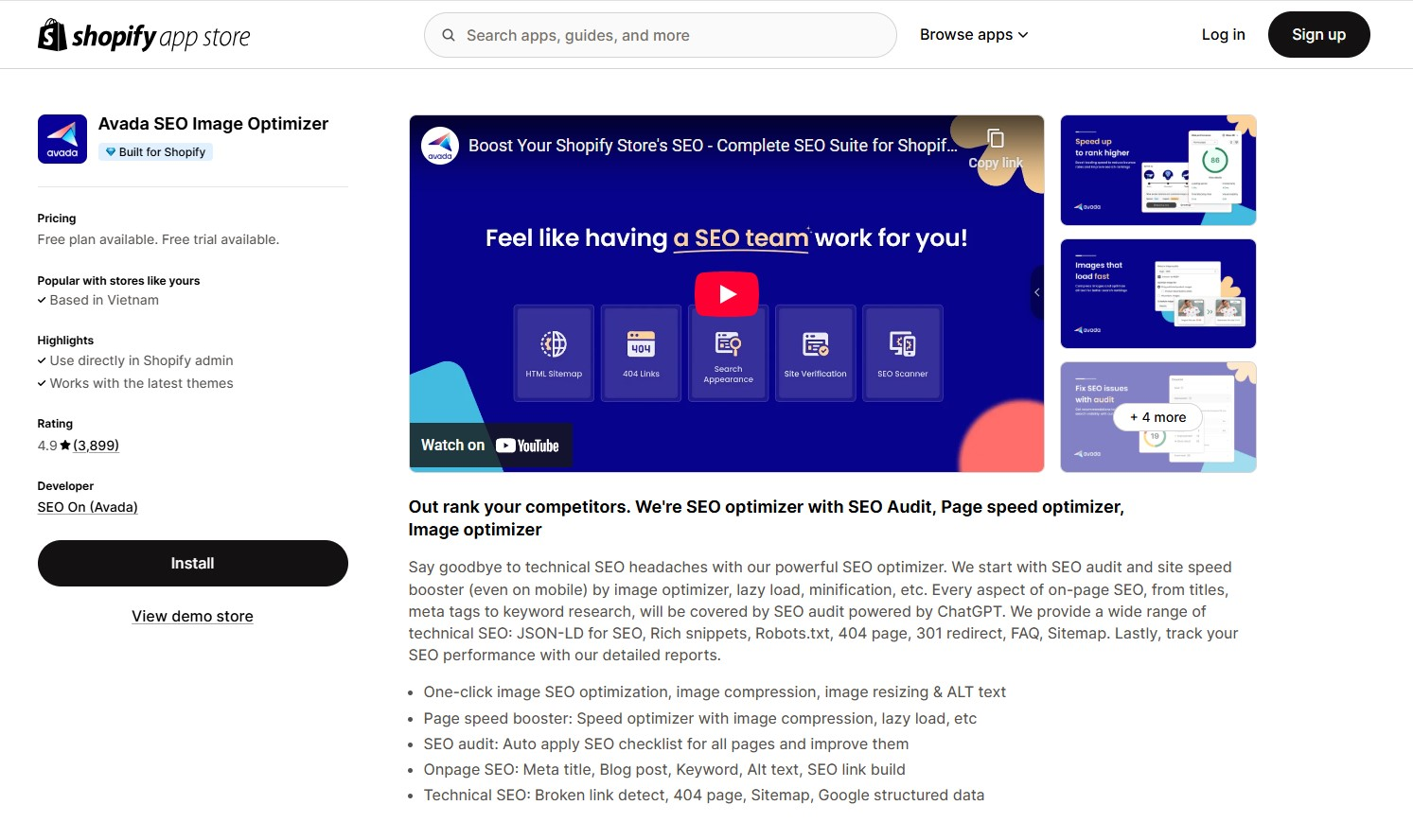
Rating: 4.9 (3,899)
Key features:
-
Image compression and quality control: Avada allows you to compress images to reduce file sizes without compromising quality. You can choose from various compression levels—Automatic, High, Medium, or Low—to suit your preferences.
- Compression modes: Compression modes: Offers multiple lossy compression levels—Automatic, High, Medium, and Low—to fit different image quality preferences. Lossless compression is also supported, but only available on premium plans.
-
Image conversion & resizing: Converts formats (e.g., PNG to JPG) and resizes large images in bulk to reduce load time and file size.
-
Image optimization manager: This feature offers a centralized dashboard to monitor and manage your image optimization activities. You can view optimization history, revert changes if necessary, and take bulk actions on selected images.
-
Alt text & filename optimization: Bulk edit alt texts and filenames using customizable templates for better image SEO.
-
Image backup: Keeps original versions safe with easy download options for both original and optimized images.
-
Integration with SEO tools: Beyond image optimization, Avada integrates with various SEO tools to provide a holistic approach to website optimization. Features include meta tag management, structured data implementation, and SEO audits to identify and fix issues.
-
Speed booster: Offers progressive speed optimization levels — Basic (Free), Turbo (Pro), Rocket (Enterprise) — including lazy loading, minification, and Core Web Vitals enhancements.
Pricing plan:
-
Free Plan: Optimize up to 100 images. Includes basic speed improvements, automatic alt text generation, and access to site audit tools.
-
Pro – $34.95/month: Unlimited image optimization, advanced speed tools, structured data setup, and broken link/URL optimization.
-
Enterprise – $99/month: Includes all Pro features, plus 1-on-1 consulting, rocket speed booster, advanced Google structured data, headless support, and expert 24/7 support.
Note: Both Pro and Enterprise plans come with a 7-day free trial so you can test premium features before committing.
Pros:
-
Combines image optimization with full SEO & speed optimization features (meta tags, schema, lazy load, JS/CSS minification, audits) — no need for multiple apps.
-
Free plan includes 100 image optimizations and access to core SEO features.
-
Unlimited image compression available in Pro plan — great for image-heavy stores.
-
Beginner-friendly UI with real-time SEO checklist and one-click fixes.
-
Supports bulk alt text edits and scheduled optimization tasks.
-
24/7 live chat with highly rated customer support.
-
Enterprise plan offers 1-on-1 consulting and headless commerce support.
Cons:
-
An all-in-one approach may feel overwhelming for new users.
-
Full features (e.g. unlimited compression, advanced SEO) require paid plans, costing more than basic image-only apps like TinyIMG or Crush.pics.
-
May overlap with existing theme or third-party speed/SEO tools if not configured carefully.
Best for:
-
Shopify merchants looking for an all-in-one SEO and image optimization solution
-
Stores with large image libraries needing bulk compression and format conversion
-
Businesses that want to improve both site speed and search engine rankings
-
Shop owners who need backup and restore capabilities for their images
What are the best image optimizer Shopify tools?
| Tool | Logeix | OpenStore | TinyPNG | Shrink.media | Compressor.io |
| Price | Free | Free | Free (Pro from $39/yr) | Free (Pro from £5.16/mo) | Free + Pro ($50/yr) |
| Bulk compression | ✔ Unlimited | ✔ Unlimited | ✔ (20 images free) | ✖ (1 image at a time) | ✔ (10 MB/batch free) |
| Lossy/lossless modes | Lossy only | Lossy only | Lossy only | Lossy only | ✔ Both modes |
| File size limit | 16 MB/image | 15 MB/image | 5 MB (free), 75 MB (Pro) | 25 MB/image | 10 MB/batch (free), higher in Pro |
| Supported formats | PNG, JPG, JPEG, WebP, GIF | PNG, JPG, JPEG | AVIF, WebP, PNG, and JPEG | PNG, JPG, JPEG, WebP, HEIC | PNG, JPG, JPEG, WebP, SVG, GIF |
| Resize support | ✖ | ✖ | ✔ (Pro only) | ✔ Manual | ✔ (Pro only) |
| Quality control bar | ✔ | ✔ | ✖ | ✔ | ✔ (Pro only) |
| Before/after comparison | ✖ | ✖ | ✖ | ✔ | ✔ |
Logeix - Image compression tool for Shopify - Free
Website: https://logeix.com/tools/compress
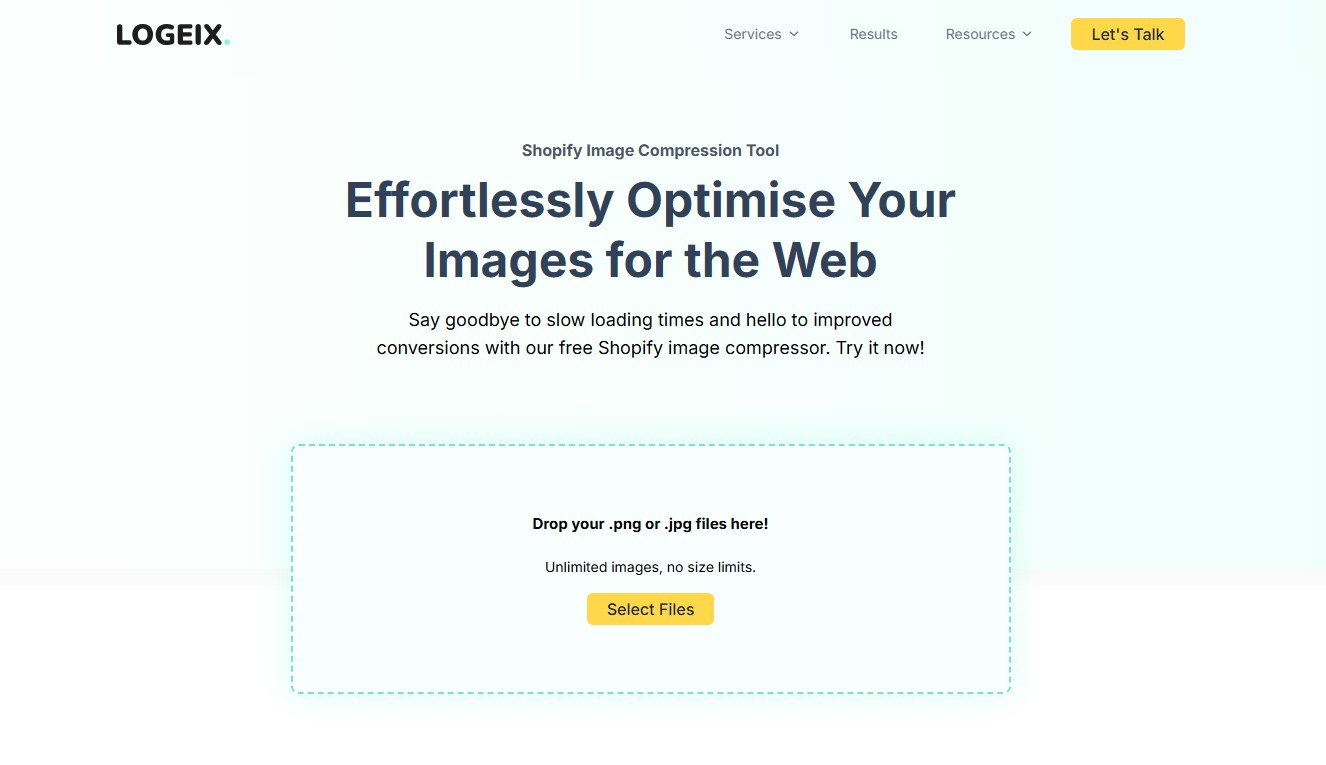
Key features:
-
Custom quality control: Adjust compression level using an intuitive image quality bar.
- Compression modes: Uses lossy compression to significantly reduce image file sizes and improve loading speed. Compression is applied automatically, with no support for lossless mode or manual adjustment.
-
Unlimited image uploads: Upload and compress an unlimited number of images with no individual file size restrictions.
-
Bulk download as ZIP: After compression, all optimized images are packaged into a downloadable ZIP file.
-
Manual workflow friendly: Ideal for users who export, optimize, and re-upload images manually, keeping full control of file names and image placement.
-
Set maximum width & height: Define custom image dimensions before compression.
Pricing: Completely free.
LOGEIX does not charge for using the image compressor. There are no subscription plans, hidden fees, or usage limits. It’s one of the few truly free image optimization tools designed with Shopify in mind.
Pros:
-
No cap on the number of images or file size, unlike tools like TinyPNG (which limits free users to 20 images at a time, 5MB each).
-
Up to 80% reduction in image size, potentially better than Shopify’s own compression.
-
Quality control bar to adjust compression levels before download, which many tools don’t offer.
-
Preset options make it easier to optimize images based on their role in your store.
Cons:
-
Supports only JPG and PNG: LOGEIX can compress these common formats, but does not support modern image formats like WebP or AVIF.
-
Lossy compression only: Doesn’t support true lossless compression like Compressor.io.
-
No image preview before download: You can adjust compression levels, but there's no live image preview to assess visual quality post-compression.
Best for:
-
Store owners comfortable with manual work, such as downloading ZIPs and re-uploading optimized images.
-
Users need full control over compression settings, like image type, max dimensions, and quality.
-
Those doing bulk image optimization projects, especially before launching a store or during a major redesign.
OpenStore - Shopify image size compressor - Free
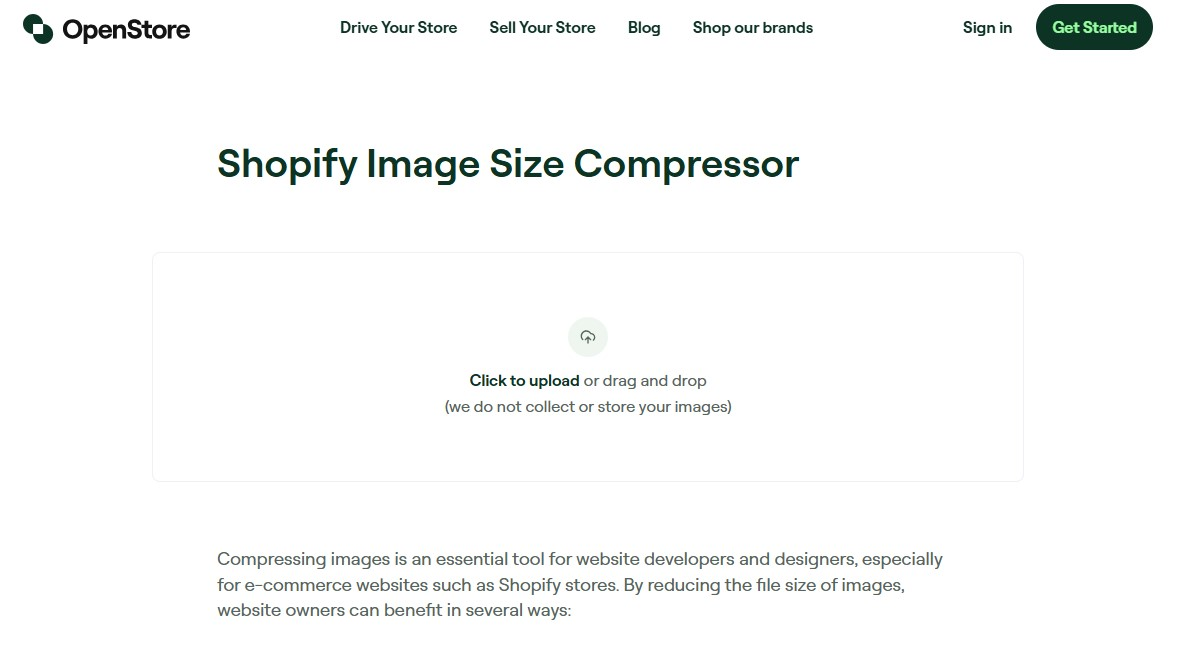
Key features:
-
Manual image compression: Upload images through your browser and compress them instantly, no installation needed.
- Compression modes: Applies lossy compression by default to reduce image file sizes and improve store speed.
-
Before & after comparison: View the file size before and after compression to evaluate the impact.
-
Quality control slider: Manually adjust compression levels to balance image quality and size.
-
Privacy-focused: Images aren’t stored or saved—compression happens locally during the session.
-
Optimized for Shopify: Specifically designed to meet the image optimization needs of Shopify stores.
Pricing: 100% Free
The image optimizer for Shopify is entirely free to use, with no hidden costs or subscription requirements.
Pros:
-
No charges for compressing images
-
Simple drag-and-drop functionality for ease of use.
-
Images are not stored or collected, ensuring user privacy.
-
Use the tool without the need to create an account or log in.
Cons:
-
Basic compression options: No support for lossy/lossless mode selection or advanced optimization settings.
-
No bulk processing: Images must be uploaded, compressed, and downloaded one by one — no simultaneous edits or queue management.
Best for:
-
Shopify merchants looking for a free, browser-based image compressor with visual comparison and adjustable quality.
-
Small to mid-sized Shopify merchants looking to improve store speed and SEO without investing in paid apps.
-
Users who prioritize privacy and don’t want their images stored or tracked.
-
Anyone needing a simple, fast image optimizer Shopify tool for one-off or occasional image compression tasks.
TinyPNG - From $0 - $39/year
Website: https://tinypng.com/
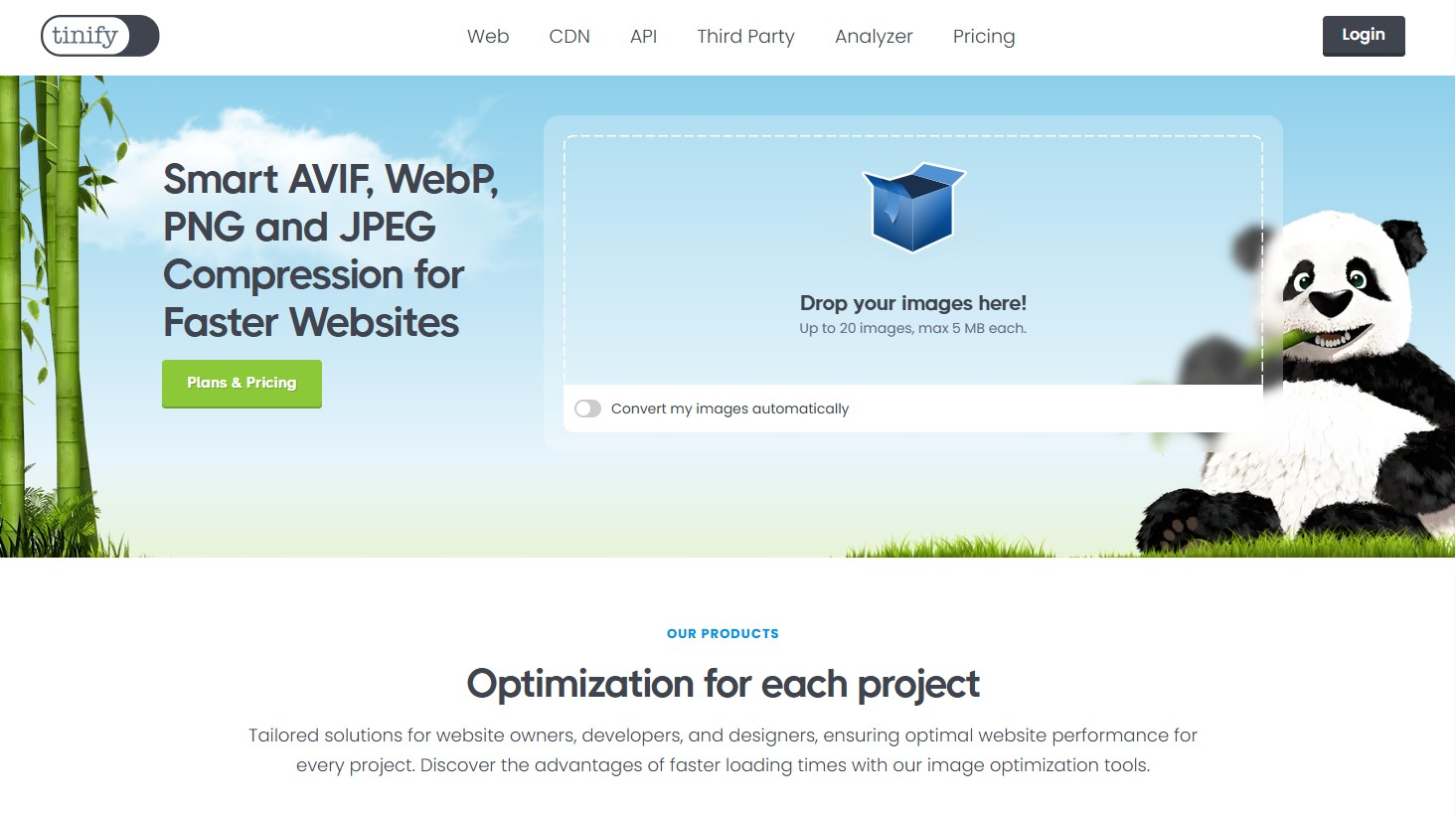
Key features:
-
Smart compression: Utilizes advanced lossy algorithms to reduce file sizes by up to 70% without noticeable quality loss.
- Compression modes: Uses lossy compression to achieve significant file size reductions while preserving visual quality.
-
Format support & conversion: Compress and convert between modern formats like AVIF, WebP, JPEG, PNG, and animated PNG (APNG) to match your delivery needs.
-
Batch processing: Free users can upload up to 20 images simultaneously, each up to 5 MB.
-
Developer API: Offers an API for automating image compression and conversion workflows, supporting various programming languages.
-
Privacy assurance: Uploaded images are stored securely and deleted after 48 hours, ensuring user privacy.
Pricing:
-
Free plan: includes up to 20 compressions and 3 format conversions per session — good for small tasks.
-
Web Pro ($39/year): removes image limits, boosts max file size to 75 MB, and adds detailed reports.
-
Web Ultra ($149/year): caters to power-users: larger uploads (150 MB), unlimited conversions, and uploads via folders.
Pros:
-
Supports modern formats like AVIF, WebP, while many online tools only handle PNG or JPEG.
-
Provides a developer API for automating compression workflows — a feature rarely available in free online tools.
-
Ensures privacy with automatic image deletion after 48 hours.
Cons:
-
Batch upload limit: 20 images, 5 MB each — smaller capacity than some competitors offering larger or unlimited batch uploads
-
Paid tiers required for higher volumes — free version allows only limited usage; bulk conversion needs Web Pro/Web Ultra plans
-
No SVG compression — lacks support for vector formats compared to tools that include SVG
-
No in-browser (client-side) processing — uploads are server-based, unlike tools like Squoosh that work entirely in-browser
-
Limited control over compression settings — relies on automated optimization; advanced tuning only via API, not web UI
Best for:
-
One-off image optimization, such as compressing large homepage banners or key product images before launch.
-
Store owners who prefer to optimize images manually before uploading to Shopify, especially when dealing with a small batch.
-
Those who prioritize visual quality, since TinyPNG offers excellent compression without noticeable loss in image quality.
Shrink.media - From $0 - $44.99/yearly
Website: https://www.shrink.media/
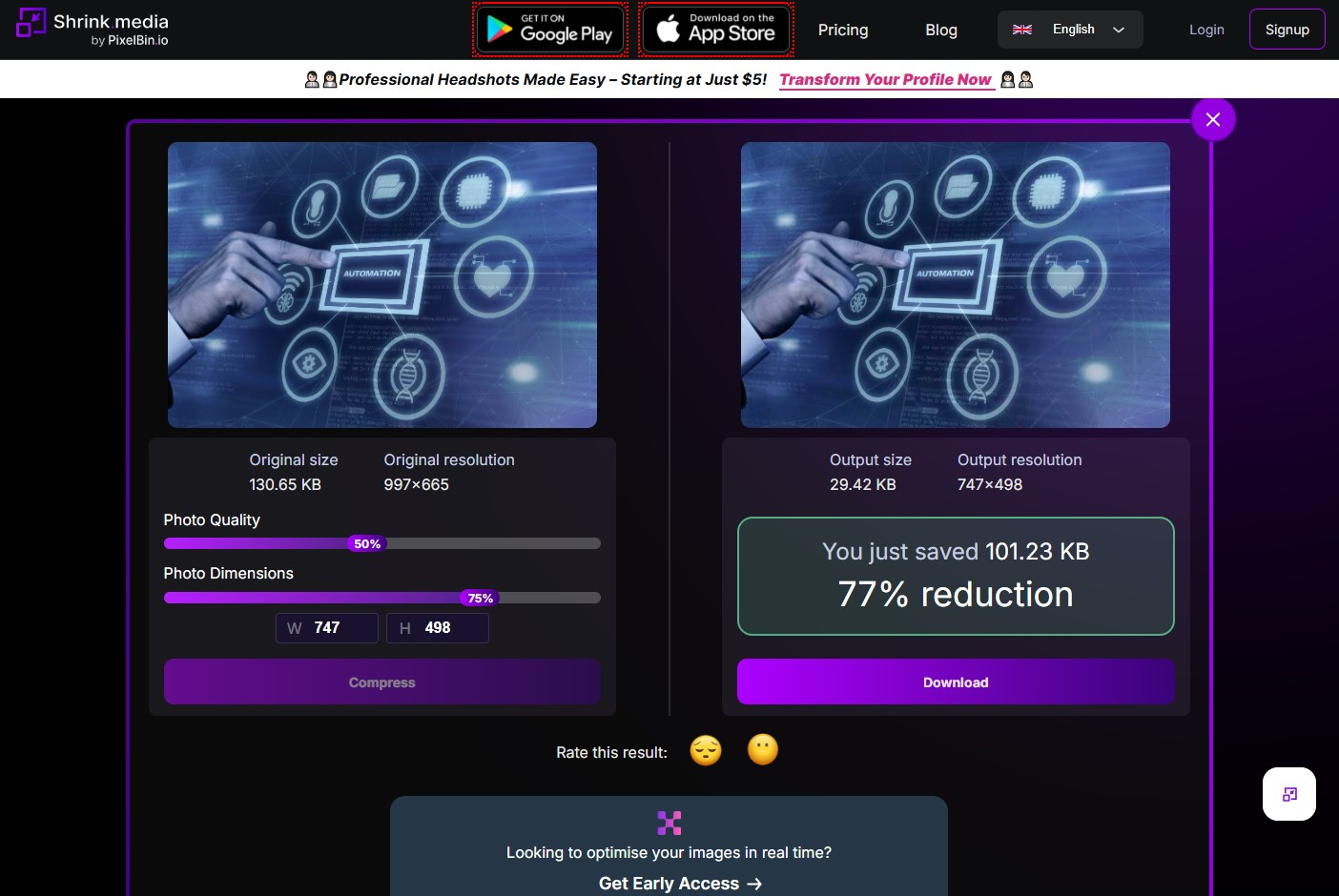
Key features:
- Compression modes: Applies lossy compression to reduce file size while preserving acceptable visual quality.
-
Aspect ratio lock to maintain image proportions and avoid distortion
-
Visual before-and-after preview displaying resized dimensions and resolution
-
Supports common image formats including PNG, JPG, JPEG, WebP, and HEIC
-
User-friendly web interface with drag-and-drop and URL upload options
-
Handles high-resolution images up to 5000 × 5000 pixels
-
Resize images manually by specifying exact width and height (e.g., 1060 × 1500 px)
Pricing plan:
-
Free: 3 transformations/month — good for testing, not for regular use.
-
Subscription: From $60/year (10 credits) to $298.80/year (500 credits) — lower cost per credit for frequent users.
-
Pay-as-you-go: From $19 (45 credits) to $59.50 (200 credits) — flexible for occasional needs.
-
Enterprise: Custom pricing for high-volume or API-based workflows.
Pros:
-
Precise control over image dimensions, helping Shopify merchants meet exact theme or layout size requirements
-
Aspect ratio adjustment ensures consistent and professional product grid presentation
-
Real-time resizing allows quick, accurate dimension changes without the need for graphic design tools
-
Intuitive and fast interface, ideal for users without design experience
Cons:
-
Limited format support: Only supports JPEG and PNG; no AVIF, SVG, or WebP output.
-
No free bulk compression: Batch uploads consume credits, even for basic use.
-
No advanced settings: Lacks fine-tuned controls for compression level or resizing.
-
No automation or API access: Doesn’t support automated workflows or developer integrations.
-
Manual-only uploads: Requires file-by-file uploads; no support for folders or processing queues.
Best for:
-
Those who want a simple, web-based image optimizer for Shopify that easily optimizes individual images without requiring complex software.
-
Shopify merchants who need precise control over image dimensions to match theme or layout requirements
Compressor.io - From $0 - $50/year
Website: http://compressor.io
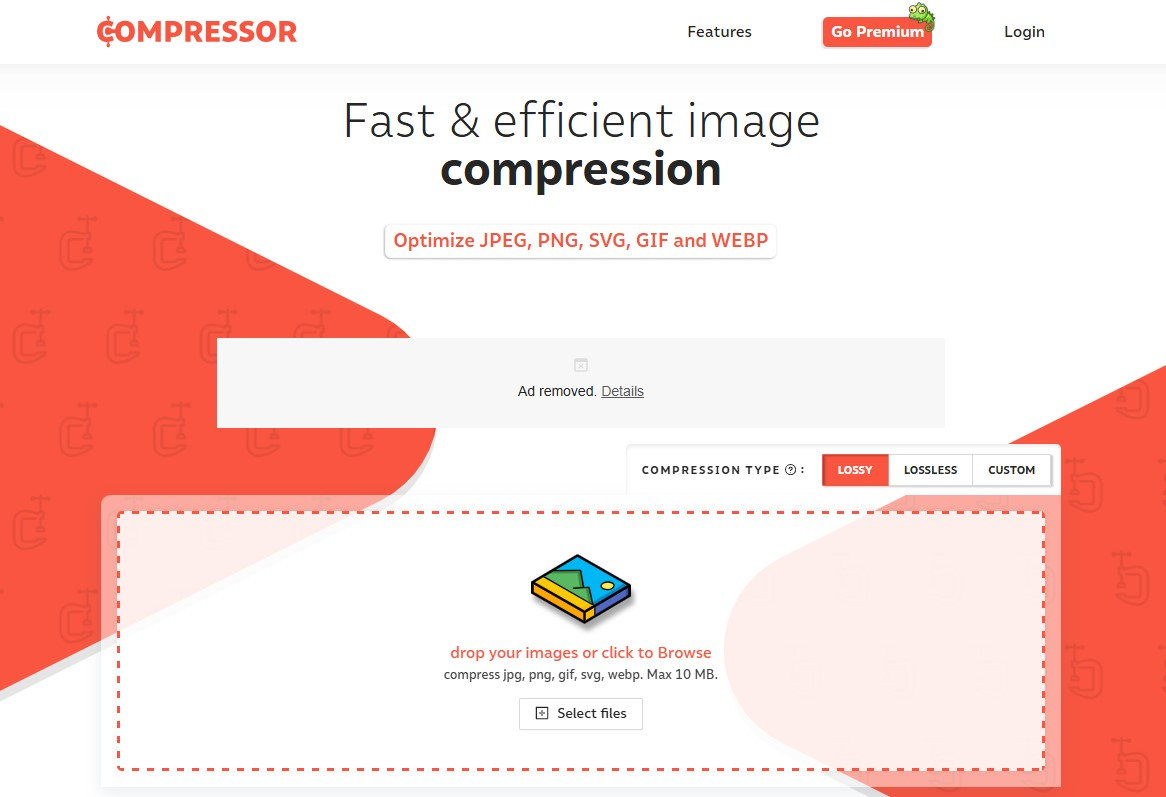
Key features:
-
Compression modes: Offers both Lossy and Lossless compression for PNG, JPEG, GIF, WebP, and SVG images. Users can choose their preferred mode before optimizing to balance file size and image quality as needed.
-
Bulk compression: Supports compressing multiple images with a total batch size of up to 10 MB with the free plan.
-
Compare before and after optimized images to see quality and size differences.
-
Image resizing: The Pro plan allows resizing of images to specific dimensions.
-
Advanced compression settings: Offers advanced settings for more control over compression.
Pricing:
-
Free plan: Max file size upload up to 10 MB, includes basic compression features.
-
Pro plan (from $50/year/user): Supports batch compression up to 20 MB, includes unlimited compressions per day, advanced compression settings, image resizing, and an ad-free experience.
Pros:
-
Allows bulk image processing for faster optimization.
-
Supports multiple formats such as PNG, JPEG, GIF, and SVG images.
-
Achieves significant file size reduction without noticeable quality loss.
-
Simple and intuitive design suitable for all users.
-
Web-based tool accessible from any browser.
Cons:
-
Limited free plan features: No compression level control, resizing, or advanced options without a Pro upgrade.
-
Lower batch capacity: Free plan allows a total batch size of only 10 MB—smaller than alternatives like TinyPNG.
-
No format conversion: Doesn’t support converting images to modern formats like WebP or AVIF.
Best for:
-
Those who want a simple, browser-based tool for occasional or batch image compression with optional upgrades for advanced needs.
Advanced option: Cloudflare Images & Cloudflare Polish
Website: https://www.cloudflare.com/

Cloudflare offers two separate but powerful image optimization tools—Cloudflare Images and Cloudflare Polish. Both aim to improve speed, reduce image file sizes, and support modern formats like WebP and AVIF. However, they serve different purposes and work in different ways:
Cloudflare Images
Key features:
-
End-to-end image pipeline: Cloudflare Images handles image upload, storage, transformation (resize, crop, watermark), compression, optimization, and global delivery via CDN.
-
Image storage and variants: Allows merchants to upload and store images on Cloudflare’s edge network and define up to 100 image variants per asset (e.g., thumbnails, banners).
-
Real-time transformations: Supports URL-based dynamic resizing, cropping, and format conversion to AVIF, WebP, JPEG, PNG, and more.
-
Access control and security: Enables secure delivery using signed URLs. Merchants can also strip metadata or preserve image copyrights and content credentials.
-
Developer-centric controls: Full API access, Terraform support, and integration with Cloudflare Workers enable scalable, automated workflows for large catalogs or custom storefronts.
Benefits:
-
Provides full control over the image pipeline from upload to delivery.
-
Boosts performance through global CDN delivery, automatic compression, and responsive variants.
-
Streamlines format optimization without manual intervention.
-
Supports secure asset delivery and flexible use cases such as private content or multi-variant outputs.
-
Built to scale with growing catalog sizes and dynamic content needs.
Limitations:
-
Requires technical setup through API or CLI; no graphical interface or native Shopify App.
-
Not ideal for non-technical merchants or those using Shopify’s Online Store 2.0 without a developer.
Pricing:
-
Free plan: Includes up to 5,000 unique image transformations per month for free, ideal for small-scale use or testing purposes.
-
Paid plans:
-
First 5,000 unique transformations free, then $0.50/1,000 unique transformations/month
-
$5 per 100,000 images stored/month
-
$1 per 100,000 images delivered/month
-
Costs can rise with usage, particularly when combined with Cloudflare Workers or other services.
Best for:
-
Shopify merchants with high image volumes or large, media-rich catalogs.
-
Headless commerce implementations using Hydrogen, Next.js, or other custom storefronts.
-
Development teams or agencies managing image optimization via API.
-
Brands needing variant management, watermarking, or advanced transformations.
-
Merchants who prioritize performance, SEO, and full control over image delivery infrastructure.
Cloudflare Polish (Available on Pro plan and above)
Cloudflare Polish is a no-code image optimization layer that compresses and converts images served through your domain via Cloudflare’s CDN. However, it cannot optimize images hosted on Shopify’s native CDN (e.g., cdn.shopify.com), even if your root domain is proxied through Cloudflare.
Key features:
-
Automatic lossy or lossless image compression
-
WebP format delivery based on browser support, intelligently skips if larger than the original
-
Runs on all image requests passing through Cloudflare CDN
-
No need to re-upload or reconfigure theme images
Benefits:
-
Instantly improves load times and Core Web Vitals with minimal setup
-
No developer involvement required to activate or maintain
-
Works seamlessly across all images delivered from your origin domain
Limitations:
-
Only works if you route image traffic through Cloudflare’s CDN
-
Requires a Pro, Business, or Enterprise Cloudflare plan
-
No control over compression granularity beyond lossy/lossless toggle
-
Doesn’t support transformations like resizing or variant creation
-
Cannot be applied to images served via Cloudflare Images
Pricing:
-
Included in Pro, Business, and Enterprise Cloudflare plans (starting from $20/month)
-
No usage-based image fees
Best for:
-
Shopify merchants already using Cloudflare CDN for performance or security
-
Non-technical users who want automatic compression with minimal effort
-
Lightweight optimization needs without advanced transformation or variant logic
How to choose the right Shopify image optimizer for your store
There’s no one-size-fits-all solution. Some merchants need a lightweight Shopify image optimizer to prepare a few images before uploading. Others want a fully automated app that handles thousands of product images behind the scenes. The right image optimiser depends on your store’s workflow, size, and priorities — whether that’s speed, SEO, or operational efficiency.
When choosing a solution, you need to consider factors such as:
Store size & update frequency
Depending on your store size and how often you update product images, the right image optimizer will help you balance speed, automation, and cost effectively.
-
Small stores: If you only have a few products and update images occasionally, free tools like TinyPNG or Squoosh are ideal. Shopify already compresses images via its CDN, so manual optimization is enough.
-
Mid-sized stores: For stores with regular updates and growing catalogs, use a Shopify-integrated app. These apps compress images on upload, resize them, and often include SEO features like auto alt text and filename optimization.
-
Large stores: High-volume or global stores should consider Cloudflare Polish/Cloudflare Images or similar image CDNs. These offer dynamic resizing, fast global delivery, and automation at scale, but require technical setup and may involve additional costs.
One-time vs. ongoing optimization
-
One-time fixes: If you're optimizing your store ahead of a launch or doing a quick speed boost, manual tools like TinyPNG, Logeix, or Compressor.io are effective. They let you compress images in batches before uploading, but you'll need to repeat the process manually each time you add new images.
-
Ongoing workflow: For stores with frequent image updates, automation is key. Shopify image apps, Cloudflare Images, or Cloudflare Polish can compress and optimize images on upload or even re-optimize your entire library automatically. Cloudflare goes a step further by optimizing each image request in real time and caching results globally. While these solutions save time and ensure consistency, they often come with subscription or usage-based costs.
Automation vs. manual control
-
Manual tools (online or desktop): Tools like TinyPNG, Squoosh, or Photoshop give you full control over compression quality, file size, and image-by-image decisions. Ideal for hands-on users or one-time optimizations, but time-consuming when handling large volumes of images.
-
Shopify apps: These automate the entire process, compressing images on upload or in bulk with preset quality levels. While you sacrifice granular control, you gain speed, consistency, and added SEO features like auto alt text and file renaming. Perfect for merchants who value time over micromanagement.
-
Cloudflare images and Cloudflare Polish: Offers full automation through a CDN-based system that resizes and delivers optimized images dynamically by device or browser. It’s powerful and efficient, but requires developer setup and integration. Best suited for high-scale stores that need set-it-and-forget-it optimization.
SEO requirements: Alt text & file names
-
Alt text: While no tool can generate perfect alt text, many Shopify image optimizer apps offer bulk editing features to speed up the process. For best results, write concise, descriptive alt text (e.g., “black leather boots on white background”) to improve accessibility and search engine indexing. Be sure to review and update alt text directly in Shopify’s media settings.
-
File names: Rename your image files before uploading using clear, keyword-rich names (e.g., red-sneakers.jpg instead of IMG1234.jpg). Search engines use filenames as ranking signals. Some Shopify SEO apps can help automate this step with templates or batch renaming.
No matter which optimizer you use, alt text and filenames still require your attention for strong SEO performance.
Technical skills
If you're not technically inclined, stick to Shopify apps or online tools — they’re beginner-friendly and require no coding. These tools often offer drag-and-drop interfaces and automatic compression features. More advanced solutions like Cloudflare Images or Cloudflare Polish offer greater control and performance but require developer setup and integration. These are better suited for technical users or stores with access to a developer.
Budget fit
There are free and affordable options for all store sizes.
-
Online tools are perfect for occasional, one-time use, at zero cost.
-
Many Shopify image optimizer apps include free tiers or usage-based pricing, making them budget-friendly for small stores.
-
Cloudflare Images includes 5,000 free transformations/month, with additional charges based on usage.
If you’re on a tight budget, start with free tools. But if performance, SEO, and user experience are priorities, paid solutions often offer a strong long-term return on investment.
Summary
Choose the image optimization method that fits your store’s size and needs:
-
For one-off fixes or very small catalogs, quick online tools (like those found on Shopify) are perfect for simple, manual tweaks.
-
For a growing store with frequent updates, using a Shopify image app automates optimization and adds SEO features, saving time and effort.
-
For large, global websites with heavy image demands, a dedicated image CDN such as Cloudflare Images offers the most scalable, efficient, and performant solution.
No matter which method you pick, always remember to optimize your alt text and filenames to boost SEO and accessibility. Also, balance your choice with your available time, budget, and technical resources for the best results.
FAQs
How do I optimize images for Shopify?
-
Resize images before uploading — see our Shopify image resize guide for exact dimensions and tools.
-
Use optimized formats like WebP or compressed JPEG/PNG for smaller file sizes.
-
Name files with SEO keywords (e.g., red-running-shoes.jpg).
-
Add descriptive ALT text for accessibility and SEO benefits.
-
Enable lazy loading via Liquid code to defer off-screen images.
-
Avoid unnecessary images that don’t add value or slow down pages.
-
Use compression tools (online or via apps) to reduce file size without quality loss.
Doesn’t Shopify already optimize images for me?
Shopify does basic optimization by creating multiple image sizes, compressing JPEGs to about 70-80% quality, serving images via a fast global CDN, and automatically delivering WebP when supported. However, this compression isn’t very aggressive — many images can be further reduced by 30-50% with dedicated tools.
However, Shopify doesn’t optimize alt text or filenames for SEO — that’s up to you or an app. It also doesn’t perform ongoing optimization or retroactively compress images.
While modern Shopify themes support lazy loading, older or custom themes might not, so manual tweaks or apps are needed.
In short, Shopify provides a solid foundation, but dedicated image optimizer apps are needed for deeper compression and SEO improvements. They fine-tune where Shopify’s basic handling leaves off.
Conclusion
Optimizing images is one of the most effective ways to speed up your Shopify store and boost your SEO.
Using the right tools and strategies ensures your images load quickly without sacrificing the visual quality that drives sales. In this article, we explored top Shopify image optimizer apps —from focused compressors like LoyaltyHarbour to full SEO suites like Avada and Booster, plus handy online tools for manual tweaks. Each option has its strengths: budget-friendly apps suit small stores, while automated, comprehensive solutions fit growing or large businesses.
The key is to choose the tool that matches your needs. Remember, even the best product photos won’t help if slow-loading images drive customers away. Image optimization isn’t just technical — it’s essential for your business success.
Key takeaways:
-
Compress and resize images before or during upload to save bandwidth and speed up load times.
-
Automate optimization with apps that also handle SEO-friendly alt text and filenames.
-
Monitor your site’s speed and conversion rates to measure impact.
For more ways to boost your store’s performance - from theme tweaks to app management - explore our full Shopify speed optimization guide.
Ready to take your Shopify store to the next level? Contact On Tap today for tailored consultancy from our Shopify experts on optimizing your Shopify store for speed, SEO, and scalable growth.