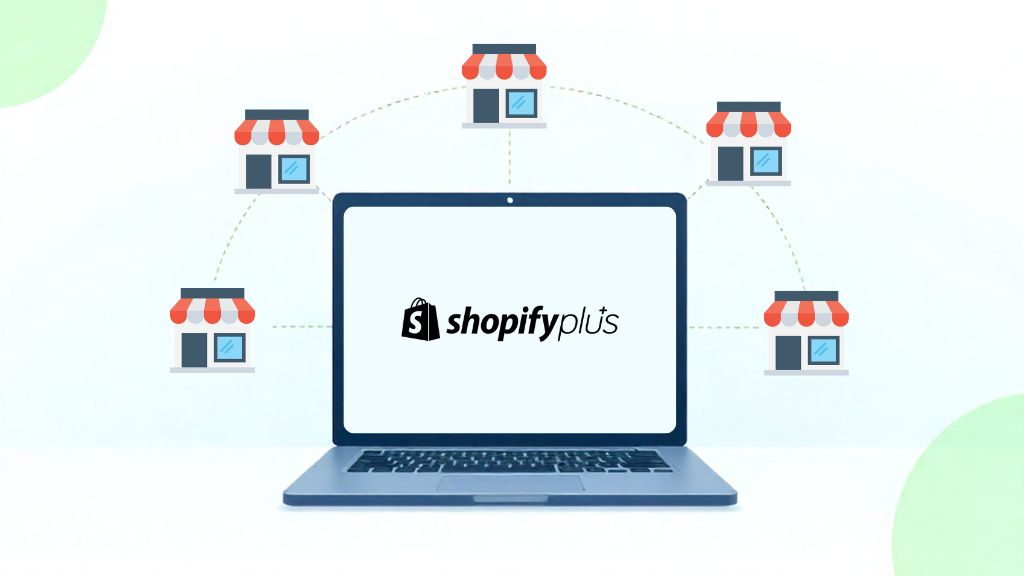
Managing multiple stores is no longer just an operational choice — it’s a growth accelerator. With Shopify Plus, businesses can run several stores under a single licence, creating the flexibility to expand into new markets, tailor experiences for different audiences, and scale their brand portfolio with confidence.
In this guide, we’ll explore the fundamentals of Shopify Plus multi-store management — how it works in practice, the business objectives it can support, and the limitations you may encounter. We’ll also share practical solutions and best practices to help you overcome these challenges, so you can manage multiple stores strategically and maximise the value of Shopify Plus.
Unlocking Shopify Plus multiple stores: Capabilities and use cases
In this section, you’ll get a clear view of whether Shopify Plus supports multiple stores, how it works in practice, and which business strategies can make the most of it.
Does Shopify Plus support multiple stores?
Yes, Shopify Plus supports multiple stores through its exclusive Expansion Stores feature. This allows merchants to operate several stores under a single Plus licence, as long as they all belong to the same overarching brand. If you want to create completely unrelated brands, each will require a separate Shopify Plus contract.
By default, a Shopify Plus licence includes one primary store and up to nine expansion stores (10 in total) at no extra cost. If you need more, additional stores can be added for around $300 per month each, or through a revenue-sharing model applied across all stores, depending on your contract terms.
All expansion stores are managed under the Shopify Organisation Admin, while each store has its own dedicated admin. This setup provides the flexibility to manage separate stores independently—without automatically syncing products, inventory, or content—while keeping everything consolidated under a single Plus licence.
How does Shopify Plus handle multiple store management?
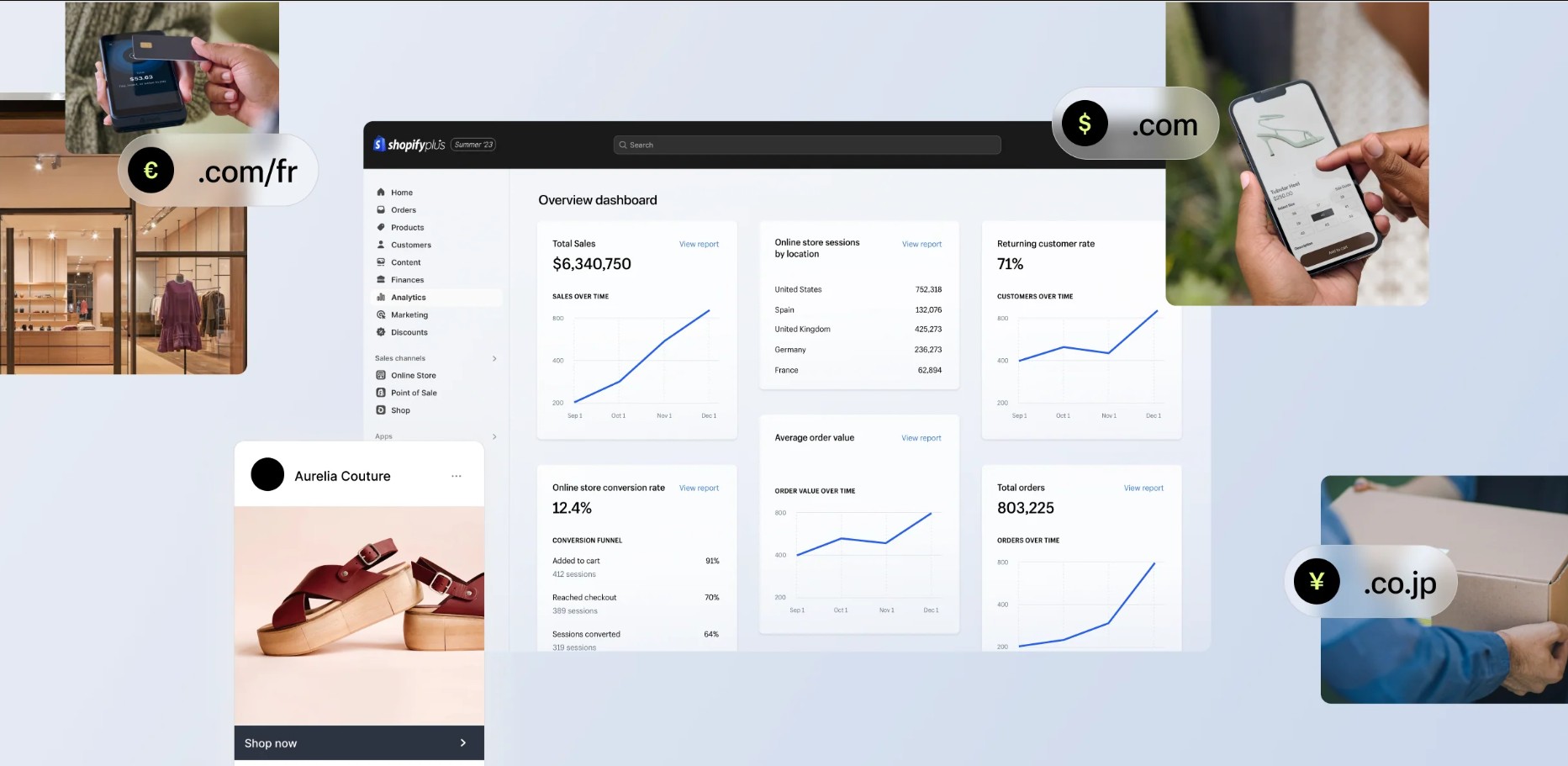
Below is a breakdown of what operational aspects can be centralised and what still need to be handled at the individual store level.
What Shopify Plus centralises at the organisation-level
-
User management: Create, assign, and manage staff accounts across all stores from one place; apply role and permission templates to ensure consistent access controls across the organisation.
-
Security & governance: Permissions and access policies are managed centrally, reducing risk as the business scales.
-
Billing & contract management: All stores under one Plus licence are covered by the same billing and contract terms.
-
Organisation-level reporting (global summary): Organisation analytics provides high-level summaries across stores, with options to filter or compare by store (e.g., total sales, AOV, conversion rates). For advanced cross-store insights, you’ll need to export data from individual store analytics and consolidate it into BI or data warehouses.
What remains independent per store
-
Core data (products, customers, orders): Shopify Plus doesn’t unify these into a single database, each store keeps its own siloed data. Merchants need to use a master system (PIM, ERP, CRM) as the source of truth, syncing data to each store via API or connectors.
-
Store-level reports: Detailed reports and analytics are operated per store. Merchants can customise default reports, apply filters, and build new reports for specific needs within each expansion store, just as they would in a single-store setup.
-
Checkout customisations & pricing logic: Shopify Plus unlocks checkout.liquid (legacy) and Checkout Extensibility (new framework). These allow per-store customisation of checkout flows, discount rules, payment logic, or upsell strategies. Each store’s checkout runs independently.
-
Apps & themes: Apps are installed per store; themes are customised per store. Best practice: use version control and deployment pipelines to replicate and manage themes, and choose apps that support multi-store setups via API when possible.
-
Inventory: Inventory is tracked per store by default. To share stock across stores, you need middleware, ERP, or WMS solutions for real-time sync.
-
Storefront design & customer experience: Multiple stores enable localisation, language, currency, product range, and storefront design. This is powerful for tailoring experiences but requires governance to maintain a consistent brand identity.
-
Workflows & automation: Shopify Flow automations are store-specific. To keep consistency, you must duplicate/adjust flows for each store or centralise automation in an external tool.
What business objectives does Shopify Plus multi-store support?

With the ability to run multiple stores under one Shopify Plus licence described above, businesses can scale across a variety of different growth objectives that a single store can’t fully cover:
-
Market expansion and localisation: Expansion stores allow merchants to enter new international or local markets with fully localised languages, currencies, tax settings, and content. This setup supports region-specific promotions, shipping rules, and checkout flows. By tailoring each store to its market, businesses can improve user experience, reduce friction, and drive higher cross-border sales.
-
Customer segmentation: Merchants can create separate stores to serve different customer groups, such as B2C, B2B, or wholesale buyers. For example, they can run a wholesale store for B2B clients with custom pricing, bulk order workflows, and exclusive products, while simultaneously operating a consumer-facing store for individual shoppers. This structure ensures every audience receives a tailored experience, driving satisfaction and higher conversion rates.
-
Product-line or sub-brand expansion: Many merchants use Shopify Plus multi-store to launch new product lines or sub-brands that require unique branding, positioning, or marketing strategies. Each expansion store must remain an extension of the main brand in terms of store name, identity, and types of goods or services offered. This approach helps businesses reach new audiences or product categories without disrupting the primary store, all under a single Plus subscription.
-
Employee and VIP engagement: Private stores for employees, ambassadors, or loyalty members can be created under the same organisation to support internal sales, exclusive offers, or limited releases. These stores help strengthen brand engagement and streamline internal or community-driven sales processes within a secure, centralised system.
-
Omnichannel retail and event activation: Shopify Plus supports POS-only stores for physical locations or temporary events. Each store can manage its own inventory and sales data while remaining part of the same organisation, ensuring operational flexibility and unified reporting across online and offline channels.
To ensure your Shopify Plus multi-store setup truly aligns with your long-term business strategy, consider partnering with On Tap Consulting Service for expert guidance on multi-store planning, implementation, and optimisation.
Where Shopify Plus falls short for multi-store management, and how to fill the gap
1. No native centralised product & inventory management
Limitation: By design, Shopify Plus treats each store as an independent environment. Product catalogues, SKUs, variants, descriptions, pricing, and attributes are managed separately in every store. Inventory levels are also tracked per store, even if those stores all pull stock from the same physical warehouse. This independence gives flexibility, but quickly becomes a limitation when a merchant needs to maintain consistency across several stores. What’s missing is a built-in mechanism to push updates or synchronise changes across multiple stores in real time.
Impact: Because product and inventory data remain siloed, merchants face:
-
High effort required: The same product edits must be repeated store by store. This manual duplication is time-consuming, slows down operations, and creates friction as the business scales.
-
Risk of data inconsistency: Prices, descriptions, or stock levels can drift apart between stores, leading to mismatched content, overselling, inaccurate promotions, or reporting errors that damage customer trust and profitability.
Solutions to fill the gap: To overcome this limitation, merchants typically establish a central “source of truth” for product and inventory data, then integrate it with Shopify Plus:
-
Enterprise Resource Planning (ERP) systems (e.g., NetSuite, Microsoft Dynamics, SAP) centralise both product and stock data, ensuring every store pulls updates from the same operational backbone.
-
Product Information Management (PIM) platforms (e.g., Akeneo, Salsify) focus on rich product information, descriptions, translations, digital assets, and distribute consistent catalogue data across stores.
-
Inventory management tools (e.g., Brightpearl, Cin7, Skubana) specialise in real-time stock synchronisation across multiple stores, warehouses, and channels.
-
Custom API middleware can be developed to automatically propagate changes from a master database or store into all connected Shopify Plus stores, with logic tailored to specific business rules (e.g., region-based pricing adjustments).
2. Fragmented reporting & analytics for each store
Limitation: Shopify Plus provides reporting on a per-store basis, meaning sales, traffic, conversion, and customer data are siloed within each store. While the Organisation Admin dashboard offers some high-level visibility, like billing, staff accounts, and aggregated metrics, it lacks a native way to unify analytics across all stores, forcing merchants to manually piece together performance insights.
Impact: Operating without centralised analytics creates significant challenges:
-
Fragmented insights, slower decision-making: Merchants must export reports individually and then merge them manually for analysis, often in spreadsheets. This approach delays responses to market trends and undermines agility in scaling strategies.
-
No single source of truth: Without consolidated KPIs, leadership teams lack clarity on overall performance, making it harder to align decisions across markets or business units.
Solutions to fill the gap: Merchants typically close this gap by centralising data outside Shopify Plus:
-
Business Intelligence (BI) platforms like Tableau, Looker, or Power BI allow data from multiple Shopify stores to be aggregated, transformed, and visualised in unified dashboards.
-
Shopify data connectors (via APIs or third-party apps) automate the process of pulling data from each store into a central repository.
-
Data warehouses (e.g., BigQuery, Snowflake, Redshift) can serve as the backbone for storing all multi-store data, with BI tools layered on top to deliver cross-store reporting.
-
Custom API pipelines can also be built for merchants with unique requirements, ensuring that reports reflect consolidated metrics while still respecting local differences like currency or tax.
3. Separate billing of apps and themes per store
Limitation: On Shopify Plus, apps and themes are licensed at the store level. This means that even when multiple stores within the same organisation rely on the same functionality, such as SEO apps, loyalty programs, or custom themes, each store must purchase and maintain its own licence. Shopify Plus does not provide an organisation-level licensing framework for apps or themes. What Shopify Plus does not cover is a way to centralise licensing and deployment so businesses can scale multi-store setups without duplicating costs and administrative overhead.
Impact: This per-store billing model creates two main challenges:
-
Higher cost base: Operational expenses climb quickly when merchants run several expansion stores, as app and theme fees multiply with each store.
-
Administrative burden: Managing renewals, licence keys, and invoices separately for each store adds unnecessary complexity to billing and vendor management.
Best practices to fill the gap: Merchants usually adopt one of the following strategies to address these inefficiencies:
-
Enterprise app licensing: Negotiate directly with app vendors to secure multi-store or organisation-level pricing, reducing duplication and creating predictable costs.
-
Custom app development: Build private apps that can serve multiple stores from a single codebase, ensuring consistency while avoiding per-store licensing.
-
Shared theme development: Maintain a custom theme in a version-controlled repository (e.g., GitHub), which can then be deployed across all stores and updated centrally, avoiding repeated theme purchases.
4. Brand restrictions under one contract
Limitation: Shopify Plus requires that all expansion stores under a single licence belong to the same brand family. Expansion stores must share the same core brand identity, store name, and type of products or services.
Impact: This limitation restricts flexibility for businesses managing a portfolio of diverse brands. For example, a company that owns a luxury fashion label and a budget-friendly sportswear label cannot operate both under the same Plus contract. This leads to higher costs and fragmented operations when each brand requires its own licence.
Workarounds:
-
Evaluate brand hierarchy: Where possible, position sub-brands as extensions of your main brand so they remain eligible under the same Plus licence. This approach works if product lines share core elements like brand family, store naming, or product category.
Example: A beauty company with separate skincare and makeup lines can create individual expansion stores such as brandname-skincare.com and brandname-makeup.com under one licence, since both belong to the same parent brand. -
Multi-brand agreement: If your proposed store doesn’t meet the eligibility criteria for expansion stores, you may be able to apply for a multi-brand agreement. This allows multiple brands to be managed under the same organisation, but each brand must have its own separate Shopify Plus plan subscription.
Example: A retailer that owns Brand A (fashion) and Brand B (homeware) can request a multi-brand agreement so both brands are managed under one organisation, though each will still have its own Plus licence and billing. Merchants should contact Shopify Support to confirm eligibility and pricing.
5. The burden of duplicate SEO & content work across stores
Limitation: Shopify Plus handles SEO and content strictly at the store level, with no central framework for multi-store governance. This means metadata, URL structures, redirects, hreflang tags, and translations must all be configured and maintained separately. Content such as product descriptions, blog posts, and landing pages for each local market or customer segment also live in individual silos, without a shared repository.
Challenges & impacts:
-
Duplicate content: Multiple stores often sell the same products with identical descriptions, causing keyword cannibalisation and making it harder to rank.
-
Fragmented reporting: Because Shopify Plus generates reports separately for each store, it’s difficult to consolidate organic traffic, keyword rankings, and conversions into one global view.
-
Scaling inefficiency: Every SEO task — from updating metadata to creating landing pages — must be repeated store by store, multiplying the effort as the number of stores grows.
Best practices & solutions:
-
Domain & structure strategy: Define a clear approach for each use case (global expansion, B2B vs B2C, segmented brands) and keep it consistent.
-
Unique content per store: Tailor product descriptions, keywords, and messaging for each store to reduce duplication and improve relevance across markets or customer segments.
-
Hreflang for international SEO: Correctly implement hreflang tags when targeting multiple languages or regions.
-
Consistent technical setup: Maintain individual sitemaps, robots.txt files, and monitor index status for every store.
-
Segmented marketing & backlinks: Strengthen domain authority by building targeted link profiles and content campaigns tailored to each store’s market, customer group, or brand focus.
-
Centralised analytics: Aggregate data from GA4, Search Console, or Looker Studio to analyse SEO performance across all stores in one place.
-
Implementing headless CMS architecture: Use a headless CMS (e.g., Contentful, Storyblok, Sanity) to centrally manage and distribute content across expansion stores.
-
Enterprise SEO platforms: Tools like BrightEdge or Conductor can provide centralised oversight of keywords, hreflang management, and structured data across multiple stores, reducing SEO risks at scale.
6. Limited cross-store automation
Limitation: Shopify Plus comes with automation tools such as Flow for workflows and Launchpad for scheduling campaigns, but these operate only within a single store’s boundaries. Each store runs its automations in isolation, so if a merchant manages several stores, they must recreate the same workflows or campaigns one by one. In other words, Shopify Plus does not provide a native mechanism to coordinate automation tasks across multiple stores at once.
Impact: The single-store scope of automation leads to operational inefficiencies:
-
Extra workload: Global or multi-region campaigns require duplicating the same Flow automations or Launchpad events across each store.
-
Risk of misalignment: Without centralised control, product launches, discounts, or content changes may roll out at different times across regions, diluting the effectiveness of coordinated campaigns.
Solutions to fill the gap: Merchants typically extend Shopify Plus automation through integrations or custom builds:
-
Custom Flow connectors: Develop connectors or middleware that can trigger Flow actions in multiple stores simultaneously, ensuring alignment for workflows like order routing, tagging, or customer segmentation.
-
Middleware orchestration: Implement API-driven middleware to serve as a central automation hub, pushing updates (e.g., discounts, product launches) to all stores in parallel.
-
Marketing automation platforms: For campaign management, connect Shopify Plus to enterprise-grade platforms (e.g., Salesforce Marketing Cloud, Klaviyo enterprise setups) that support orchestration across multiple stores and regions.
7. Scalability bound by store count rules
Limitation: By default, a Shopify Plus contract allows one primary store and up to nine expansion stores for production use. Development and staging environments don’t count toward this limit, but once merchants exceed 10 live stores, they must either negotiate new contract terms or pay additional fees for more expansion stores. This creates a built-in ceiling for merchants with large, diversified portfolios.
Impact: This store cap introduces constraints for certain types of businesses:
-
Portfolio restrictions: Merchants managing multiple brands, regions, or diverse business objectives may find themselves constrained by the 10-store allocation.
-
Unexpected costs: Exceeding the standard limit can trigger extra fees or force renegotiation of contracts, complicating budgeting.
-
Operational friction: Planning for future growth becomes harder when store expansion is tied to contract discussions rather than purely operational needs.
Solutions: Merchants have two main paths forward:
-
Negotiate with Shopify Plus: Discuss multi-brand or high-growth requirements with Shopify sales teams to secure additional expansion stores under enterprise terms.
-
Optimise store strategy: Reduce reliance on separate stores by consolidating where possible, using Shopify’s multi-language, multi-currency, and localised payment features to serve different regions within fewer stores.
In summary, Shopify Plus provides a strong foundation for multi-store operations, but its default framework leaves critical gaps in centralisation, scalability, and data management. True success lies not just in running multiple stores, but in creating a connected ecosystem where data, workflows, and customer experiences align seamlessly across every storefront.
To achieve that, merchants aiming for global or multi-brand growth often need tailored apps, integrations, or custom middleware to bridge platform limitations. Partner with On Tap’s Shopify Plus development service to design a unified multi-store architecture that enhances scalability, simplifies management, and drives consistent growth across your entire organisation.
Conclusion
Managing multiple stores is more than a convenience — it’s a core growth strategy. For merchants that expect to grow globally, diversify sales channels, or serve distinct customer groups, Shopify Plus provides the infrastructure to operate multiple stores under a single contract. This capability empowers businesses to tailor each store to its audience or region while still maintaining oversight at an organisational level.
However, running multiple stores within Shopify Plus also introduces challenges. Merchants often face fragmented data across stores, duplicated workflows, and the need for separate integrations or localisation efforts. Licensing conditions and maintenance overhead can also add complexity as your business scales.
With the right strategy, however, these hurdles become manageable. A well-structured Shopify Plus multi-store setup not only simplifies operations but also opens new opportunities to scale globally, serve diverse customer groups, and strengthen your overall brand portfolio.
Ready to make the most of Shopify Plus multi-store capabilities? Our experts at On Tap can help you design a strategy that not only fits your business goals but also overcomes platform limitations, streamlines operations, and sets you up for scalable growth. Get in touch with us today to start shaping your multi-store success.
FAQs
-
Can I migrate my existing Shopify stores into one Plus organisation?
Yes. If you already operate multiple Shopify stores on Standard plans, they can be brought under a single Shopify Plus organisation. However, this isn’t an automatic migration. Each store must be re-contracted and linked to your Plus account. Once migrated, all your stores will be managed through the Shopify Organisation Admin, which centralises high-level functions like staff accounts, billing, and user permissions. Keep in mind that day-to-day operations, such as products, apps, and settings, still run independently per store.
-
Do apps and themes carry over between stores?
No. Apps and themes are scoped at the individual store level. Even if you use the same SEO tool, loyalty app, or theme across multiple stores, you’ll need to reinstall and reconfigure them separately for each expansion store. Paid apps and premium themes are also billed per store, so costs can multiply as your store count increases. To reduce overhead, some merchants negotiate enterprise licensing with app vendors or build custom private apps and shared theme repositories for use across all stores.
-
How many stores can I have with one Shopify Plus contract?
A standard Shopify Plus licence includes one primary store and nine expansion stores, giving you 10 production stores in total without extra cost. If you need more than that, you can add extra expansion stores for approximately $300 per month each, depending on your contract. Development and sandbox stores don’t count toward this limit, but only 10 live production stores are included by default. Merchants with large multi-brand or multi-region portfolios often negotiate custom terms with Shopify to scale beyond the standard allocation.
-
Can I run two unrelated brands under one Plus contract?
No. Shopify Plus expansion stores are designed for businesses that operate multiple stores within the same brand family, for example, regional versions of the same storefront or a B2C and B2B version of the same brand. If you manage completely unrelated brands, Shopify requires that you sign separate Plus contracts for each brand family. This ensures clear ownership, billing, and licensing boundaries across different businesses.
-
When should I use Markets vs. expansion stores for global selling?
Shopify Markets lets you sell to multiple countries from a single store, localising prices, languages, domains, and duties/taxes. It’s a good fit for merchants who want to keep operations streamlined while offering a lightweight international experience.
Expansion stores give you full independence per region. This is the better choice if you need different product assortments, unique pricing models, custom checkout flows, localised payment methods, or separate marketing strategies for each region.
In practice, many Plus merchants use a hybrid approach: Markets for smaller regions, and expansion stores for key markets where tailored operations are necessary.
-
What’s the process and cost to move from multiple Advanced plans into Shopify Plus with expansion stores?
Migrating from multiple Advanced plans to Shopify Plus requires working directly with the Shopify Plus sales team. The process typically includes:
-
Contract negotiation: Each existing Advanced plan store must be transitioned under one Plus organisation.
-
Re-contracting: Shopify will close the old contracts and reissue them under your new Plus agreement.
-
Organisation setup: Once re-contracted, all stores are linked to the Shopify Organisation Admin, giving you central access and billing control.
The cost structure is:
-
The base Shopify Plus licence covers one primary store + nine expansion stores at no extra fee.
-
Any additional expansion stores beyond that incur an extra $250–$300 per month each.
-
Exact costs can vary depending on your agreement and the size of your portfolio, so merchants should finalise pricing details with Shopify during contract discussions.