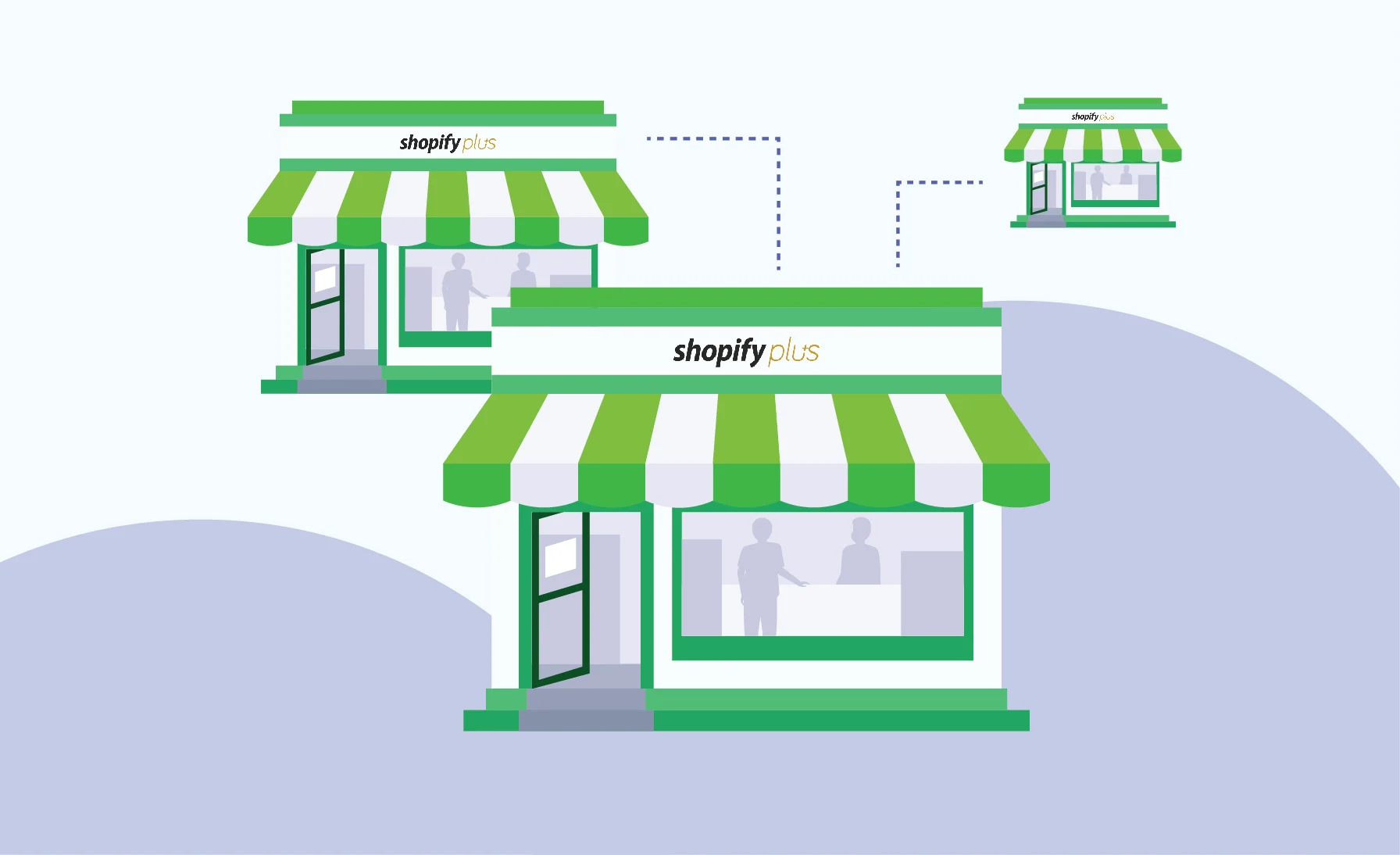
Launching a new product line, targeting a different customer segment, or entering a new market often requires an additional store. Expansion Stores on Shopify Plus are designed to address these demands, providing merchants with the flexibility to tailor experiences while maintaining control over operations.
In this blog, we will cover everything you need to know about Expansion Stores: the factors to consider before launching, how to set up, and best practices to overcome common challenges. By the end, you will gain actionable insights to assess whether Expansion Stores align with your business growth strategy and understand the steps to implement it effectively.
What are Expansion Stores on Shopify Plus?
Expansion Stores are additional stores that operate under the same Shopify Plus organisation and contract, each with independent data, settings, and billing.
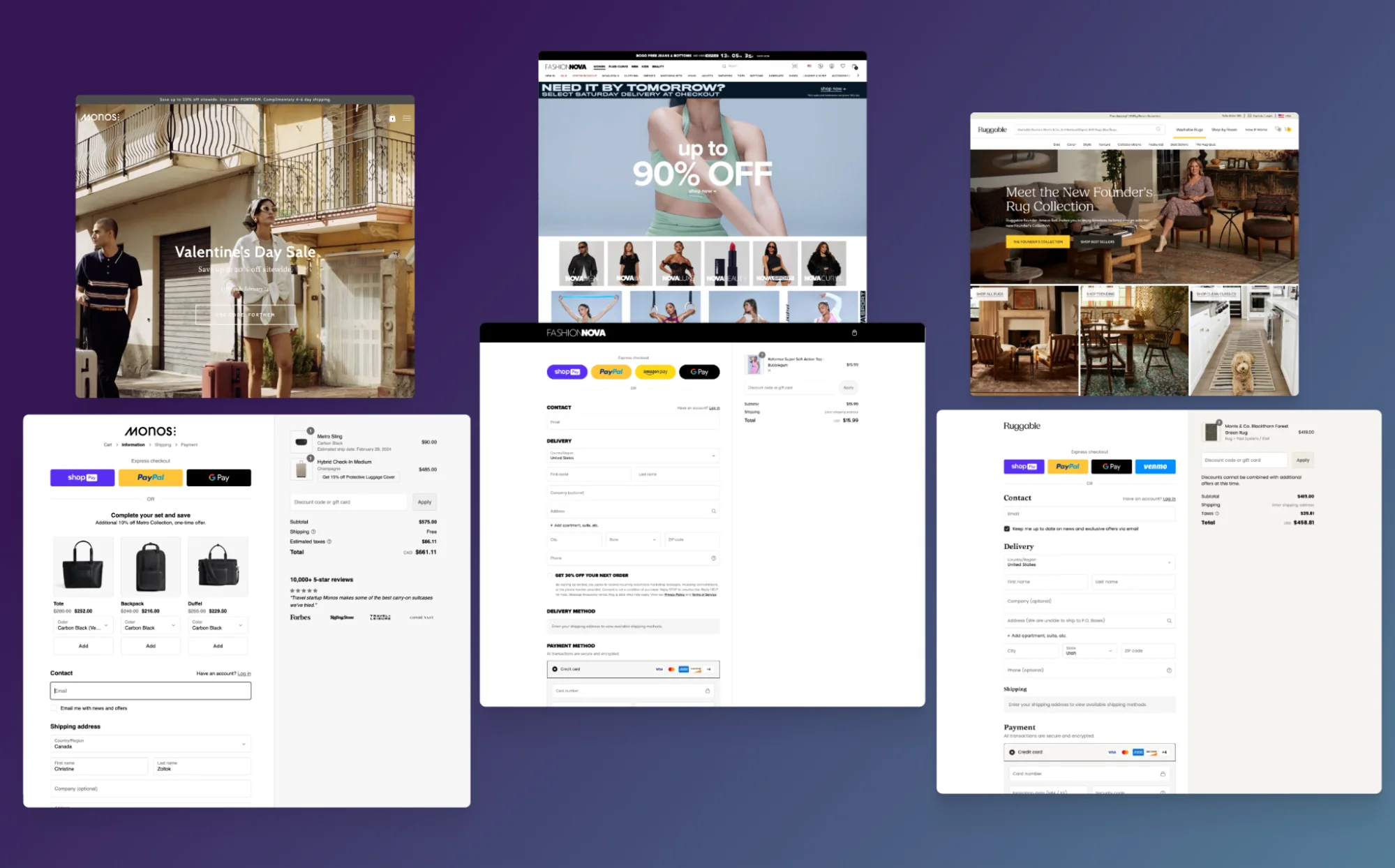
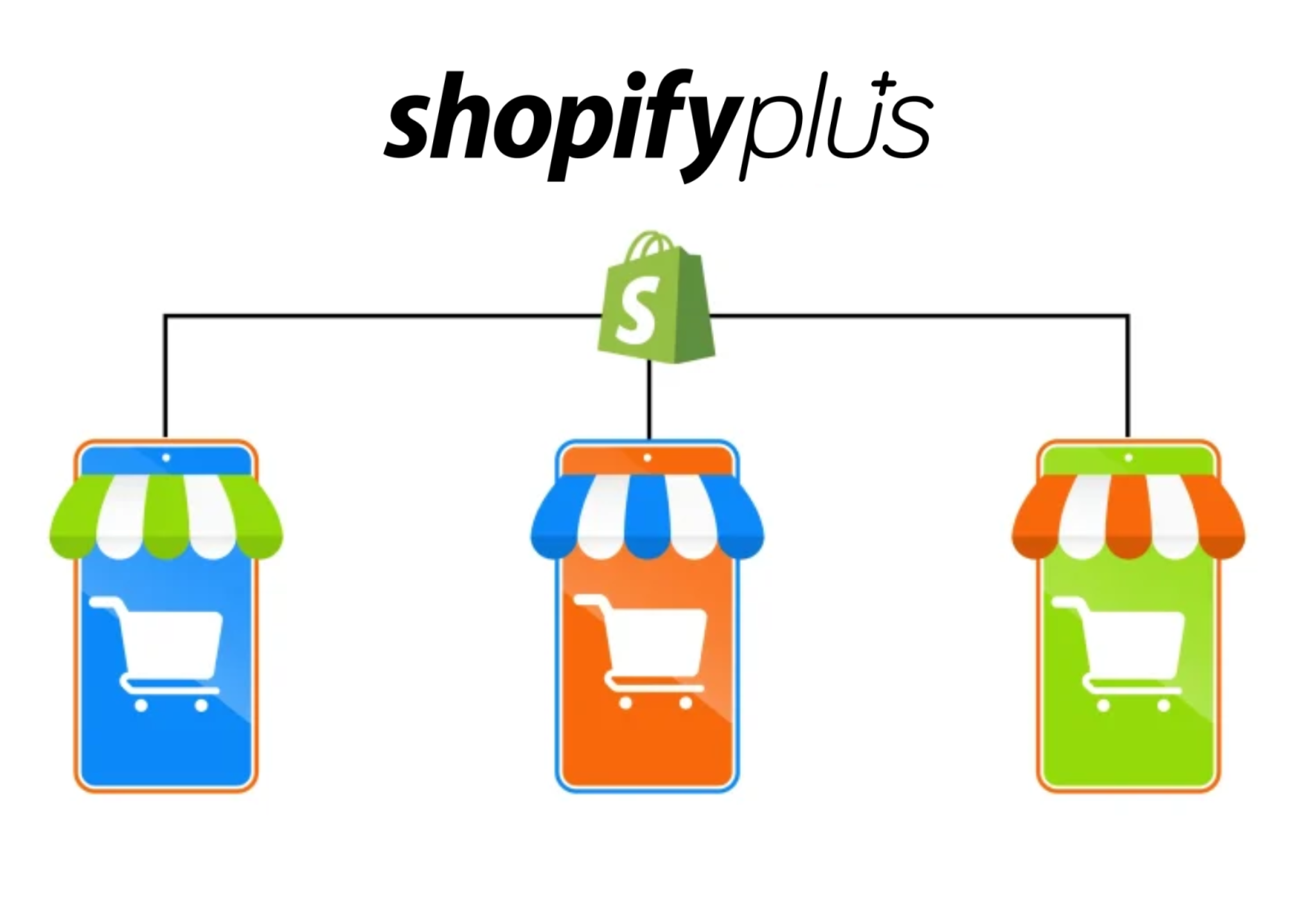
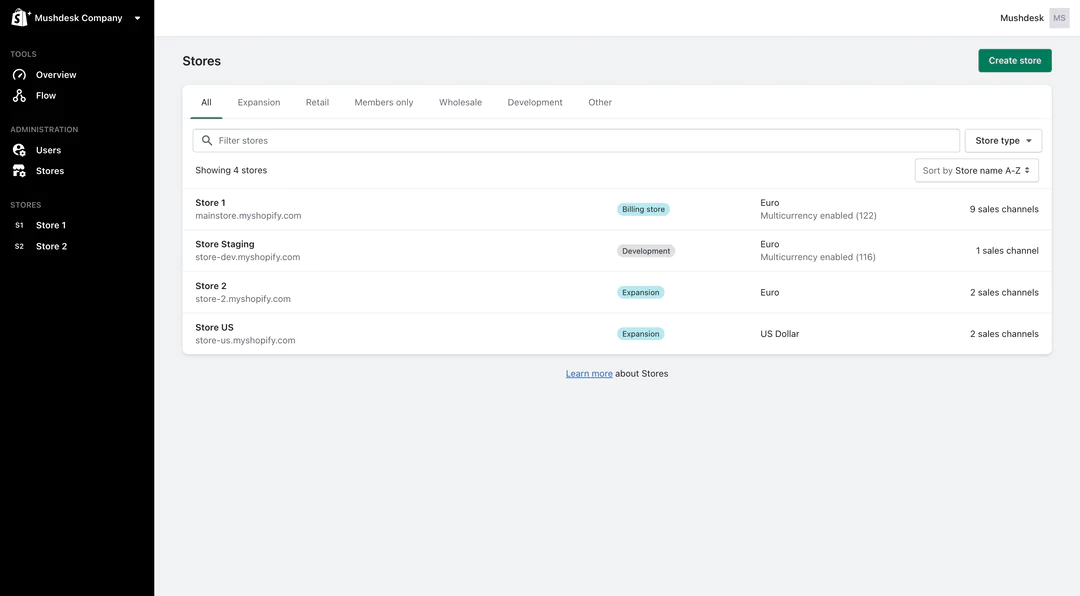
With Expansion Stores, businesses can create up to 9 independent stores in addition to their main store (giving a total of 10 stores). Each store runs with its unique settings, configurations, and design, while still benefiting from centralised management of users, billing, and organisation-level operations. This structure is designed to help brands expand without the need to set up separate Shopify accounts.
There are many use cases where businesses can leverage Expansion Stores, including:
-
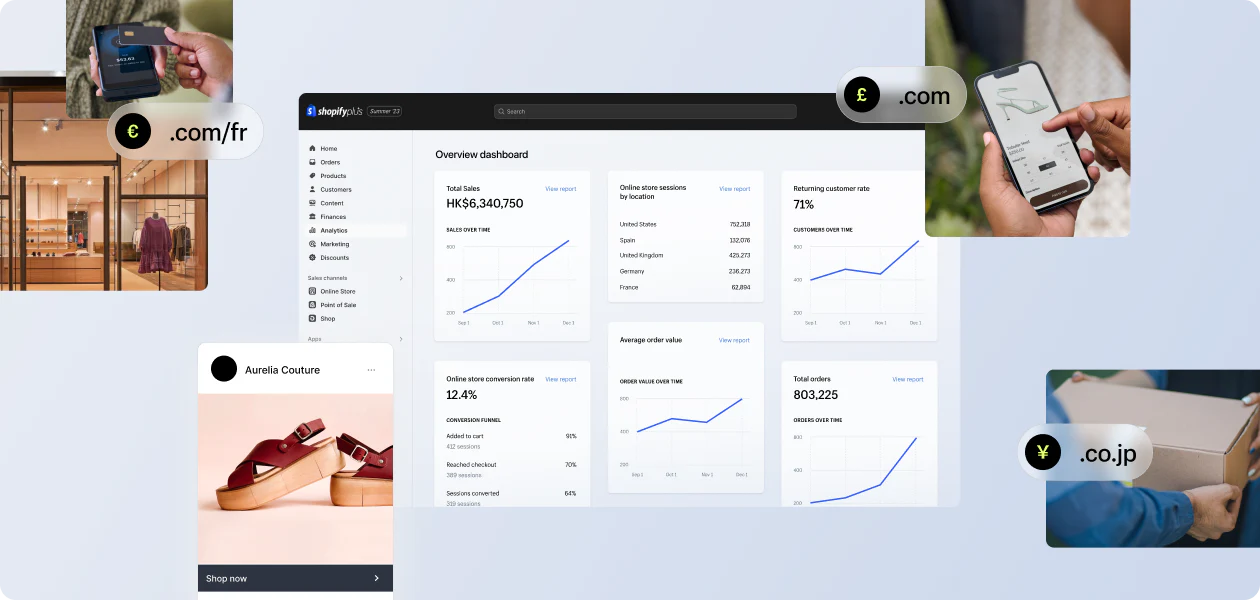
International expansion: Launch region-specific stores with localised languages, currencies, and shopping experiences.
-
Product line extensions: Test new products or target niche markets without disrupting the primary store or inventory management.
-
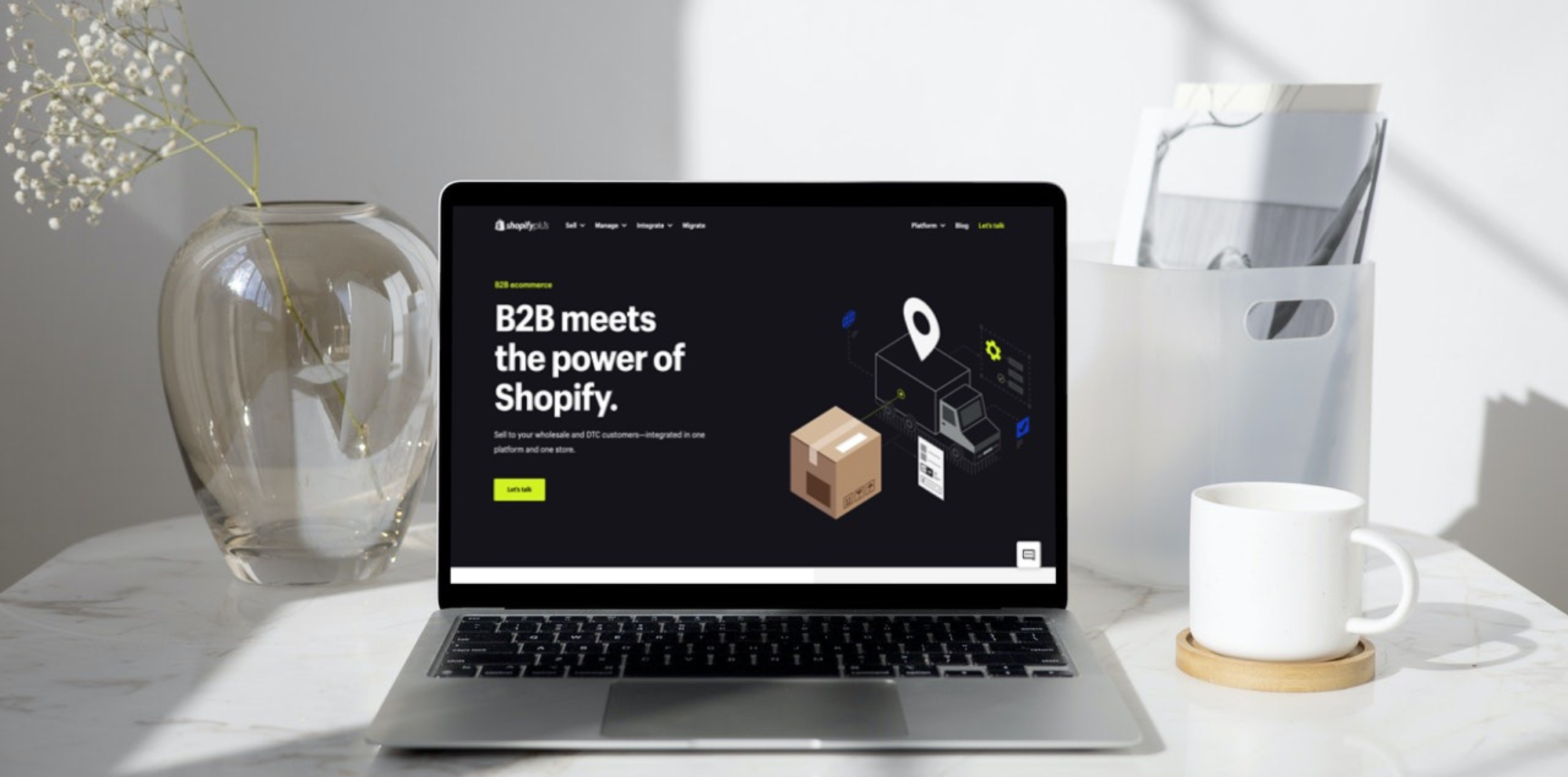
B2B or wholesale stores: Provide a separate store for business customers with customised pricing and purchasing options. Streamline B2B operations while maintaining the independence of B2C stores.
-
Employee or VIP stores: Offer exclusive stores for employees or loyal members, strengthening engagement without affecting public-facing stores.
-
Physical retail locations: 100% physical retail stores with no online transactions.
Why should businesses choose Shopify Plus Expansion Stores over other options?
If your business wants to create and manage additional stores for your main website, some alternatives to Shopify Plus Expansion Stores exist, including:
-
Multi-brand agreements: Each additional store requires its own Shopify Plus subscription and runs as a separate brand. Every store has its own identity, product catalogue, and storefront. Businesses can manage all brands centrally within the organisation. Businesses would need to contact Shopify Support to discuss multi-brand options and pricing details.
-
Pros: Allows businesses to operate multiple stores with completely distinct products and branding while maintaining centralised management. Ideal for businesses that have truly different brands and want to manage all from a central organisation.
-
Cons: Each store requires a separate Plus subscription, making it significantly more expensive compared to Shopify Plus Expansion Stores.
-
Third-party apps and integrations: Businesses can use specialised apps or integrations to manage multiple Shopify stores from one interface.
-
Pros: Apps can still help businesses coordinate inventory, orders, and reporting across multiple stores.
-
Cons: Flexibility in customisation is limited compared to Expansion Stores. Businesses depend on third-party providers, which means extra fees, possible compatibility issues, or downtime.
If your business is not on the Plus plan and only needs to sell internationally, below are 2 powerful options to get started. The best part is these features are also available on the Plus plan; therefore, your companies can easily combine them with Expansion Stores later for greater scalability and growth.
-
Shopify Market: This feature allows businesses to manage multiple countries or regions within a single store with region-specific domains. It supports custom currencies, languages, pricing, and themes for each market.
-
-
Pros: Ideal for businesses that want to sell internationally in a simple, centralised way using just one store. It’s also cost-effective since this feature is available across all plans. You only need to upgrade if you want to manage more markets within a single store:
-
Pause and Build, Starter, Basic, Grow: 3 markets included
-
Advanced: 3 markets included, up to 50 markets maximum
-
Shopify Plus: 50 markets included
-
-
Cons: Limited to one store. This reduces flexibility for businesses that need advanced customisation or highly unique customer experiences.
-
-
Managed Markets: This is a Shopify tool designed to simplify international selling for U.S.-based merchants. It handles complexities like local regulations, taxes, duties, international shipping, and localisation - all within one store with region-specific domains. Managed Markets is powered by Global-e, which acts as the merchant of record, taking care of tax registration, remitting taxes, accepting local payments, and managing duties and import taxes on your behalf.
-
Pros: Cost-efficient since it can run on any Shopify plan. It also significantly simplifies tax, duty, and regulatory management.
-
Cons: Available only for U.S.-based merchants and limited to one store. While it simplifies selling internationally, it doesn’t provide advanced support for theme management or unique customer experiences for each region.
Despite these options, Expansion Stores still stand out by offering key advantages that address the weaknesses mentioned above:
-
No extra license fees and full Shopify Plus privileges: As a Shopify Plus feature, Expansion Stores allow you to add up to 9 independent stores without any additional license fees. With Shopify Plus, your business enjoys every additional Plus privilege on your store as well, including built-in B2B features, advanced API access, enhanced checkout customisation and more.
-
Advanced distinct customisation per store: Expansion Stores enable merchants to assign each store its own unique settings, configurations, and layout. This level of customisation is difficult, or sometimes impossible, to achieve with third-party apps and integrations. These alternatives often offer limited options, making them less flexible for stores that require fully tailored experiences.
-
Centralised multi-store management: Expansion Stores keep both the main store and additional stores under a single account. Managing all stores in one place makes administration more streamlined and intuitive. Merchants also benefit from the Shopify Organisation Admin (exclusive to Shopify Plus). It provides unlimited staff accounts, role-based permissions, shared templates, cross-store analytics, and easy store switching. This centralisation reduces administrative overhead and simplifies reporting across all stores.
-
Effective and strategic scaling: Expansion Stores are essential for large businesses that require a strategic approach for each market, product line, or customer segment. They give businesses complete control over scaling, allowing each store to be optimised independently according to specific objectives. When a company wants to test or focus on a particular segment, Expansion Stores enable quick deployment without affecting other stores.
Essential factors merchants need to evaluate before launching Expansion Stores
Before setting up Expansion Stores, several key factors must be taken into consideration. These include whether your business meets the requirements to open Expansion Stores and Expansion Stores’ implications for management, billing, and configuration. Let’s examine each one in detail below.
Expansion Store eligibility criteria
Expansion Stores on Shopify Plus must meet specific requirements to ensure they remain extensions of the main brand. These rules apply whether the store operates online or as a physical retail location.
General requirements for Expansion Stores
-
Serve as an extension of the main brand.
-
Maintain the same branding, including store name and visual identity.
-
Carry the same types of goods and services as the main brand.
Note: Online stores may vary in language and applicable currency to accommodate local markets.
Additional requirements for physical retail or wholesale stores
Physical or wholesale stores must also:
-
Adhere to the same branding and store name as the main brand.
-
Offer the same product types and services as the main brand.
Pre-approved Expansion Stores types
To create expansion stores, you’ll need to meet the requirements mentioned earlier. That said, certain store types qualify automatically and can be set up right away without any approval process, including:
-
International stores: Online stores with identical branding and products, offered in different languages, regions, or currencies.
-
B2B wholesale stores: Stores offering the same products as the main brand, requiring user login and association with a B2B organisation. Each contract allows 1 free B2B store (which is part of the 9 free Expansion Stores).
-
D2C stores for wholesale merchants: Merchants who exclusively sell wholesale can create a direct-to-consumer store with the same products. Each contract allows 1 free B2C store (which is part of the 9 free Expansion Stores).
-
Employee-only stores: Employee swag stores that are part of the main business, not available to the general public.
-
Physical retail locations: Fully offline stores with Shopify POS (With Shopify Plus, the first 20 POS Pro locations are included in the plan). These stores carry the same branding, name, and product catalogue as the main brand, with no online transactions. Each expansion store can represent a different physical retail location. In addition, these physical retail stores can be located internationally, not limited to one place.
Multi-store independent management
Each Expansion Store functions as a completely independent store. While organisation-level settings allow for centralised management of users and billing, individual stores maintain separate data, products, collections, inventory, and configurations. This means that the storefront display, such as product catalogue, language, and currency, is unique to each expansion store and not shared or displayed together across stores. Changes made in one store do not automatically affect others. Merchants should establish clear operational workflows to avoid duplication or inconsistency.
Data synchronisation between stores
By default, store settings, products, and inventory are not shared across Expansion Stores. If you require synchronisation, for example, for inventory or customer data, you will need third-party apps or ERP systems to keep information consistent between stores.
Additional costs based on each Expansion Store's purpose
During the creation process, you will be asked to specify a purpose for your new store. This choice may affect how the store is billed within your Shopify Plus contract. As mentioned, each Expansion Stores feature includes 01 B2B and 01 B2C stores at no extra cost. Any additional stores of the same type will incur extra fees. However, your selection does not restrict the store’s features or capabilities.
Separate app and theme costs for each store
Apps are billed on a per-store basis, rather than at the organisation level. Similarly, each production Expansion Store requires its own theme license. Development Expansion Stores are exempt from this requirement. Budget planning should take these recurring costs into account when scaling the store.
Theme and file management
When importing a theme into a new Expansion Store, any hard-coded references to files in the original store will continue to point there. If files are deleted in the original store, links in the new store may break.
When should businesses invest in Shopify Plus Expansion Stores?
Deciding to invest in Shopify Plus Expansion Stores is a strategic decision that requires careful evaluation. The following points can help determine when your business is ready to invest:
-
If your business can balance costs with expected ROI: While Expansion Stores offer many benefits, they involve additional costs, including licensing if you are not already on Shopify Plus. Apps and themes must also be purchased separately for each store. Businesses should only invest when the projected returns outweigh these expenses. When evaluating, companies should also consider the broader value of Shopify Plus as a whole to gain the most comprehensive view.
-
If your business faces operational complexity when serving multiple customer segments in one store: Expansion Stores are ideal when managing multiple product lines, regions, or customer segments within a single store becomes troublesome. Separate store simplify workflows and inventory management while still allowing centralised oversight.
-
If your business needs complete control over market experiences: Expansion Stores are suitable when you require distinct customer experiences, product catalogues, and pricing strategies. They also allow for customised shopping experiences that reflect the preferences of each target market.
-
If your business has sufficient resources to manage multiple stores: Expansion Stores work best when your team has the capacity and operational systems to handle independent stores. Adequate staffing, streamlined processes, and clear operational responsibilities help prevent bottlenecks and ensure each store runs smoothly without impacting others.
Still unsure if Expansion Stores is the right move? Explore On Tap’s consulting services today! With 400 experts and nearly two decades in eCommerce, we are ready to provide end-to-end guidance to support your growth!
How to set up Shopify Plus Expansion Stores
Setting up an Expansion Store on Shopify Plus can be done either by:
-
Creating a new store
-
Adding an existing store to your organisation
Both methods allow you to expand your business while maintaining centralised management under your Shopify Plus plan.
Importing data from the existing store
Before diving into the two methods for adding an Expansion Store, it’s worth noting that when creating a new Expansion Store, you have the option to import data from another store within your organisation to streamline the setup process.
-
Themes: Copy selected themes or all themes from the source store.
-
Products and collections: Import all products, variants, and associated metafields (excluding reference types).
-
Files: Import all images, videos, and uploaded files.
Notes: After creation, any further data must be managed manually or synced using third-party tools.
Creating new Expansion Stores
If you want to create a new, separate store, here are the key things you need to know.
Prerequisites:
-
Your main store must have a payment method added under Settings > Billing.
-
A complete billing address must be set under Settings > General > Store Details > Store Address.
Steps to create a new store:
-
Go to Settings > Organisation in your Shopify admin.
-
Click Create Store.
-
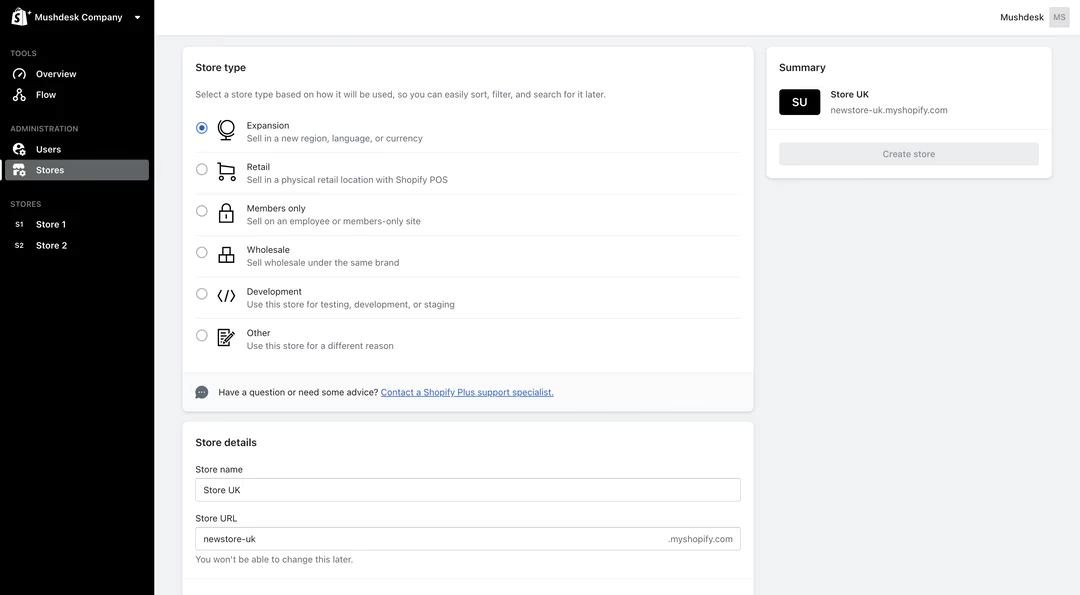
Select the store type.
-
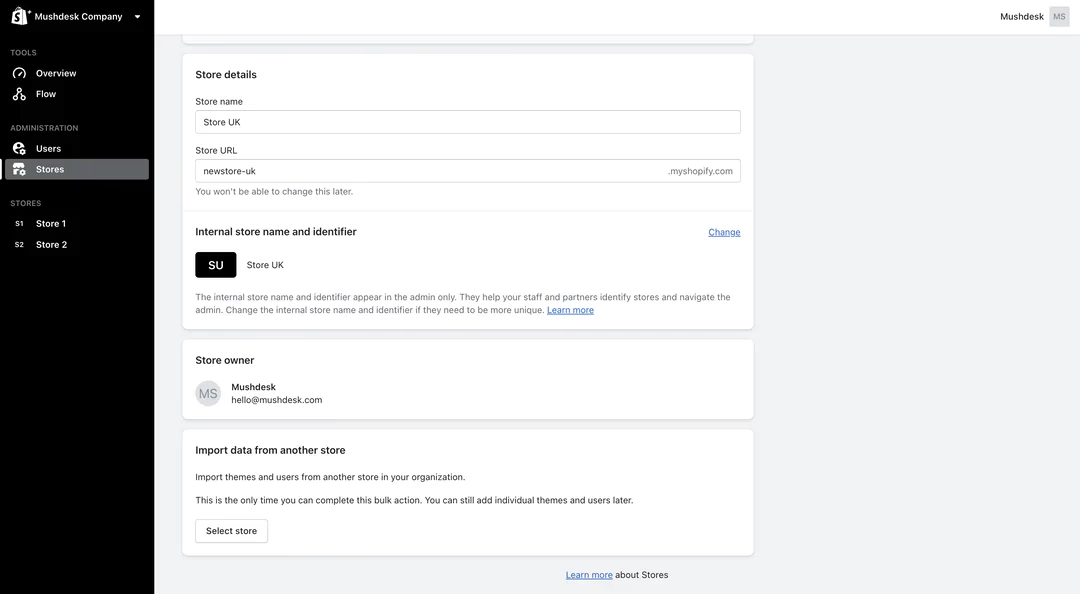
Enter the Store Name and Store URL in the Profile section.
-
(Optional) Add an internal name and icon for administrative purposes; these appear only in the Shopify admin.
-
(Optional) Import data from an existing store in your organisation:
-
- Themes: Choose which theme(s) to copy.
- Products and collections: Copy all products, variants, and metafields (excluding reference types).
- Files: Include images, videos, and uploaded files.
-
Click Create Store to finalise setup.
Note: Data import is only available during store creation. After the store is created, you must manually manage any new data.
Adding an existing store
If you have an existing Shopify store, such as a trial, legacy, or partner-created store, you can add it to your organisation as an Expansion Store.
Prerequisites:
To add an existing store to your Shopify Plus organisation, the following conditions must be met:
-
The request to add the store must be initiated or confirmed by the account owners of both stores:
-
The account owner of the main billing store (organisation owner).
-
The account owner of the store is being added as an Expansion Store.
-
If the two stores have different account owners, the request must be submitted via email. Both owners should be CC'd, and confirmation must be provided by replying to all recipients.
Steps to add an existing store:
-
Ensure your proposed store meets eligibility requirements.
-
Contact Shopify Plus Support with your request.
-
Provide confirmation from both account owners.
-
Wait for Shopify to review and approve the addition.
In both cases, once the Expansion Stores are created, you can configure different settings to make each store unique, such as:
-
Catalogue: To create a catalogue in an Expansion Store with Shopify Plus, go to Markets > Catalogs in your admin and click Create catalog. Add a name, set it as Active or Draft, choose a market and currency, and optionally apply price adjustments. Select the products you want to include (all or specific ones), adjust prices if needed, and save the catalogue.
-
Language: From your Shopify admin, go to Settings > Languages and add the languages you want to support. Use the Shopify Translate & Adapt app or another translation app to provide content in those languages, then publish them to make the translations visible to customers.
-
Currency: From your Shopify admin, go to Settings > Markets and choose the market you want to configure. In the Currency section, add or select the desired currency. For markets covering multiple countries, you can also enable local currencies so customers see prices in their own currency.
-
Theme: From your Shopify admin, go to Online Store > Themes. You can add a new theme by selecting a free theme, purchasing or trying a paid theme from the Shopify Theme Store, or uploading a theme ZIP file. Once added, customise it using the Customise editor, and publish the theme to make it live on the store.
Best practices to optimise Expansion Stores for multiple stores
After setting up Expansion Stores, businesses may encounter some challenges that require continuous refinement to keep the store running smoothly. Below are some common issues and practical solutions.
Store redirection and geolocation
Customers may sometimes land on the wrong regional store, which creates unnecessary friction. They could encounter the wrong currency, mismatched shipping rates, or products that are not available in their region. These inconsistencies can confuse shoppers and leave a poor first impression, which in turn increases bounce rates and leads to missed sales opportunities.
A practical solution is to use geolocation apps such as Orbe. These tools automatically detect a shopper’s location and redirect them to the correct Expansion Store, ensuring they see the right pricing, shipping options, and product availability. Many apps also provide the option for customers to manually select their preferred region, giving them greater control and enhancing the overall shopping experience.
If your business doesn’t need a separate store for each country, you can consider using Shopify Markets and Managed Markets as mentioned above. This way, customers can choose their country before shopping, and the store will automatically reload for the selected region.
Multi-store inventory sync
Inventory is often siloed across different Expansion Stores, which makes management difficult. Without proper synchronisation, businesses risk overselling products or creating stock discrepancies between stores. These issues not only frustrate customers but also cause inefficiencies in day-to-day operations, from fulfilment delays to inaccurate reporting.
To address this, merchants can use tools such as Matrixify, Inventory Sync, or a custom middleware solution. These tools keep products, collections, and stock levels updated across all stores in real time. By maintaining accurate and consistent inventory data, businesses can operate more efficiently and deliver a more reliable shopping experience for customers.
Global support and operations coordination
Customers in different regions may contact separate support teams that rely on different systems. This often leads to duplicated work, inconsistent service quality, and slower resolution times. For international customers, such a fragmented experience can quickly erode trust in the brand and reduce the likelihood of repeat purchases.
The solution is to centralise communication through helpdesk integrations such as Gorgias or Zendesk. When paired with shared CRM workflows, these tools keep customer data and conversations unified across all Expansion Stores. This approach not only reduces operational inefficiencies but also ensures customers receive consistent and reliable support, no matter where they are.
Pro Tips: For smoother and more effective integrations, it is recommended to use On Tap’s integration services and API-first integration flows. These deliver multi-endpoint connections much faster than legacy systems.
Local SEO, hreflang and duplicate content
Running multiple Expansion Stores can introduce several SEO challenges, such as duplicate content across stores and improper localisation signals. Without a proper setup, the wrong site could rank for a given region, or a store might fail to appear in search results altogether. These issues can reduce organic traffic, limit visibility, and negatively impact overall sales performance.
The solution is to use SEO-focused apps that support multi-store setups. These tools manage hreflang tags, localised metadata, and region-specific sitemaps to improve search engine visibility and prevent duplicate content issues. Some recommended apps include GWA: Hreflang Manager, Digital Darts: Hreflang Tags, which help ensure each Expansion Store is optimised for its target region while maintaining a strong overall SEO strategy.
Conclusion
Overall, this article has provided all the essential information you need about Shopify Plus Expansion Stores, including key considerations, the setup process, and ways to overcome common challenges. However, covering all these tasks can be time-consuming and often requires specialised knowledge to execute a well-planned strategy from the start.
For this reason, it is always recommended to partner with an experienced agency. With 19 years of eCommerce experience and a team of over 400 experts, On Tap proudly offers end-to-end Shopify Plus solutions. We are ready to support you from the initial consultation, through development, and all the way to long-term support. Contact our team today to schedule a meeting!
FAQs
How many Expansion Stores are included with Shopify Plus?
Shopify Plus plan organisations can have a maximum of 10 stores on a contract with no additional cost: 1 main store and 9 Expansion Stores. Development or staging stores do not count towards this 10-store limit. If you require more than 10 stores, please contact Shopify Support to discuss your options.
Do apps work across multiple stores?
Apps installed on Shopify stores are managed on a per-store basis. This means that apps do not automatically work across multiple stores in your organisation. Each store requires its app installation and billing. If you have numerous stores, you need to install and manage apps separately for each store.
Is Shopify Plus required to launch multiple stores?
Yes, Shopify Plus is required to launch multiple stores under the same organisation using Expansion Stores. This feature is exclusive to the Shopify Plus plan.
What are the differences between Shopify Markets and Expansion Stores?
Expansion Stores give merchants greater control and flexibility when scaling their business on Shopify Plus. By running multiple standalone stores under a single Plus contract, businesses can tailor each site’s catalogues, pricing, and content to specific audiences or regions — all while keeping management centralised for efficiency. This approach is especially valuable for merchants serving both B2B and DTC customers, or managing regional subsidiaries that require distinct experiences and operational independence.
In contrast, Shopify Markets is available on all Shopify plans. Shopify Plus stores can have 50 markets, while limits for other plans vary by tier. It enables businesses to manage multiple customer segments within a single store by customising currencies, languages, pricing, and themes for each market. This makes Shopify Markets an ideal solution for businesses that want to localise and tailor customer experiences within one store across multiple regions or segments.
Can I use both Markets and Expansion Stores?
Yes. You can use Shopify Markets and Expansion Stores together. Combining both enables you to manage multiple independent stores with tailored customer experiences, while also maximising your business’s international reach. For more insights on how Shopify Plus help your business expand globally using these two features, check out our latest blog.